What are the regulations of refund & withdraw from BlibliPay?
Important Information
- Cashback balance cannot be withdrawn because it is a reward.
- BlibliPay always checks every cash withdrawal transaction from your BlibliPay Refund balance. This is our effort to maintain security and ensure there are no acts of fraud or theft, also make sure your BlibliPay account name matches the tiket.com account, so that your cash withdrawal transaction is not rejected.
BlibliPay refunds
Starting 9 February 2023, purchases other than using a credit card and/or paylater to submit a refund will be returned in the form of a BlibliPay balance without additional fees. Refunds to the BlibliPay balance will be processed according to the respective terms of the product you ordered.
Withdraw BlibliPay
You can withdraw your refund balance at BlibliPay by using the "Withdraw Balance" feature. Disbursement of funds will be processed into your bank account via Bank Transfer method with a maximum process of 1 - 3 working days and BlibliPay balances can be withdrawn with a minimum withdrawal amount of IDR 10,000.
For your information, starting 16 February 2024 you will be charged a fee of IDR 2,500 for withdrawing funds to accounts other than BCA. This fee will be added to the withdrawal amount you entered. So, make sure your balance is sufficient.
For withdrawals with BCA destination accounts, the maximum withdrawal amount in 1 withdrawal is IDR 1,000,000,000 (1 billion) and for withdrawals with non-BCA destination accounts, the maximum withdrawal amount in 1 withdrawal is IDR 250,000,000 before deducting admin fees of IDR 2,500, or IDR 249,997,500 after deducting admin fees of IDR 2,500.
To withdraw a refund balance, this can be done if your account has been verified. Here are the steps:
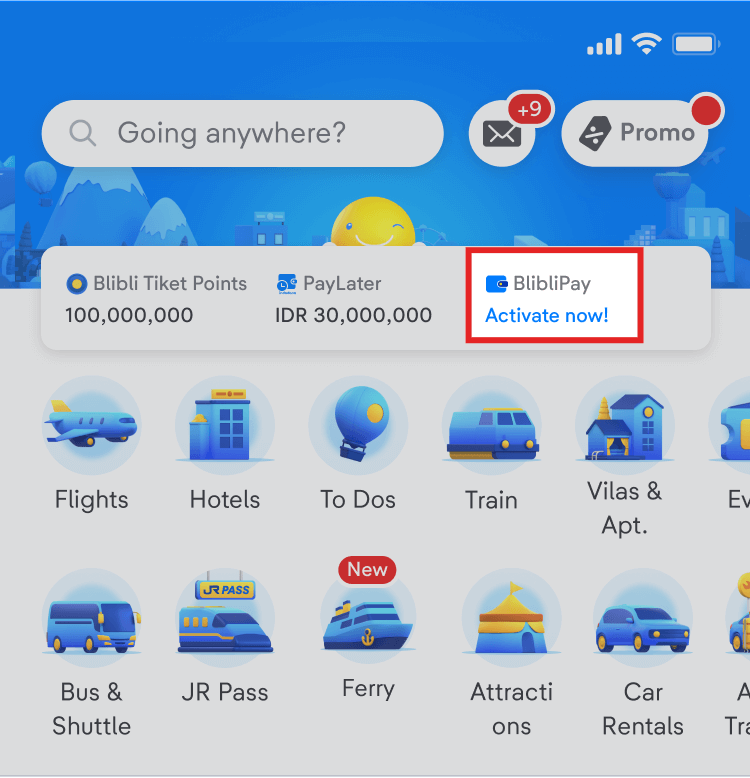
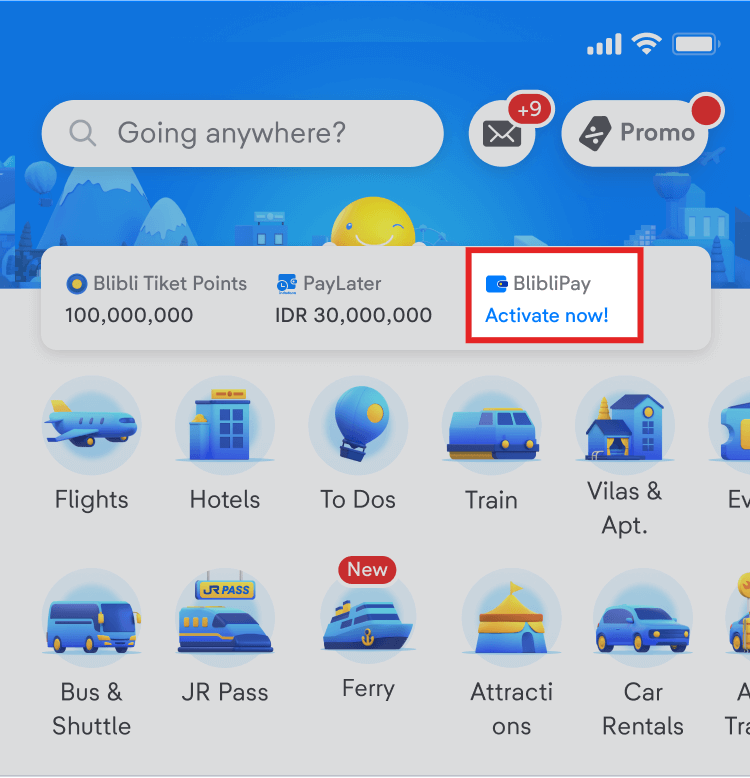
- Enter the BlibliPay page through “BlibliPay” button on homepage of tiket.com app
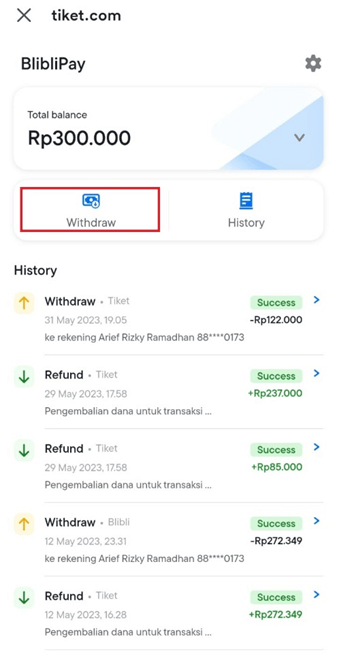
- On BlibliPay page click "Withdraw"
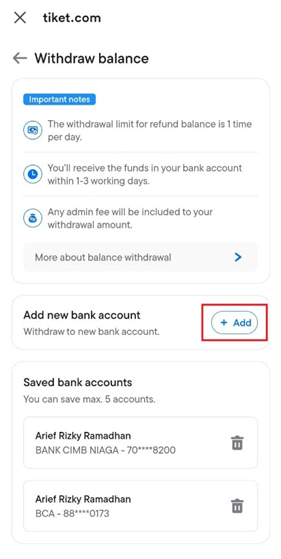
- Add a bank account if you have never withdrawn funds and enter the required information*
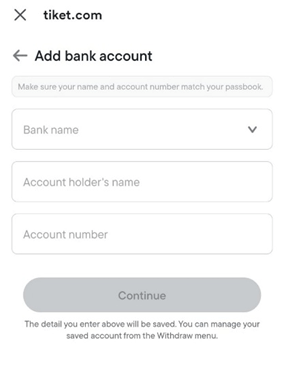
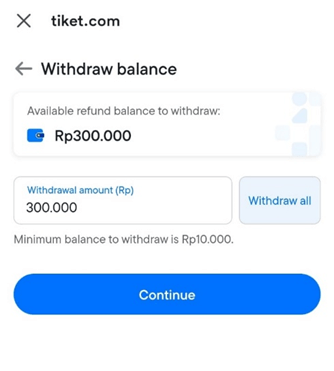
*You can partially withdraw your balance with a minimum amount of IDR 10,000.
- Select the destination bank account if you already have a registered bank account. You can also change and delete accounts that you have registered.
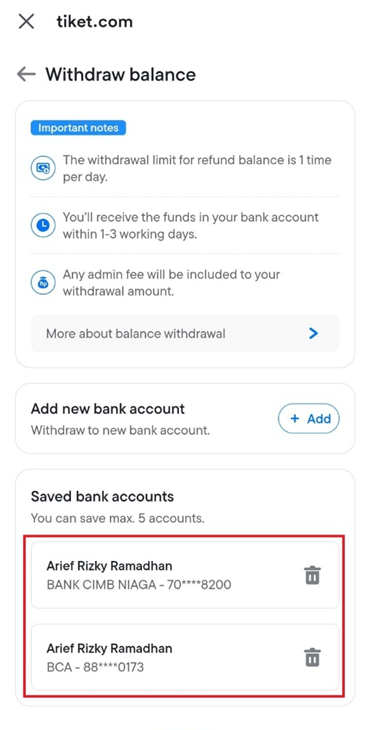
- Enter the amount of BlibliPay that you want to withdraw, then click “Continue”
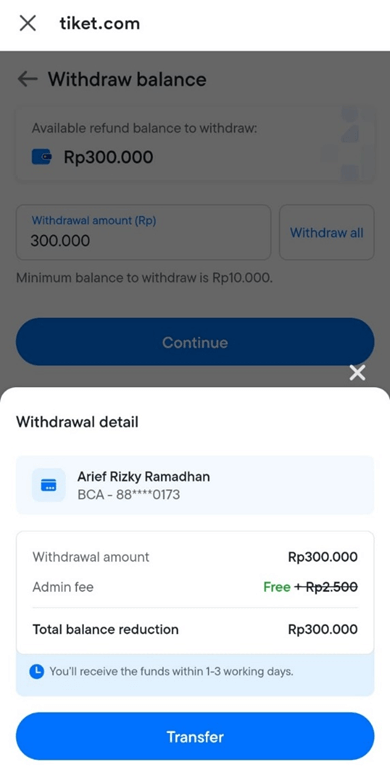
- Make sure the amount is correct, then click “Transfer”
- Input your Blipay PIN and Funds will arrive in the destination account within 1-3 working days.

BlibliPay balance type
BlibliPay Cashback is a loyalty balance that you get from a promotion and you can use it for subsequent transactions on apps or the web.
BlibliPay Refund is the balance that you get from the process of refunding a transaction and you can use it for the next transaction on the app or web.
Here is how to find out BlibliPay balance information on the tiket.com app:
- Log in at the tiket.com application.
- On the main page, you can see the BlibliPay balance at the top right
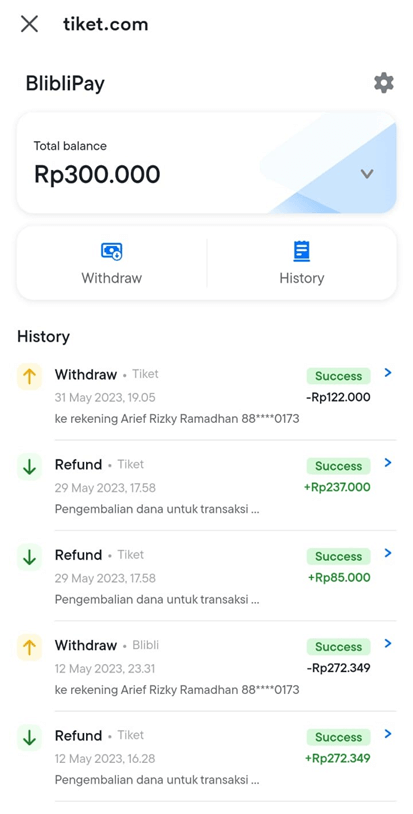
- To see details of your balance, click the BlibliPay button. Your balance details will look like the display below
Check here for more information on BlibliPay terms and conditions.