



3 Star Hotels in Bilah Hulu
Showing 2 hotels in Bilah Hulu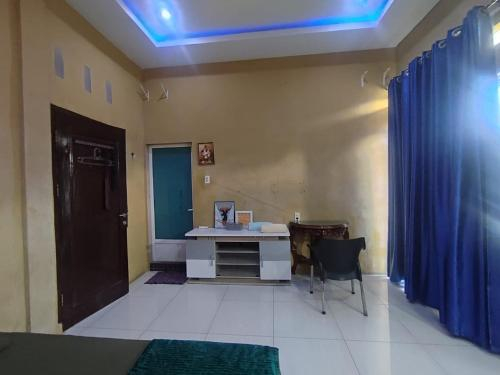
Mclos Syariah
At Mclos Syariah, exceptional service and top-notch amenities create a memorable experience for guests.Complimentary internet access is available in the homestay to ensure you stay connected during your visit. For guests with their own vehicle, parking facilities are provided. Desire to unwind? Make the most of your visit at Mclos Syariah with accessible amenities such as daily housekeeping.Accommodations come equipped with all the conveniences required for a restful night's slumber. A selection of rooms at Mclos Syariah come furnished with air conditioning to cater to your needs and comfort.
See detailsAhza Syariah
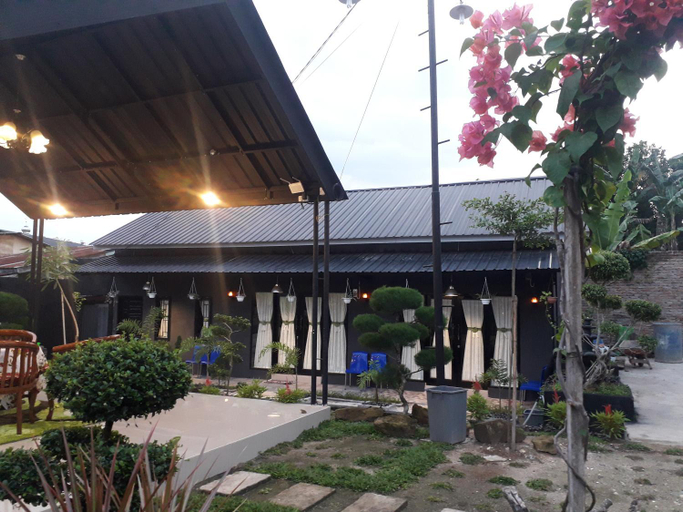
Ahza Syariah provides flawless service and all the necessary facilities for visitors.Maintain seamless communication using the complimentary Wi-Fi at hotel. Guests can avail parking facilities at the hotel.During leisurely days and evenings, on-site amenities such as daily housekeeping enable you to fully enjoy your accommodation.At Ahza Syariah, every guestroom is provided with convenient amenities and fittings to ensure a comfortable stay. Elevate your experience at hotel with the knowledge that certain rooms are equipped with blackout curtains, ensuring a more pleasant stay for you.Certain rooms boast in-room amusement features such as television and cable TV, offering guests an enjoyable stay.
See details
How to Book Hotels on tiket.com
1. Find the hotelEnter the name of the city, area, or hotel to find the place you want.
2. Select a roomOn the hotel detail page, you will see the available room options. Select a room that suits your needs.
3. Complete the booking detailsInput the contact details (the person who will be contacted by tiket.com and the hotel about the booking) and the guests’ details.
4. Select Add-onsYou can also buy additional services such as meal packages, transportation, and many more.
5. Pay your bookingSelect the payment method and complete your transaction. Don’t forget to use the promo code to get a cheaper hotel price at tiket.com.
6. Get the reservation e-voucherAfter the payment is successful, the e-voucher will be available on the Your Orders menu and sent to the email listed in the contact details.