How to refund my rent car orders?
You can apply for a refund independently via the Smart Refund feature on the website or tiket.com application.
For your information, to submit a refund for certain reasons, you have to attach the following supporting documents:
|
Reason for Refund |
Supporting Documents |
|
Disagree with additional fees from vendors |
Screenshots of conversations or call logs with vendors. |
|
The vendor has not contacted until D-1 or the vendor cannot be contacted |
|
|
Customer data rejected (for car rental off key) |
|
|
Force Majeure (natural disasters, riots, bomb explosions, and more) |
Pictures, news, or announcement from local government |
*We will forward the refund application for these certain reasons to the vendor and the acceptance/rejection of your refund application will be decided by the vendor. Meanwhile, refund applications for personal reasons can be processed directly. If your refund request is approved, the refund will be processed within 7 calendar days from the date the submission is received.
Important info:
You need to note that some refunds cannot be done if you order a car on the same day/Same Day Booking, or if the rental day is included in the high season date (7 days before to 7 days after Christmas, New Year and Eid al-Fitr holidays).
If you want to refund your car rental via website or application, you can check the steps for submitting a Refund as follows:
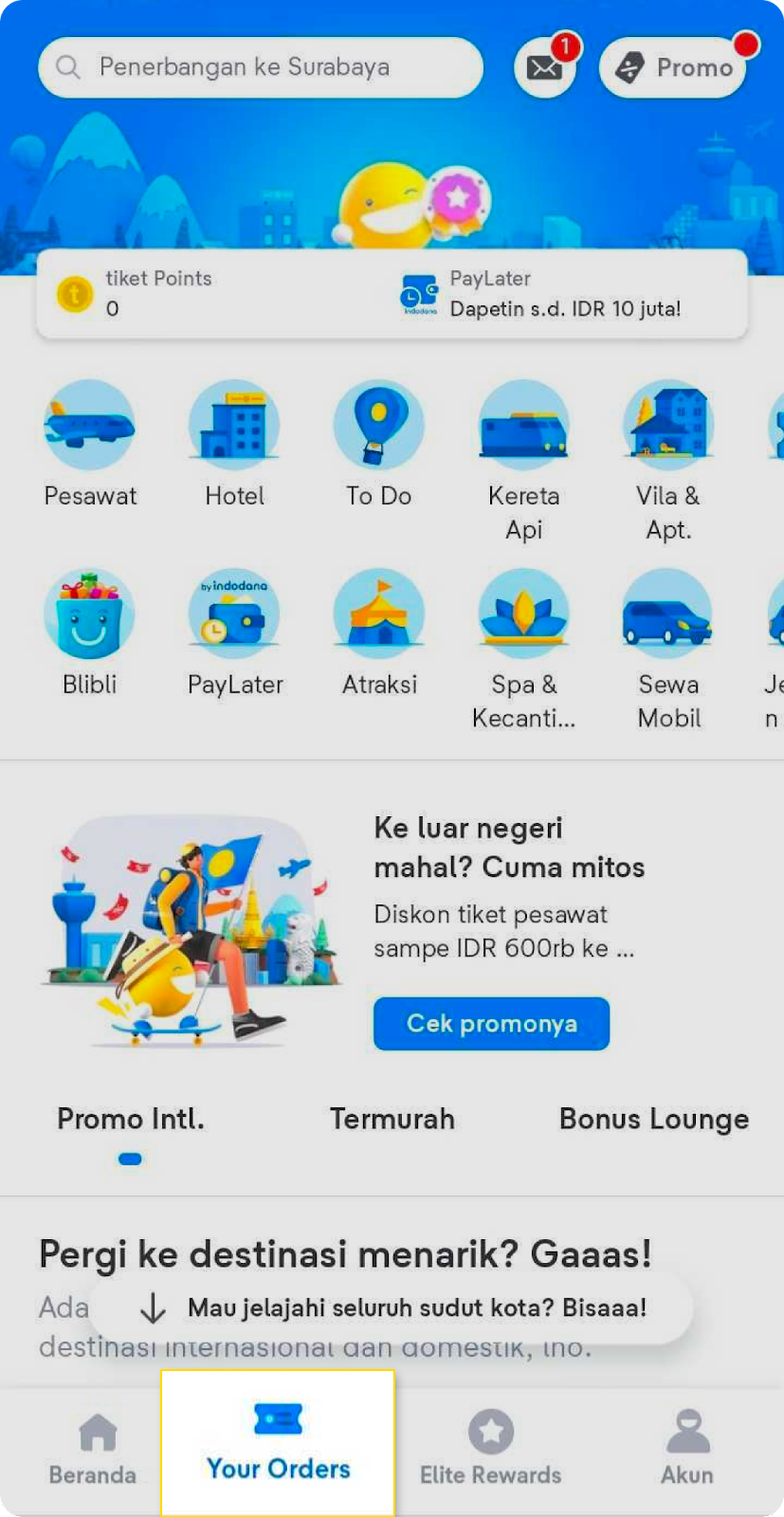
- Check the “Your Orders” menu on the bottom of the application.
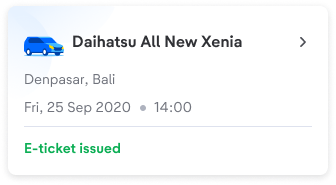
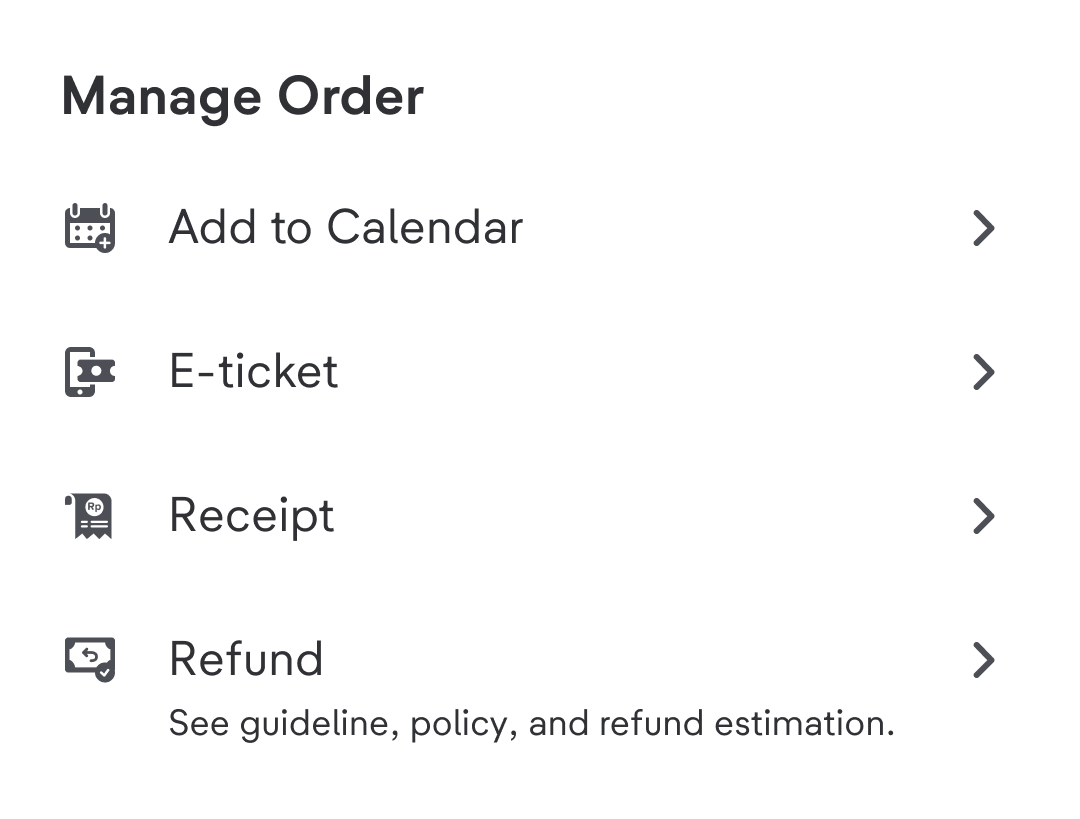
- Choose the trip that you want to refund and choose Refund.
- Choose the reason for refund.
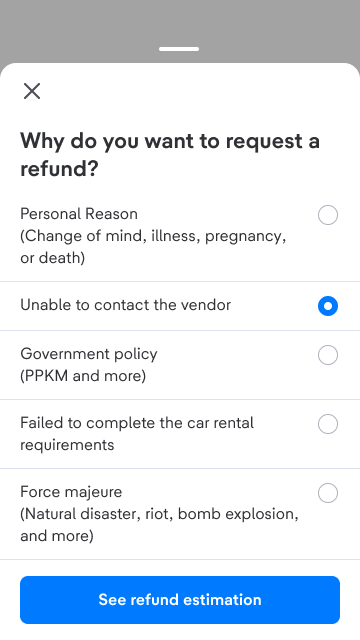
- You will see the refund estimation detail for the chosen trip, including fee detail and refund methods. Check all the details before continuing to the next step.
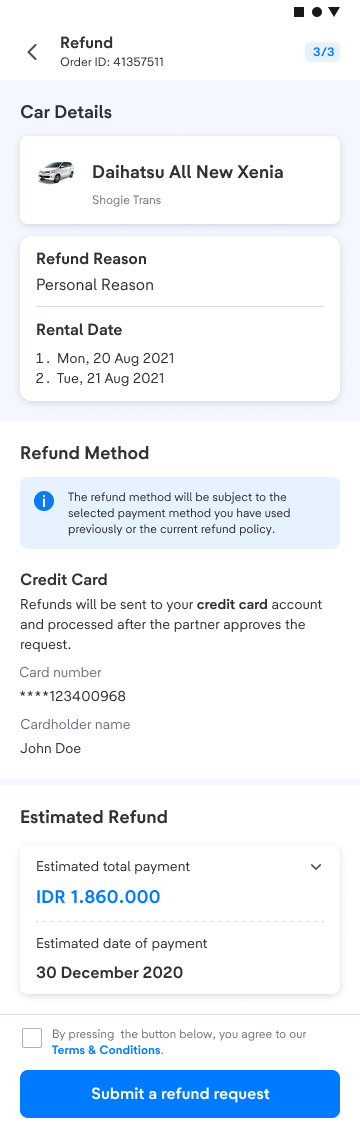
- Refund policy in tiket.com follows each vendor’s policy. Make sure you have read the refund Terms and Conditions
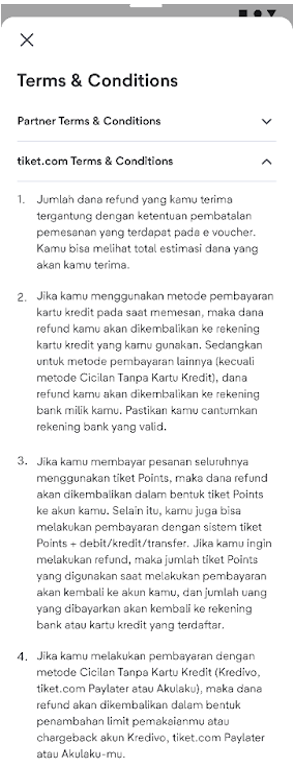 .
.
- After successfully submitting a refund, a notification will appear on the registered email and Your Orders. Your refund will be processed within 14 (fourteen) working days after the refund application is approved. Check your refund journey on the Your Orders page.
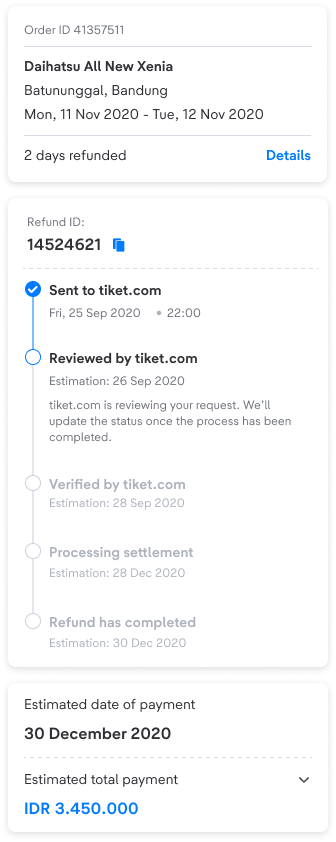
If your refund process has been successfully completed, you will get an email notification that the funds have been sent back to your account or credit card limit. Make sure to check your email regularly.
If you are not able to apply for a refund through the Smart Refund feature, you can request a refund via the "Send Message" menu by the end of this article, then select the car rental order that you will cancel, and follow each of the steps.
Click this button to refund your rent car tickets 👇