How to do International flight online check in on tiket.com?
To make your flight check-in easier, you can check in online on tiket.com apps. There's no need to rush to the airport anymore, because you can choose an available seat and get your boarding pass only through the Online Check-in feature.
Here is the following information about online check-in on tiket.com that you have to know:
- Online check-in is available on the tiket.com application (iOS and Android)
- Online check-in only applies to Garuda Indonesia and Citilink airlines
- Online check-in can be done for those of you who are already logged in and also have flight orders purchased from tiket.com
- You cannot select a paid seat when using online check-in
- The time for online check-in is different for each airline. You can do an online check-in when the status “Online Check-in" appears on Your Orders
- Online check-in on tiket.com refers to the policies of each airlines.
If you have rescheduled directly at the airline, you can’t use an online check-in on tiket.com. Check-in must be processed directly at the airport.
You can print your boarding pass independently if you have done an online check-in on tiket.com. Follow these steps to do an online check-in through tiket.com app:
- Log in to tiket.com app and go to “Your Orders”

- Select the flight, then select "online check-in" Check the "Next Flight" menu.
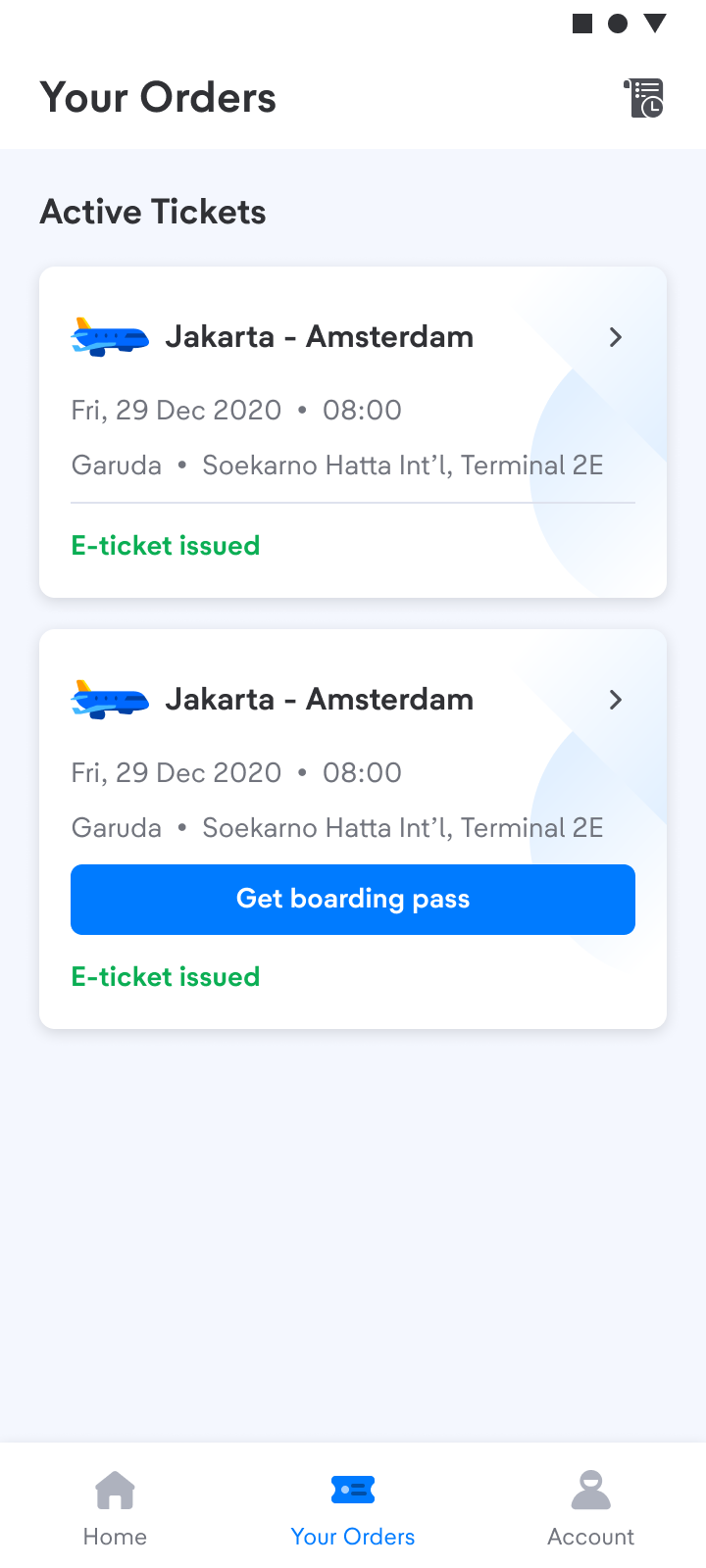
- If the online check-in feature is available, the information “Online check-in is available” will appear. You can click “Get boarding pass”.
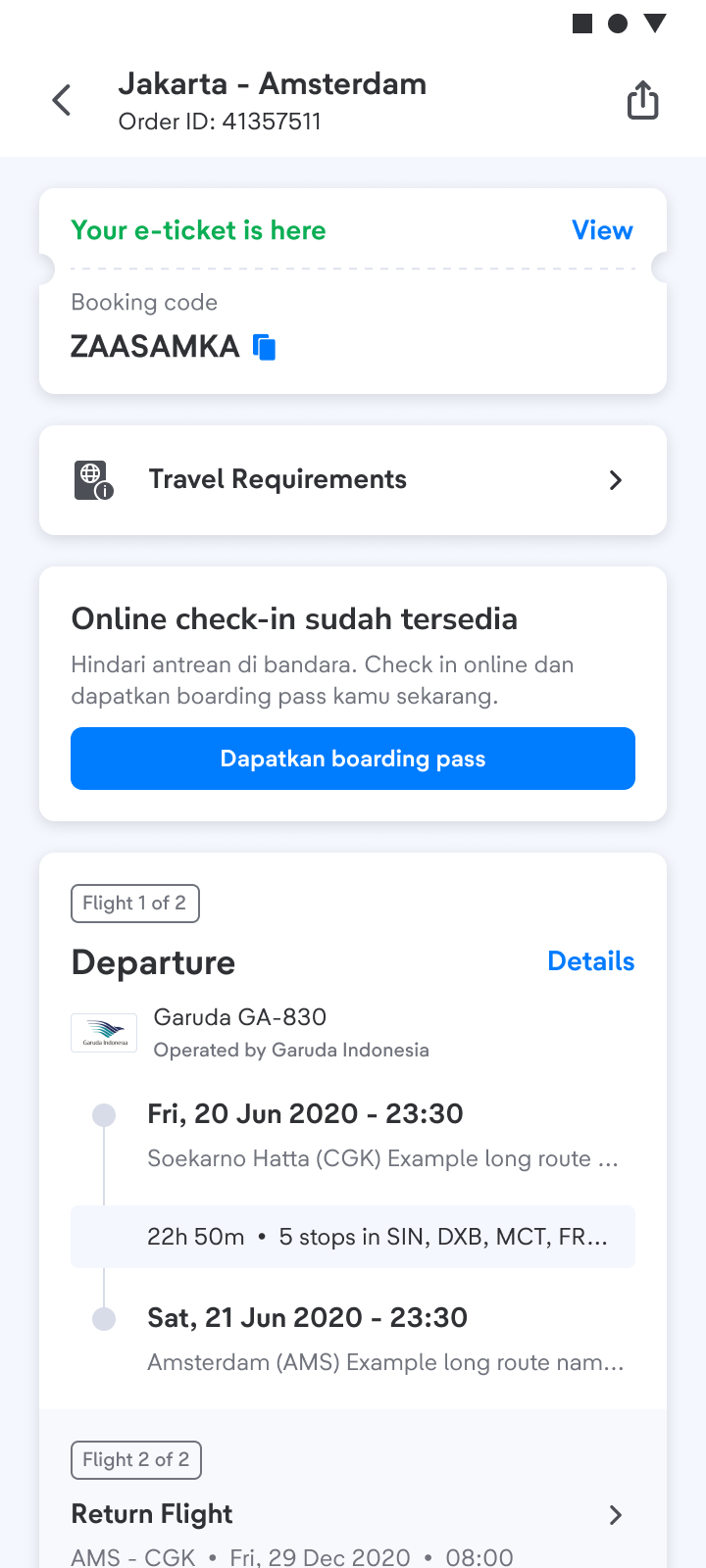
- Submit your booking code then next your process booking
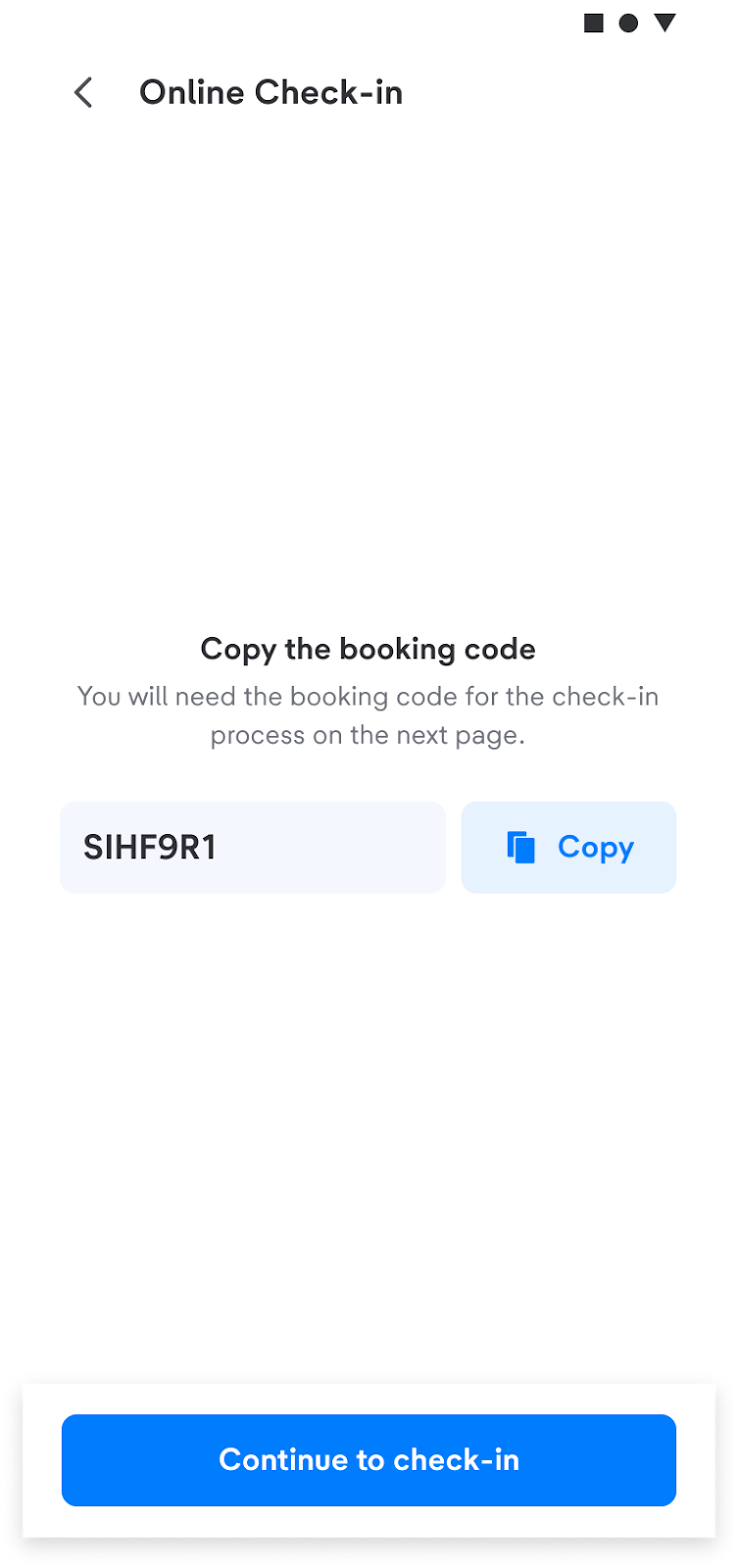
- Next, you will be directed to the check-in page, then fill in your flight details on the airline's check-in page.

In addition to tiket.com, you can also check-in directly on the airline's website.