


Hotels in Yulong Naxi
Showing 4 hotels in Yulong Naxi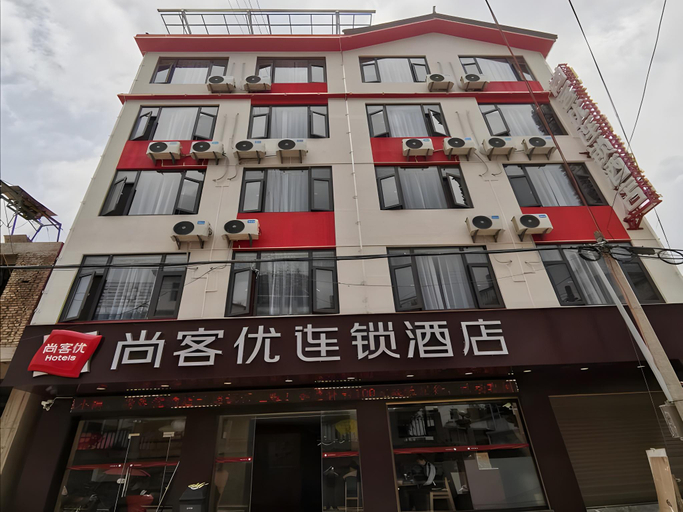

Thank Inn Hotel Yunan Dali Yunlong County Caoxi Town Wanghuan Road
Thank Inn Hotel Yunan Dali Yunlong County Caoxi Town Wanghuan Road offers top-notch services and amenities, ensuring guests experience utmost comfort. Share your photos and respond to emails at your convenience, thanks to the free Wi-Fi internet access offered by hotel. Room amenities feature daily housekeeping, allowing you to unwind and make the most of your visit.Each accommodation at Thank Inn Hotel Yunan Dali Yunlong County Caoxi Town Wanghuan Road is thoughtfully created and adorned to provide visitors with a comfortable, home-like atmosphere. In select rooms, guests can enjoy a touch of amusement with the availability of television for their entertainment.Rest assured, in a few chosen rooms, the presence of a coffee or tea maker can be found. Should you prefer not to venture out for a meal, the enticing culinary choices at hotel are always available for your satisfaction.
See detailsYulongwan Hotel
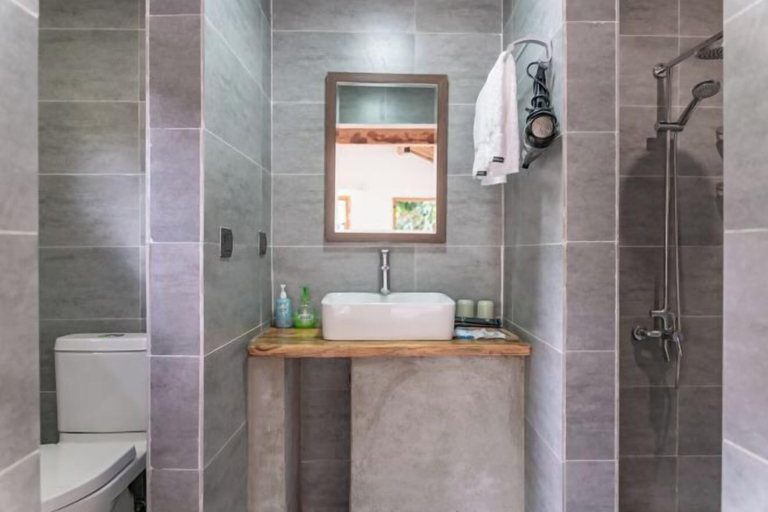
Lotus de Inn
Lotus de Inn Location
When you stay at Lotus de Inn in Dali, you'll be 20.7 mi (33.4 km) from Yunnan Heaven Pool Marsh.
Lotus de Inn Facility and Service
Take in the views from a garden.
Lotus de Inn Rooms
Make yourself at home in one of the 6 guestrooms.
Restaurant and Cafe
Breakfast is available for a fee.
See detailsWhen you stay at Lotus de Inn in Dali, you'll be 20.7 mi (33.4 km) from Yunnan Heaven Pool Marsh.
Lotus de Inn Facility and Service
Take in the views from a garden.
Lotus de Inn Rooms
Make yourself at home in one of the 6 guestrooms.
Restaurant and Cafe
Breakfast is available for a fee.
Shankee Chain Hotel (Yunlong Wang Huan Road)
Cheap hotel Promo in Yulong Naxi Today
Thank Inn Hotel Yunan Dali Yunlong County Caoxi Town Wanghuan Road
Thank Inn Hotel Yunan Dali Yunlong County Caoxi Town Wanghuan Road offers top-notch services and amenities, ensuring guests experience utmost comfort. Share your photos and respond to emails at your convenience, thanks to the free Wi-Fi internet access offered by hotel. Room amenities feature daily housekeeping, allowing you to unwind and make the most of your visit.Each accommodation at Thank Inn Hotel Yunan Dali Yunlong County Caoxi Town Wanghuan Road is thoughtfully created and adorned to provide visitors with a comfortable, home-like atmosphere. In select rooms, guests can enjoy a touch of amusement with the availability of television for their entertainment.Rest assured, in a few chosen rooms, the presence of a coffee or tea maker can be found. Should you prefer not to venture out for a meal, the enticing culinary choices at hotel are always available for your satisfaction.
See detailsYulongwan Hotel
Lotus de Inn
Lotus de Inn Location
When you stay at Lotus de Inn in Dali, you'll be 20.7 mi (33.4 km) from Yunnan Heaven Pool Marsh.
Lotus de Inn Facility and Service
Take in the views from a garden.
Lotus de Inn Rooms
Make yourself at home in one of the 6 guestrooms.
Restaurant and Cafe
Breakfast is available for a fee.
See detailsWhen you stay at Lotus de Inn in Dali, you'll be 20.7 mi (33.4 km) from Yunnan Heaven Pool Marsh.
Lotus de Inn Facility and Service
Take in the views from a garden.
Lotus de Inn Rooms
Make yourself at home in one of the 6 guestrooms.
Restaurant and Cafe
Breakfast is available for a fee.
Shankee Chain Hotel (Yunlong Wang Huan Road)
FAQ about Hotels in Yulong Naxi
Hotels in Yulong Naxi
Don't feel hesitant to book hotels in Yulong Naxi at tiket.com! We'll make sure to provide all conveniences you need when doing a room reservation. Book your favourite hotel now only at tiket.com!

How to Book Hotels on tiket.com
1. Find the hotelEnter the name of the city, area, or hotel to find the place you want.
2. Select a roomOn the hotel detail page, you will see the available room options. Select a room that suits your needs.
3. Complete the booking detailsInput the contact details (the person who will be contacted by tiket.com and the hotel about the booking) and the guests’ details.
4. Select Add-onsYou can also buy additional services such as meal packages, transportation, and many more.
5. Pay your bookingSelect the payment method and complete your transaction. Don’t forget to use the promo code to get a cheaper hotel price at tiket.com.
6. Get the reservation e-voucherAfter the payment is successful, the e-voucher will be available on the Your Orders menu and sent to the email listed in the contact details.