What currencies are available for payment at tiket.com?
To make your transactions easier, tiket.com provides payment services in several currencies other than IDR. Payment in Non-IDR currency only applies to Flight, Hotel and To Do ticket bookings.
Only credit card payment methods are available for Non-IDR currency transactions.
The following are the currencies that you can use for bookings at tiket.com:
|
No |
Currency Code | Currency Name |
| 1 | AUD | Australian Dollar |
| 2 | CAD | Canadian Dollar |
| 3 | CHF | Swiss Franc |
| 4 | CNY | Chinese Yuan Renminbi |
| 5 | EUR | European Euro |
| 6 | GBP | United Kingdom Pound Sterling |
| 7 | HKD | Hong Kong Dollar |
| 8 | IDR | Indonesian Rupiah |
| 9 | JPY | Japanese Yen |
| 10 | MYR | Malaysian Ringgit |
| 11 | NZD | New Zealand Dollar |
| 12 | PHP | Philippine Peso |
| 13 | SGD | Singapore Dollar |
| 14 | THB | Thai Baht |
| 15 | USD | United States Dollar |
| 16 | VND | Viet Nam Dong |
Follow the steps below to change the currency you want to use:
- Login to tiket.com Apps/Web
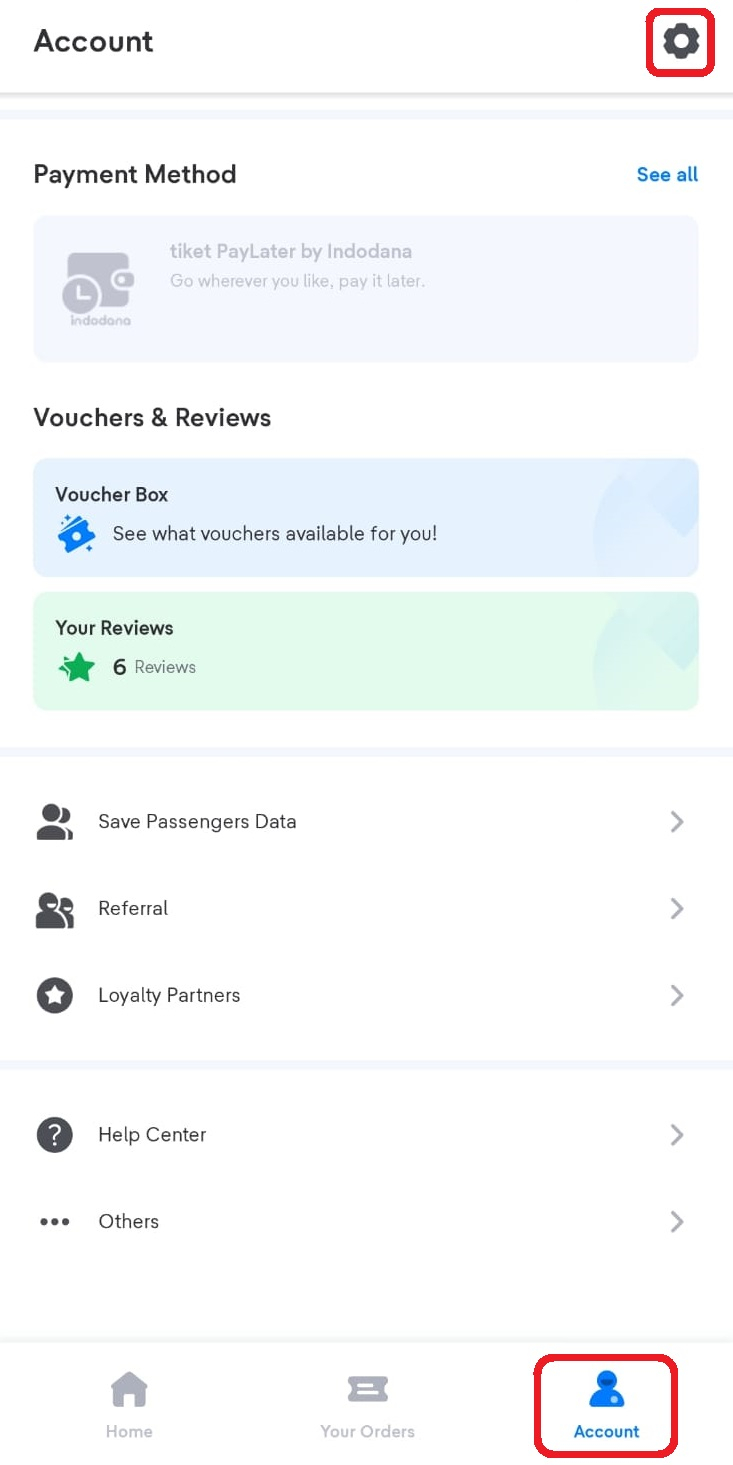
- Click Account then choose gear icon to Settings menu
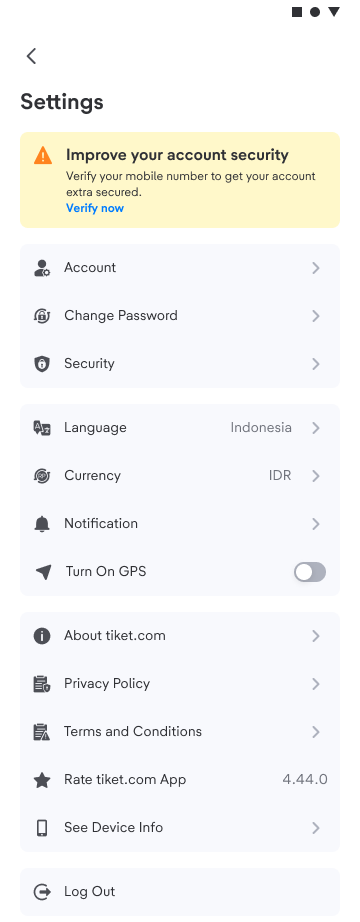
- Click Currency
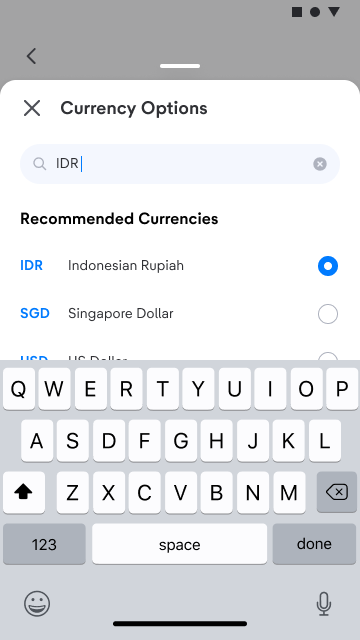
- Choose Currency
Important Information
- Payment for orders in Non-IDR currency will not get Blibli tiket points.
- If your transaction use Non-IDR payments, Blibli tiket points that or Gift Voucher you have obtained cannot be used.
- If you use payments other than IDR, you can still use the available promos. The promo will be immediately available if you have changed the currency.
- Lowest Price Guarantee claims do not apply in Non-IDR payments
- For refunds, if the credit card you used when ordering expires, the refund will still be returned to the credit card details when ordering. Please contact the credit card issuing bank for the refund process.