What payment methods are available at tiket.com?
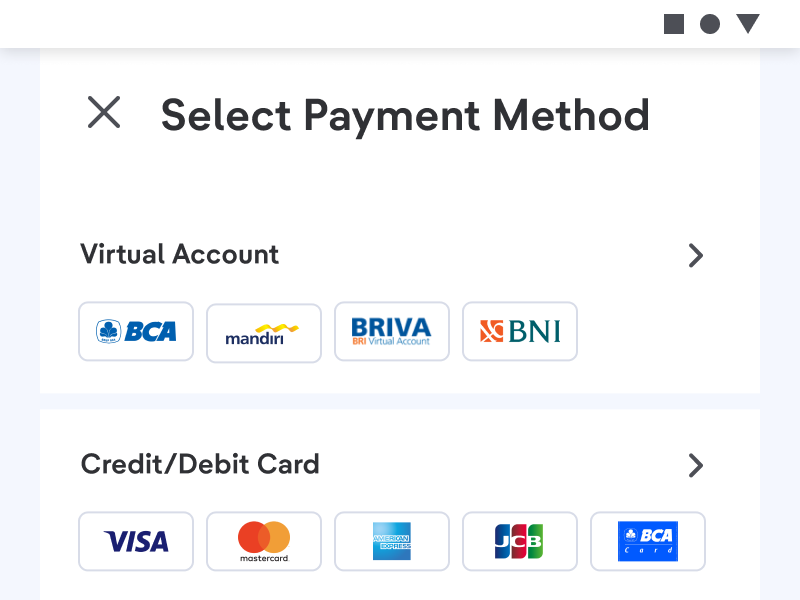
tiket.com provides many payment platforms to make it easier for you to make transactions, including:
- Credit Card & Debit Card
- ATM
- Online Transfer
- Virtual Account
- Instant Payment
- E-wallet
- Retail Outlets
- Paylater / No Card Installment
Each booking has a different payment deadline after ordering, with the following details; Flight, Train, Car Rental & To Do ± 1 hour, Airport Transfer, Bus & Travel and Hotel ± 30 minutes.
Changing the Payment:
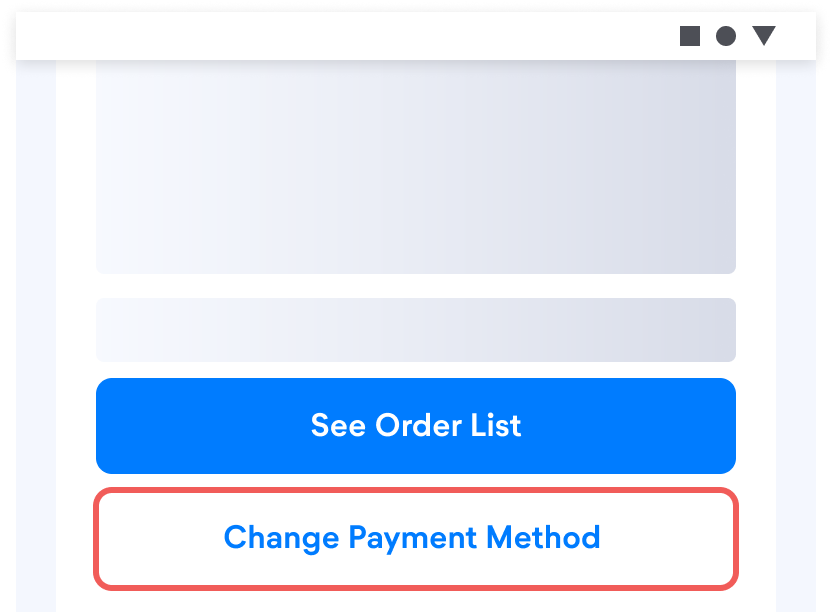
You are able to change payment method before making payment by choosing "Change payment method" button then select the payment method you want again.
After completing the payment, you will get receipt of purchase via the email that was registered when booking. Follow these steps to get the receipt:
- Log in to tiket.com application and select the "Your Orders" menu
- Tap your booking
- Scroll down and select "Manage Order"
- Choose "Payment Receipt"
Important notes:
- OTP code for payment by credit or debit card will be sent to the registered telephone number.
- Make payments according to the bill and payment method selected when booking so that you get an e-voucher immediately.
- Don’t combine payments if you have two Order IDs.
- If you have chosen installments but received full billing payment, this happens if your credit card billing cycle is too close (1 or 2 days difference) to the time of payment for your order.
Other conditions:
If you encountered these conditions during your payment process:
- Payment has been debited several times
- Already made payment but e-ticket not issued
- Payment code you received does not match
- The transaction with the credit card is not successful and is billed in full when you have chosen the installment method, even though the distance between your credit card billing cycle is not close.
You can contact Travis on the Help Center menu and your issue will be resolved as soon as possible, If your payment using a credit card is rejected due to credit card verification reasons, you can verify your credit card by clicking the "Verify Now" button in the error message and filling in the credit card verification form and completing the required documents.