



1 Star Hotels in Santo Niño
Showing 2 hotels in Santo Niño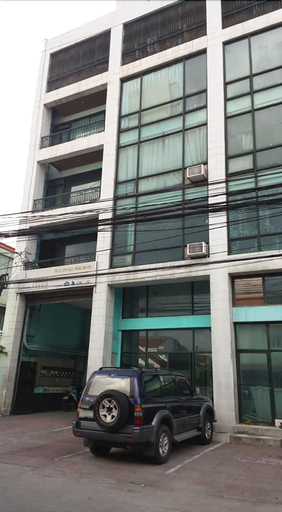
Airport Travelodge Manila - Hostel
Airport Travelodge Manila - Hostel Location
With a stay at Airport Travelodge Manila - Hostel, you'll be centrally located in Parañaque, a 5-minute drive from City of Dreams Manila and 6 minutes from SM Mall of Asia. This hostel is 3.3 mi (5.4 km) from Manila Bay and 3.8 mi (6.1 km) from Newport World Resorts.
Airport Travelodge Manila - Hostel Facility and Service
Make use of convenient amenities, which include complimentary wireless internet access and tour/ticket assistance.
Airport Travelodge Manila - Hostel Rooms
Make yourself at home in one of the 18 air-conditioned guestrooms. Complimentary wireless internet access is available to keep you connected. Bathrooms feature showers, complimentary toiletries, and bidets.
See detailsWith a stay at Airport Travelodge Manila - Hostel, you'll be centrally located in Parañaque, a 5-minute drive from City of Dreams Manila and 6 minutes from SM Mall of Asia. This hostel is 3.3 mi (5.4 km) from Manila Bay and 3.8 mi (6.1 km) from Newport World Resorts.
Airport Travelodge Manila - Hostel Facility and Service
Make use of convenient amenities, which include complimentary wireless internet access and tour/ticket assistance.
Airport Travelodge Manila - Hostel Rooms
Make yourself at home in one of the 18 air-conditioned guestrooms. Complimentary wireless internet access is available to keep you connected. Bathrooms feature showers, complimentary toiletries, and bidets.
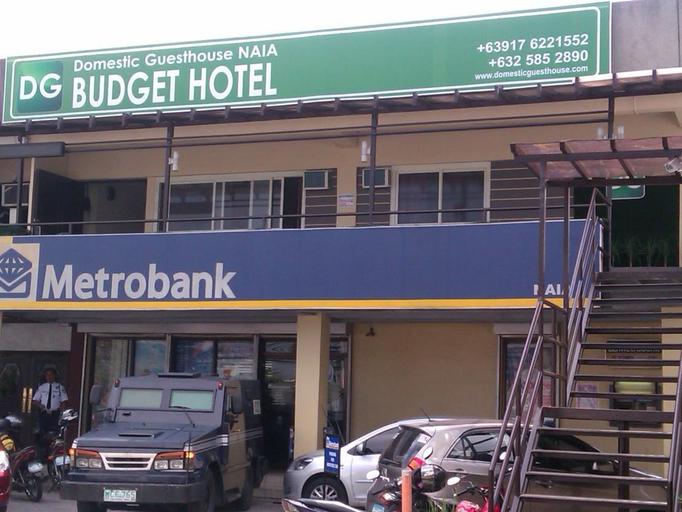
DG Budget Hotel NAIA
Located in Parañaque, DG Budget Hotel NAIA is a perfect starting point from which to explore Manila. Both business travelers and tourists can enjoy the hotel's facilities and services. Free Wi-Fi in all rooms, 24-hour security, casino, 24-hour front desk, express check-in/check-out are there for guest's enjoyment. Designed for comfort, selected guestrooms offer television LCD/plasma screen, linens, mirror, towels, internet access – wireless to ensure a restful night. Enjoy the hotel's recreational facilities, including golf course (within 3 km), massage, billiards, before retiring to your room for a well-deserved rest. No matter what your reasons are for visiting Manila, DG Budget Hotel NAIA will make you feel instantly at home.
See details
How to Book Hotels on tiket.com
1. Find the hotelEnter the name of the city, area, or hotel to find the place you want.
2. Select a roomOn the hotel detail page, you will see the available room options. Select a room that suits your needs.
3. Complete the booking detailsInput the contact details (the person who will be contacted by tiket.com and the hotel about the booking) and the guests’ details.
4. Select Add-onsYou can also buy additional services such as meal packages, transportation, and many more.
5. Pay your bookingSelect the payment method and complete your transaction. Don’t forget to use the promo code to get a cheaper hotel price at tiket.com.
6. Get the reservation e-voucherAfter the payment is successful, the e-voucher will be available on the Your Orders menu and sent to the email listed in the contact details.