



Hotels in Málaga
Showing 6.000+ hotels in Málaga

City Centre Pool & Parking
Frigiliana Apartment
Casa Torremuelle II - Townhouse with private Pool & BBQ near Playa Bonita
Puerto Banus Penthouse With Panoramic Sea Views
Apartamento 60 m2 en la playa
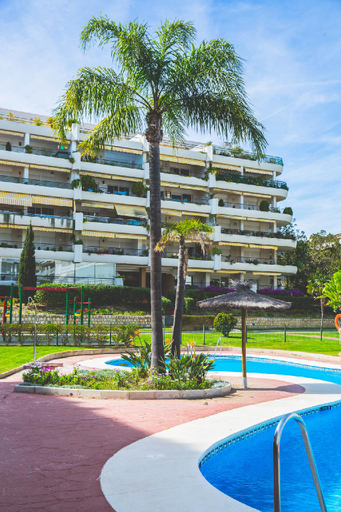
Moderno Apartamento en Guadalmina Golf - Marbella
Experience an abundance of unparalleled facilities and features at Moderno Apartamento en Guadalmina Golf - Marbella.Maintain seamless communication using the complimentary Wi-Fi at apartment. For visitors traveling by automobile, complimentary parking is available. At Moderno Apartamento en Guadalmina Golf - Marbella, every guestroom is provided with convenient amenities and fittings to ensure a comfortable stay. Certain rooms offer in-room amusement features such as the television for your enjoyment. During your stay at apartment, an array of engaging activities and amenities guarantees a delightful experience.Be sure to drop by the pool at apartment at least once during your stay.
See detailsPremium Studio Minerva 103 con Piscina y Parque Acuatico
Cubo's Casa Rural El Oasis De Don Pedro
1 Hab, Confort 4 plazas a 180m Playa, PlazamarCentro 2
Apartamento Guadalmina Golf l
SUN & SEA BENALBEACH
Casa Madre Tierra Competa by Ruralidays
Homey Apt- Atico con vistas a la catedral
Apartamento Pez Espada
Cortijo del Coco
Playa Burriana Rubasol Nerja
iloftmalaga Calle Nueva 28
Precioso apart. 1811. Palo Alto.
Casa Romero Nerja by Ruralidays
Jupiter Sea,Pools View
Hotels in Málaga
Don't feel hesitant to book hotels in Málaga at tiket.com! We'll make sure to provide all conveniences you need when doing a room reservation. Book your favourite hotel now only at tiket.com!

How to Book Hotels on tiket.com
1. Find the hotelEnter the name of the city, area, or hotel to find the place you want.
2. Select a roomOn the hotel detail page, you will see the available room options. Select a room that suits your needs.
3. Complete the booking detailsInput the contact details (the person who will be contacted by tiket.com and the hotel about the booking) and the guests’ details.
4. Select Add-onsYou can also buy additional services such as meal packages, transportation, and many more.
5. Pay your bookingSelect the payment method and complete your transaction. Don’t forget to use the promo code to get a cheaper hotel price at tiket.com.
6. Get the reservation e-voucherAfter the payment is successful, the e-voucher will be available on the Your Orders menu and sent to the email listed in the contact details.