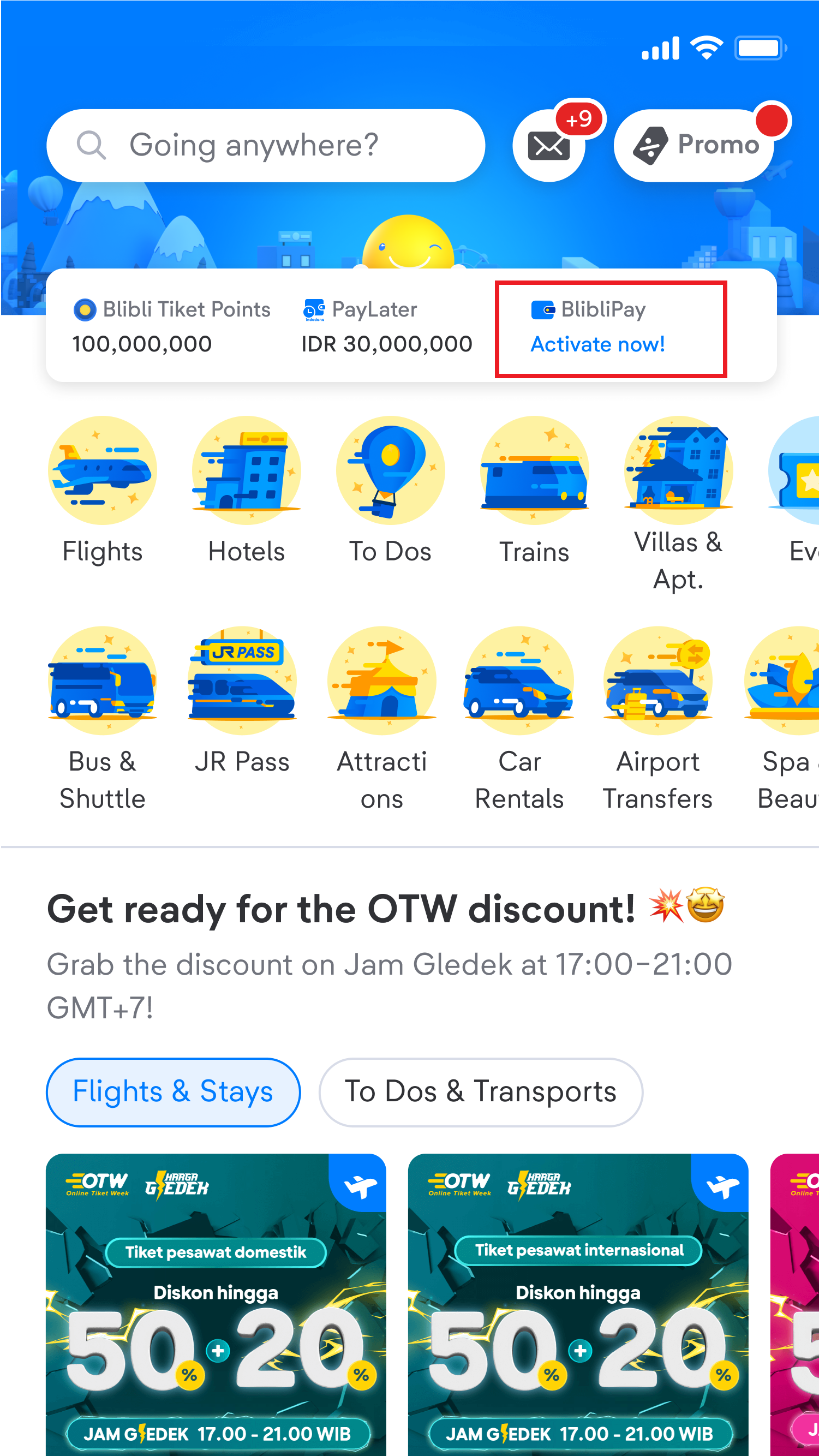
How to deactivate BlibliPay on tiket.com?
Important information:
- You cannot activate on tiket.com when your BlibliPay account is deactivated, in that condition, you need to contact Blibli Customer Care to reactivate your BlibliPay account. Please repeat the activation process when the BlibliPay account status is active again. However, if your account is deactivated because there is an indication of a bank transfer, you can still activate it at tiket.com as usual.
- You cannot receive cashback, refund and fund withdrawal balances when your BlibliPay account is deactivated
Following are the steps to deactivate BlibliPay, if your BlibliPay account is already connected at tiket.com:
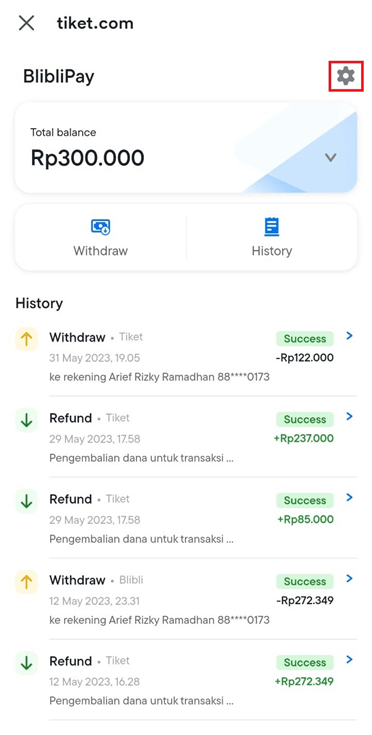
- Enter the BlibliPay main page (via Blibli or tiket.com) and select the "Settings" menu in the upper right corner
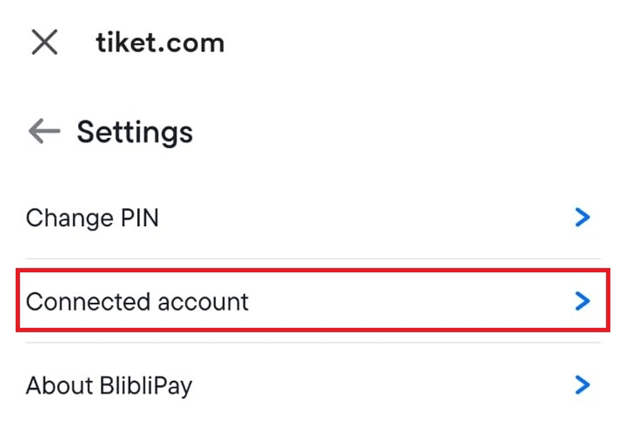
- Then select “Connected Accounts”
- Then tap the button "Deactivate BlibliPay on tiket.com", after that tap “Yes, deactivate”
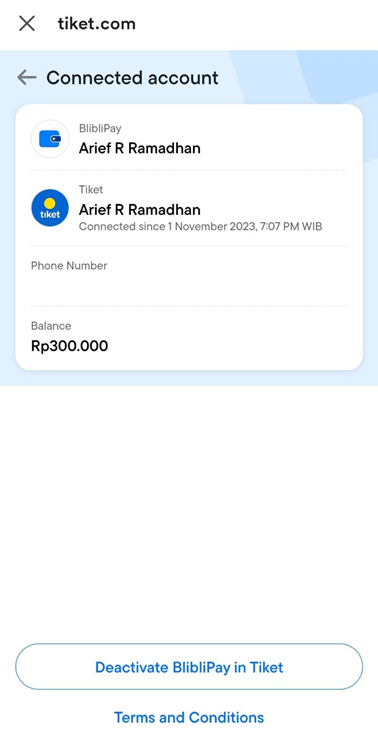
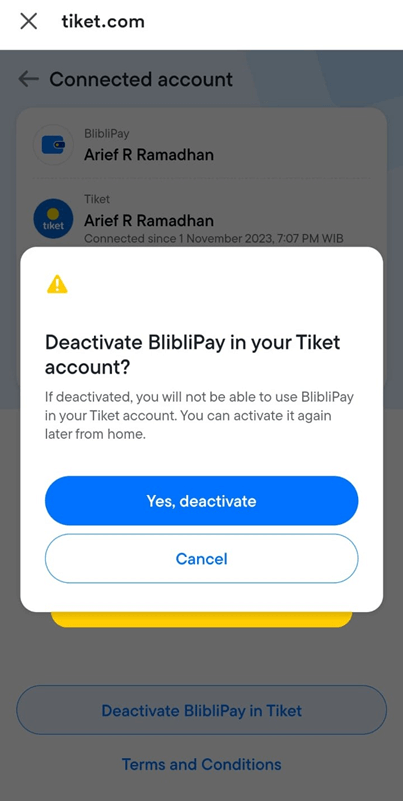
- Your BlibliPay account is no longer connected to tiket.com