



Apartments in Subangdaku
Showing 2 Apartments in Subangdaku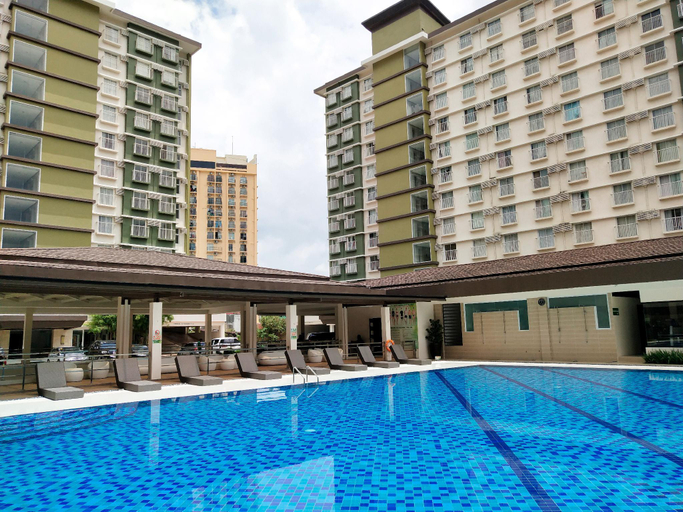
 Subangdaku, Mandaue City
 Subangdaku, Mandaue City
Bamboo Bay Cebu with Pool and Wifi
Apartment
Each accommodation at Bamboo Bay Cebu with Pool and Wifi is thoughtfully created and adorned to provide visitors with a comfortable, home-like atmosphere. In certain rooms, the apartment offers linen service and air conditioning for guest convenience and satisfaction.In select rooms, guests at the apartment can enjoy top-notch in-room entertainment with television and cable TV available for their convenience. Understanding the significance of bathroom amenities in enhancing guest contentment, the apartment offers toiletries within certain chosen rooms. Indulge in the numerous pursuits available at Bamboo Bay Cebu with Pool and Wifi. Each day at apartment, immerse yourself in the invigorating waters of the pool, perfect for a rejuvenating plunge or a series of revitalizing laps.For individuals who don't want to skip their exercise routine, visiting the apartment fitness center ensures you maintain your vitality and wellness.
See detailsFully Furnished Studio Condo Unit at Bamboo Bay Mandaue and Cebu Area
Apartment
Apartments in Subangdaku
Don't feel hesitant to book Apartments in Subangdaku at tiket.com! We'll make sure to provide all conveniences you need when doing a room reservation. Book your favourite hotel now only at tiket.com!

How to Book Accommodations on tiket.com
1. Find the accommodationEnter the name of the city, area, or accommodation to find the place you want.
2. Select a roomOn the accommodation detail page, you will see the available room options. Select a room that suits your needs.
3. Complete the booking detailsInput the contact details (the person who will be contacted by tiket.com and the accommodation about the booking) and the guests’ details.
4. Select Add-onsYou can also buy additional services such as meal packages, transportation, and many more.
5. Pay your bookingSelect the payment method and complete your transaction. Don't forget to use the promo code to get a cheaper accommodation price at tiket.com.
6. Get the reservation e-voucherAfter the payment is successful, the e-voucher will be available on the Your Orders menu and sent to the email listed in the contact details.