



2 Star Hotels in Maccini
Showing 2 hotels in Maccini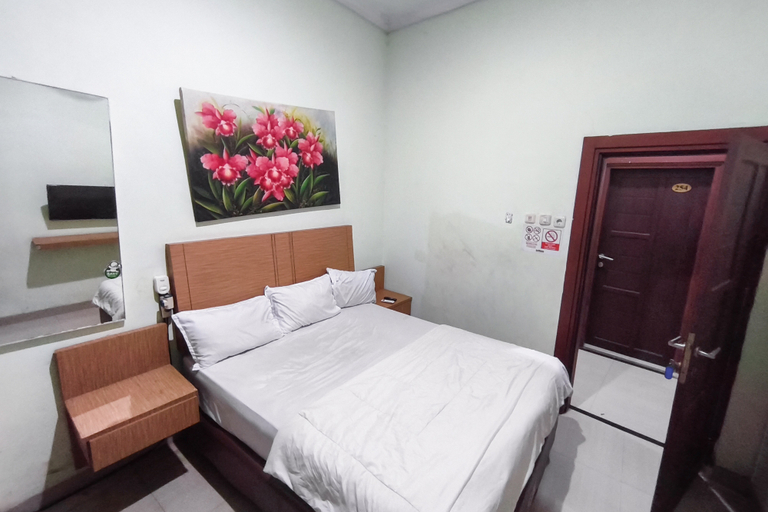
RedDoorz near Nipah Mall Makassar
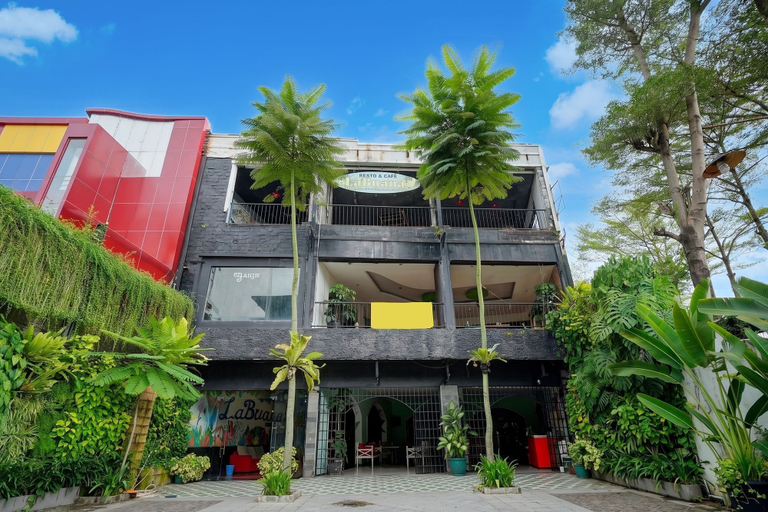
RedDoorz near Nipah Mall Makassar is located at Jalan Urip Sumoharjo, the location is easy to access, located on the main road. This is an excellent property in a strategic area. This property ideal for your business trip, because is located very close to the Central Business District area.
Don't worry about your vehicle, RedDoorz near Nipah Mall Makassar provides decent and safe parking.
See detailsDon't worry about your vehicle, RedDoorz near Nipah Mall Makassar provides decent and safe parking.
Hotel O near Primaya Hospital formerly
Hotel O near Primaya Hospital formerly Location
Located in Makassar, Hotel O near Primaya Hospital formerly is within a 5-minute drive of Makassar Great Mosque and Monumen Mandala. This hotel is 1.9 mi (3.1 km) from Makam Pangeran Diponegoro and 2.1 mi (3.4 km) from Taman Anggrek Clara Bundt.
Hotel O near Primaya Hospital formerly Rooms
Stay in one of 22 guestrooms featuring flat-screen televisions. Complimentary wireless internet access keeps you connected, and cable programming is available for your entertainment. Bathrooms with showers are provided.
Restaurant and Cafe
Take advantage of the hotel's room service (during limited hours).
See detailsLocated in Makassar, Hotel O near Primaya Hospital formerly is within a 5-minute drive of Makassar Great Mosque and Monumen Mandala. This hotel is 1.9 mi (3.1 km) from Makam Pangeran Diponegoro and 2.1 mi (3.4 km) from Taman Anggrek Clara Bundt.
Hotel O near Primaya Hospital formerly Rooms
Stay in one of 22 guestrooms featuring flat-screen televisions. Complimentary wireless internet access keeps you connected, and cable programming is available for your entertainment. Bathrooms with showers are provided.
Restaurant and Cafe
Take advantage of the hotel's room service (during limited hours).

How to Book Hotels on tiket.com
1. Find the hotelEnter the name of the city, area, or hotel to find the place you want.
2. Select a roomOn the hotel detail page, you will see the available room options. Select a room that suits your needs.
3. Complete the booking detailsInput the contact details (the person who will be contacted by tiket.com and the hotel about the booking) and the guests’ details.
4. Select Add-onsYou can also buy additional services such as meal packages, transportation, and many more.
5. Pay your bookingSelect the payment method and complete your transaction. Don’t forget to use the promo code to get a cheaper hotel price at tiket.com.
6. Get the reservation e-voucherAfter the payment is successful, the e-voucher will be available on the Your Orders menu and sent to the email listed in the contact details.