



Hotels in West-Vlaanderen
Showing 1.000+ hotels in West-Vlaanderen

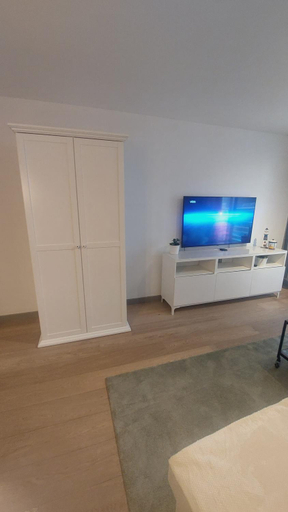


Viki's penthousje
Sunny studio with seaview
't Zuden van Aertrycke
Chez Victorine Knokke Zoute
Cosy Coast
Gezellig gezinsappartement.
Studio met Zeezicht
Menin Gate Apartments
Maison de la mer
Rustic villa in the countryside
Rustic villa in the countryside welcomes you to a comfortable stay at West-Vlaanderen. The Villa offers complete facilities to cater to guests’ needs, such as WiFi, parking, and kitchen.
The rooms feature (a) TV, refrigerator, and room heater. The en suite bathroom comes with (a) bathtub, free toiletries, and hair dryer.
See detailsBelle epoque holidays
Located in West-Vlaanderen, Belle epoque holidays offers accommodation with easy access to West-Vlaanderen’s best spots. The property features WiFi, parking, and kitchen.
Rooms at Belle epoque holidays are equipped with TV, refrigerator, and coffee tea maker. The bathroom is fitted with shower and hair dryer.
See detailsHotels in West-Vlaanderen
Don't feel hesitant to book hotels in West-Vlaanderen at tiket.com! We'll make sure to provide all conveniences you need when doing a room reservation. Book your favourite hotel now only at tiket.com!

How to Book Hotels on tiket.com
1. Find the hotelEnter the name of the city, area, or hotel to find the place you want.
2. Select a roomOn the hotel detail page, you will see the available room options. Select a room that suits your needs.
3. Complete the booking detailsInput the contact details (the person who will be contacted by tiket.com and the hotel about the booking) and the guests’ details.
4. Select Add-onsYou can also buy additional services such as meal packages, transportation, and many more.
5. Pay your bookingSelect the payment method and complete your transaction. Don’t forget to use the promo code to get a cheaper hotel price at tiket.com.
6. Get the reservation e-voucherAfter the payment is successful, the e-voucher will be available on the Your Orders menu and sent to the email listed in the contact details.