Showing 2 hotels in Vierkirchen


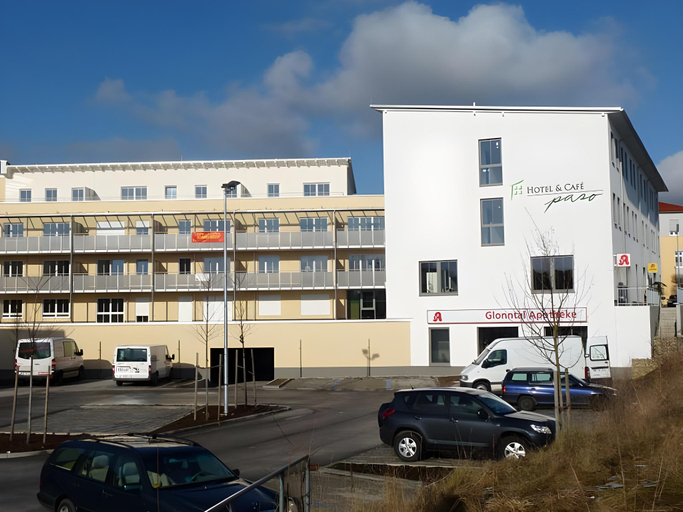
Hotel Und Cafe Paso
Free Wi-Fi and a breakfast buffet are included at this hotel, located 591 feet from Vierkirchen-Esterhofen S-Bahn Train Station. The hotel offers modern rooms, all with a flat-screen TV. Rooms at Hotel und Cafe Paso feature colorful décor. Each one comes with satellite TV, a desk, and a private bathroom. Guests are invited to dine in the hotel’s restaurant, which serves a daily changing lunch menu. A variety of coffee specialties, as well as cake, are also available to guests. Hotel und Cafe Paso is located a 40-minute drive from central Munich. Munich Airport is 22 mi away and Munich Exhibition Grounds are 33 mi away.
See details
Hotel Und Cafe Paso
Free Wi-Fi and a breakfast buffet are included at this hotel, located 591 feet from Vierkirchen-Esterhofen S-Bahn Train Station. The hotel offers modern rooms, all with a flat-screen TV. Rooms at Hotel und Cafe Paso feature colorful décor. Each one comes with satellite TV, a desk, and a private bathroom. Guests are invited to dine in the hotel’s restaurant, which serves a daily changing lunch menu. A variety of coffee specialties, as well as cake, are also available to guests. Hotel und Cafe Paso is located a 40-minute drive from central Munich. Munich Airport is 22 mi away and Munich Exhibition Grounds are 33 mi away.
See detailsFAQ about Hotels in Vierkirchen

How to Book Hotels on tiket.com
1. Find the hotelEnter the name of the city, area, or hotel to find the place you want.
2. Select a roomOn the hotel detail page, you will see the available room options. Select a room that suits your needs.
3. Complete the booking detailsInput the contact details (the person who will be contacted by tiket.com and the hotel about the booking) and the guests’ details.
4. Select Add-onsYou can also buy additional services such as meal packages, transportation, and many more.
5. Pay your bookingSelect the payment method and complete your transaction. Don’t forget to use the promo code to get a cheaper hotel price at tiket.com.
6. Get the reservation e-voucherAfter the payment is successful, the e-voucher will be available on the Your Orders menu and sent to the email listed in the contact details.