



4 Star Hotels in Kavala
Showing 59 hotels in Kavala




Forget Me Not
Dimitra Beach Apartments - Nea Karvali Kavala
Vasilis Garden House
La Casa di Anastasia - Panorama Nea Karvali
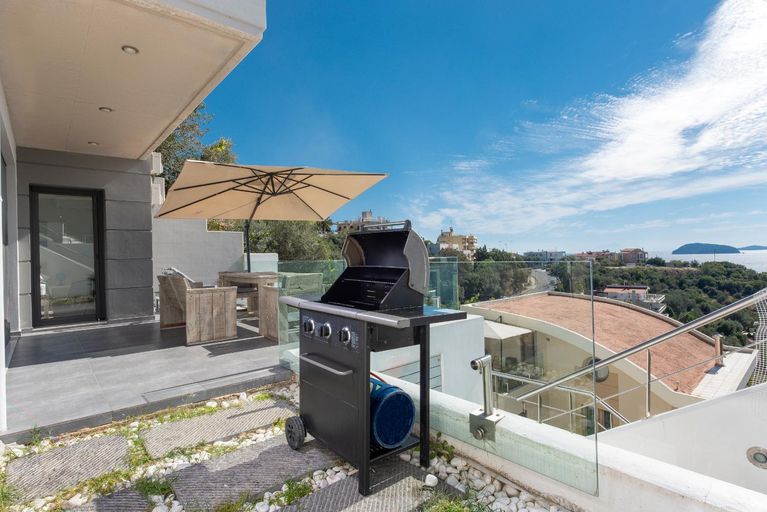
Visitors staying at La Casa di Anastasia - Panorama Nea Karvali have the option to receive groceries in their room for meal preparation, courtesy of the unique service provided by the apartment. Visitors wishing to create their personal culinary delights will appreciate the on-site BBQ facilities provided at this establishment.Throughout the day, engage in the entertaining activities available at La Casa di Anastasia - Panorama Nea Karvali. Make sure to discover the readily available beach at apartment.
See detailsStudio Evian
Happy Home
Rooftops
ΑPARTMENTS ANNA DELUXE
Located in East Macedonia and Thrace, ΑPARTMENTS ANNA DELUXE offers accommodation with easy access to East Macedonia and Thrace’s best spots. The property features WiFi, children facility, and kitchen.
The rooms feature (a) AC, TV, and refrigerator. The en suite bathroom comes with (a) shower, free toiletries, and hair dryer.
The property offers washing machine and hotel safe. Other facilities include 24-hour front desk, luggage storage, and concierge services.
See detailsLA.KI House
Each room is equipped with AC. The bathroom comes with shower.

How to Book Hotels on tiket.com
1. Find the hotelEnter the name of the city, area, or hotel to find the place you want.
2. Select a roomOn the hotel detail page, you will see the available room options. Select a room that suits your needs.
3. Complete the booking detailsInput the contact details (the person who will be contacted by tiket.com and the hotel about the booking) and the guests’ details.
4. Select Add-onsYou can also buy additional services such as meal packages, transportation, and many more.
5. Pay your bookingSelect the payment method and complete your transaction. Don’t forget to use the promo code to get a cheaper hotel price at tiket.com.
6. Get the reservation e-voucherAfter the payment is successful, the e-voucher will be available on the Your Orders menu and sent to the email listed in the contact details.