



4 Star Hotels in Palermo
Showing 555 hotels in Palermo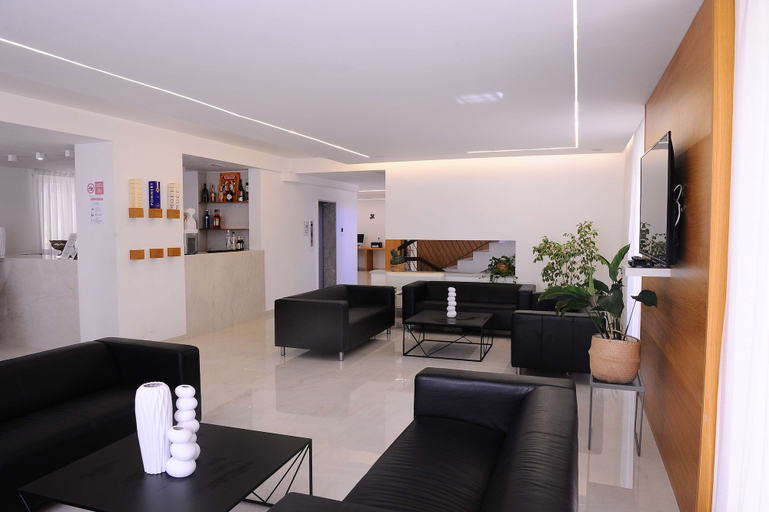

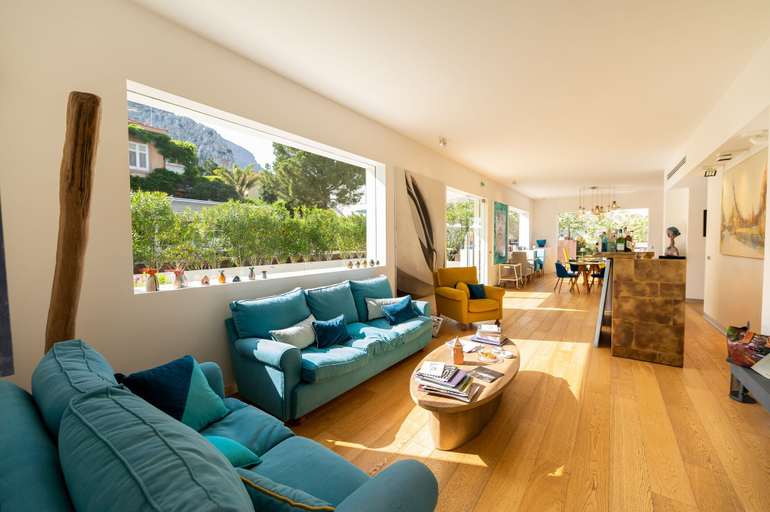
Casena Dei Colli, Sure Hotel Collection by Best Western
Casena Dei Colli, Sure Hotel Collection by Best Western Location
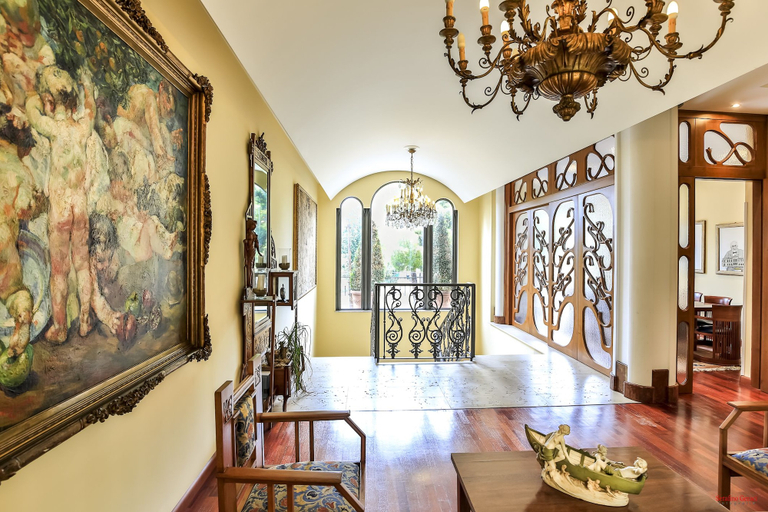
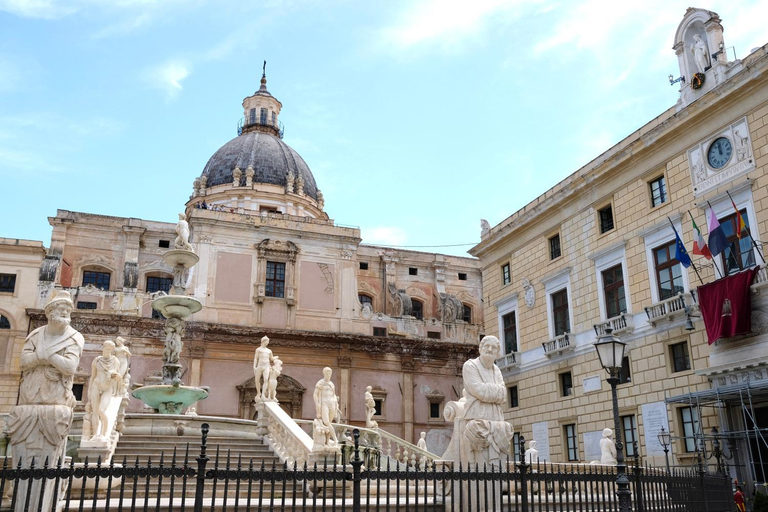
Located in Palermo (Resuttano-San Lorenzo), Casena Dei Colli, Sure Hotel Collection by Best Western is within a 10-minute drive of Via Roma and Teatro Massimo. This hotel is 3.5 mi (5.6 km) from Mondello Beach and 3.2 mi (5.1 km) from Palermo Harbour.
Casena Dei Colli, Sure Hotel Collection by Best Western Facility and Service
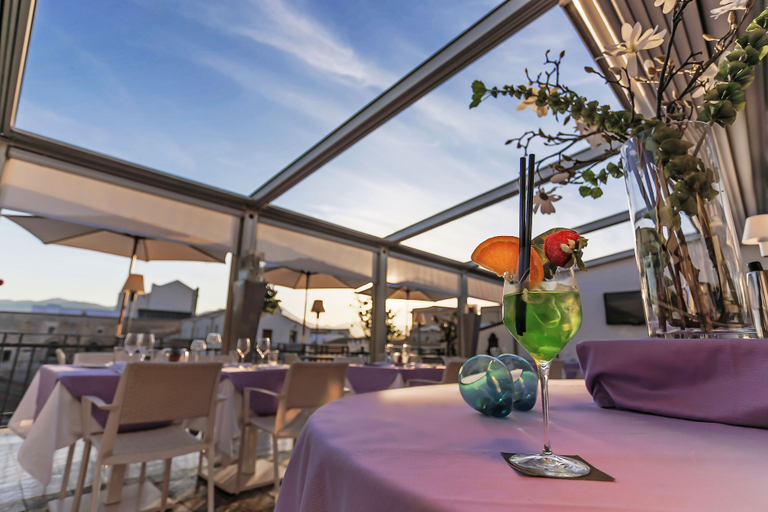
Take advantage of recreation opportunities such as bicycles to rent or take in the view from a terrace and a garden. Additional features at this hotel include complimentary wireless internet access, concierge services, and a television in a common area.
Casena Dei Colli, Sure Hotel Collection by Best Western Rooms
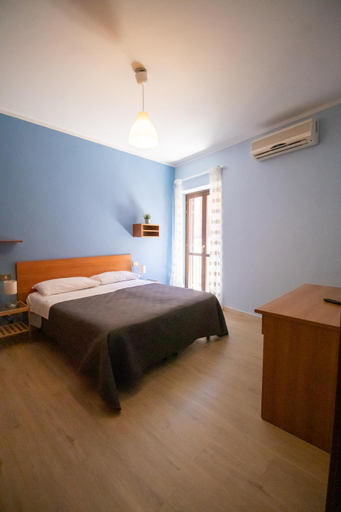
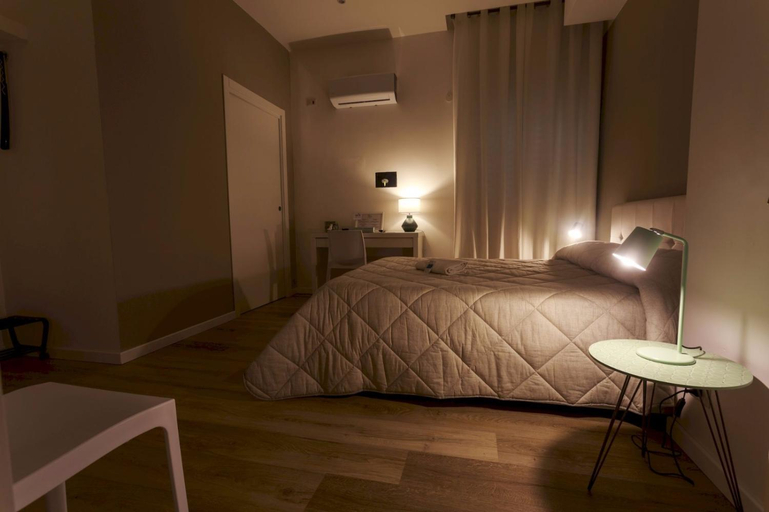
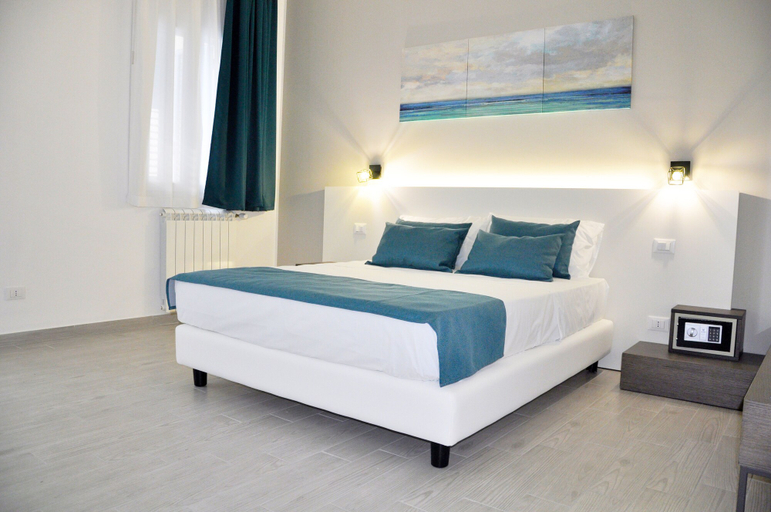
Make yourself at home in one of the 83 air-conditioned rooms featuring minibars and flat-screen televisions. Complimentary wireless internet access keeps you connected, and digital programming is available for your entertainment. Private bathrooms with showers feature complimentary toiletries and bidets. Conveniences include phones, as well as safes and desks.
Restaurant and Cafe
Satisfy your appetite at the hotel's coffee shop/cafe, or stay in and take advantage of the room service (during limited hours). Quench your thirst with your favorite drink at the bar/lounge. Buffet breakfasts are available daily from 7:00 AM to 10:00 AM for a fee.
See detailsLocated in Palermo (Resuttano-San Lorenzo), Casena Dei Colli, Sure Hotel Collection by Best Western is within a 10-minute drive of Via Roma and Teatro Massimo. This hotel is 3.5 mi (5.6 km) from Mondello Beach and 3.2 mi (5.1 km) from Palermo Harbour.
Casena Dei Colli, Sure Hotel Collection by Best Western Facility and Service
Take advantage of recreation opportunities such as bicycles to rent or take in the view from a terrace and a garden. Additional features at this hotel include complimentary wireless internet access, concierge services, and a television in a common area.
Casena Dei Colli, Sure Hotel Collection by Best Western Rooms
Make yourself at home in one of the 83 air-conditioned rooms featuring minibars and flat-screen televisions. Complimentary wireless internet access keeps you connected, and digital programming is available for your entertainment. Private bathrooms with showers feature complimentary toiletries and bidets. Conveniences include phones, as well as safes and desks.
Restaurant and Cafe
Satisfy your appetite at the hotel's coffee shop/cafe, or stay in and take advantage of the room service (during limited hours). Quench your thirst with your favorite drink at the bar/lounge. Buffet breakfasts are available daily from 7:00 AM to 10:00 AM for a fee.
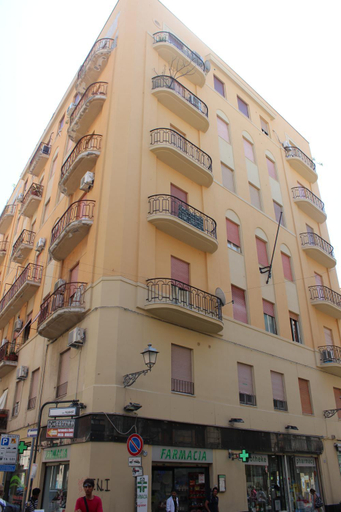
B&B Porta di Castro
At B&B Porta di Castro, exceptional service and top-notch amenities create a memorable experience for guests. Complimentary internet access is available in the hotel to ensure you stay connected during your visit.Arrange your trips to and from the airport using the hotel's convenient transportation services booking. Amenities at shuttle offered by B&B Porta di Castro simplify the organization of your excursions, tourist activities, and other adventures in Palermo. For guests with their own vehicle, parking facilities are provided. Continuously receive the support you require through front desk amenities such as concierge service, express check-in or check-out, luggage storage and safety deposit boxes.At the hotel, their ticket service and tours is also capable of assisting with booking tickets and securing reservations for entertainment and adventures. Always look your best in your preferred attire with the dry cleaning service and laundry service provided at B&B Porta di Castro.Craving relaxation? In-room amenities such as room service and daily housekeeping allow you to maximize your time spent inside the room. Due to health concerns, smoking is strictly prohibited within the entire premises of hotel.Accommodations come equipped with all the conveniences required for a restful night's slumber.A few accommodations at B&B Porta di Castro also include unique design elements like a balcony or terrace. A few chosen rooms are equipped with television, in-room video streaming and cable TV to ensure guest amusement.In certain rooms, the hotel offers visitors access to a refrigerator, a coffee or tea maker and mini bar. B&B Porta di Castro offers a hair dryer and bathrobes in the restrooms of specific accommodations. A delightful breakfast is the perfect way to begin your day, and at B&B Porta di Castro, you can always indulge in a scrumptious meal on-site.All adore a delightful cup of coffee! An on-site coffee shop ensures you can relish a cup of authentic, freshly-brewed coffee every morning -- or whenever you desire it.Allow your journey to be free from the pangs of hunger! On-site eateries offer delicious and accessible meal choices. An evening spent at hotel's bar can offer as much enjoyment as venturing out with your fellow travelers.At B&B Porta di Castro, guests can take pleasure in the delightful recreational amenities provided for their entertainment.At the hotel, a wide range of enjoyable activities ensures that there's never a dull moment during your visit. Don't miss out on the easily reachable beach in the vicinity.Conclude your days in complete tranquility by visiting the massage situated precisely at the hotel.At B&B Porta di Castro, a wide array of amenities guarantees a fulfilling experience throughout your visit. Make your holiday truly memorable by taking a rejuvenating plunge into the pool.
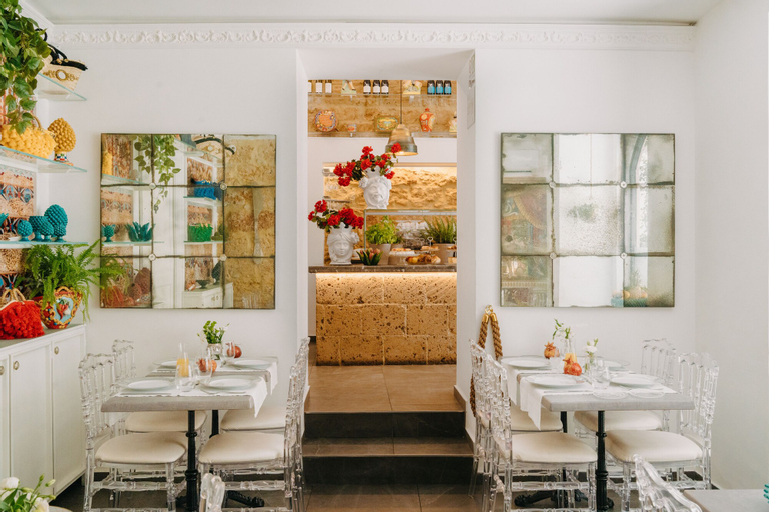
See detailsLe Cupole Di Ballaro
Caleidoscopica Bahlara Ballaro
Crafted for coziness, every guestroom provides an array of features, guaranteeing a tranquil night's sleep while maintaining the level of comfort. For a more enjoyable stay, select rooms at apartment are equipped with linen service and air conditioning.Expand your in-room entertainment choices with various amenities, such as television offered in certain accommodations.Rest assured that your hydration needs will be met, as some guestrooms are equipped with a coffee or tea maker, instant coffee and instant tea. It is worth noting that certain guest bathrooms feature a hair dryer and toiletries for your convenience. Begin your day on a delightful note with a scrumptious complimentary breakfast, consistently served at Caleidoscopica Bahlara Ballaro.
See detailsHotel Principe di Villafranca
Hotel Principe di Villafranca Location
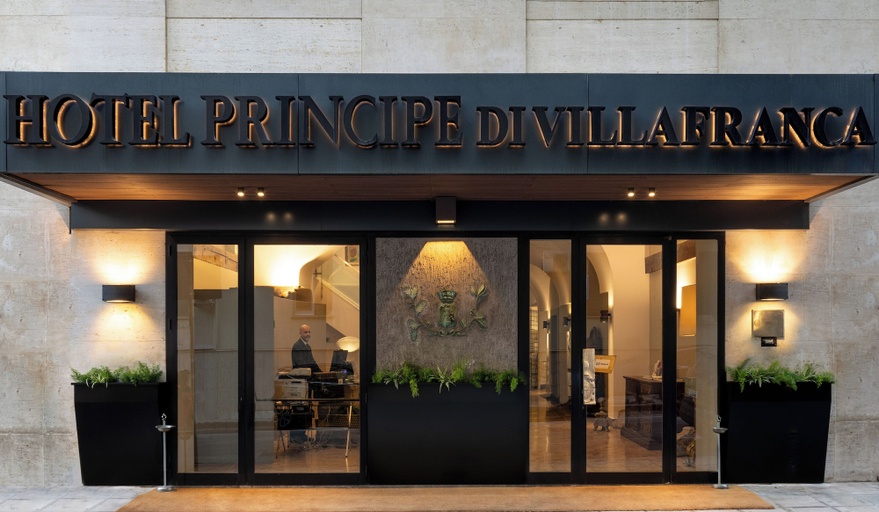
Hotel Principe di Villafranca is centrally located in Palermo, a 5-minute walk from Villa Trabia and 8 minutes by foot from Piazza Ruggero Settimo. This hotel is 0.5 mi (0.9 km) from Politeama Garibaldi Theater and 0.7 mi (1.1 km) from Santa Maria di Monserrato.
Hotel Principe di Villafranca Facility and Service
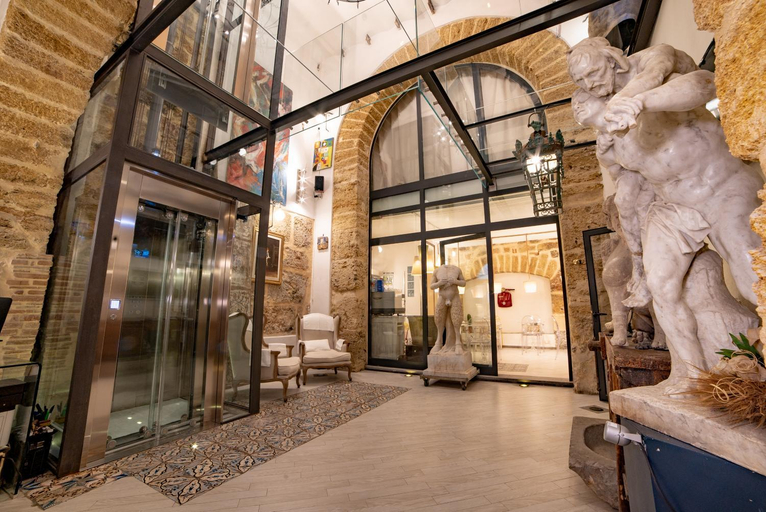
Take advantage of recreation opportunities such as a 24-hour fitness center, or other amenities including complimentary wireless internet access and concierge services. Additional amenities at this hotel include babysitting (surcharge), a fireplace in the lobby, and a banquet hall.
Hotel Principe di Villafranca Rooms
Make yourself at home in one of the 31 guestrooms featuring minibars and LCD televisions. Complimentary wireless internet access keeps you connected, and satellite programming is available for your entertainment. Private bathrooms with showers feature complimentary toiletries and bidets. Conveniences include safes and desks, and housekeeping is provided daily.
Restaurant and Cafe
Take advantage of the hotel's room service (during limited hours). Quench your thirst with your favorite drink at the bar/lounge. A complimentary full breakfast is included.
See detailsHotel Principe di Villafranca is centrally located in Palermo, a 5-minute walk from Villa Trabia and 8 minutes by foot from Piazza Ruggero Settimo. This hotel is 0.5 mi (0.9 km) from Politeama Garibaldi Theater and 0.7 mi (1.1 km) from Santa Maria di Monserrato.
Hotel Principe di Villafranca Facility and Service
Take advantage of recreation opportunities such as a 24-hour fitness center, or other amenities including complimentary wireless internet access and concierge services. Additional amenities at this hotel include babysitting (surcharge), a fireplace in the lobby, and a banquet hall.
Hotel Principe di Villafranca Rooms
Make yourself at home in one of the 31 guestrooms featuring minibars and LCD televisions. Complimentary wireless internet access keeps you connected, and satellite programming is available for your entertainment. Private bathrooms with showers feature complimentary toiletries and bidets. Conveniences include safes and desks, and housekeeping is provided daily.
Restaurant and Cafe
Take advantage of the hotel's room service (during limited hours). Quench your thirst with your favorite drink at the bar/lounge. A complimentary full breakfast is included.
“Worth it”
Appartamento nel cuore del Centro Storico di Palermo
Hotel Porta Felice & Spa
Hotel Porta Felice & Spa Location
With a stay at Hotel Porta Felice & Spa, you'll be centrally located in Palermo, steps from Palermo Harbour and 10 minutes by foot from Via Roma. This spa hotel is 6.8 mi (11 km) from Mondello Beach and 2 mi (3.2 km) from Teatro Massimo.
Hotel Porta Felice & Spa Facility and Service
Relax at the full-service spa, where you can enjoy massages, body treatments, and facials. Additional amenities at this hotel include complimentary wireless internet access, concierge services, and wedding services. Getting to the surf and sand is a breeze with the beach shuttle (surcharge).
Hotel Porta Felice & Spa Rooms
Make yourself at home in one of the 33 air-conditioned rooms featuring minibars and flat-screen televisions. Complimentary wireless internet access keeps you connected, and satellite programming is available for your entertainment. Private bathrooms have deep soaking bathtubs and complimentary toiletries. Conveniences include phones, as well as laptop-compatible safes and desks.
Restaurant and Cafe
Satisfy your appetite at the hotel's coffee shop/cafe, or stay in and take advantage of the room service (during limited hours). Wrap up your day with a drink at the bar/lounge. A complimentary self-serve breakfast is served daily from 7 AM to 10:00 AM.
See detailsWith a stay at Hotel Porta Felice & Spa, you'll be centrally located in Palermo, steps from Palermo Harbour and 10 minutes by foot from Via Roma. This spa hotel is 6.8 mi (11 km) from Mondello Beach and 2 mi (3.2 km) from Teatro Massimo.
Hotel Porta Felice & Spa Facility and Service
Relax at the full-service spa, where you can enjoy massages, body treatments, and facials. Additional amenities at this hotel include complimentary wireless internet access, concierge services, and wedding services. Getting to the surf and sand is a breeze with the beach shuttle (surcharge).
Hotel Porta Felice & Spa Rooms
Make yourself at home in one of the 33 air-conditioned rooms featuring minibars and flat-screen televisions. Complimentary wireless internet access keeps you connected, and satellite programming is available for your entertainment. Private bathrooms have deep soaking bathtubs and complimentary toiletries. Conveniences include phones, as well as laptop-compatible safes and desks.
Restaurant and Cafe
Satisfy your appetite at the hotel's coffee shop/cafe, or stay in and take advantage of the room service (during limited hours). Wrap up your day with a drink at the bar/lounge. A complimentary self-serve breakfast is served daily from 7 AM to 10:00 AM.
“Worth it”
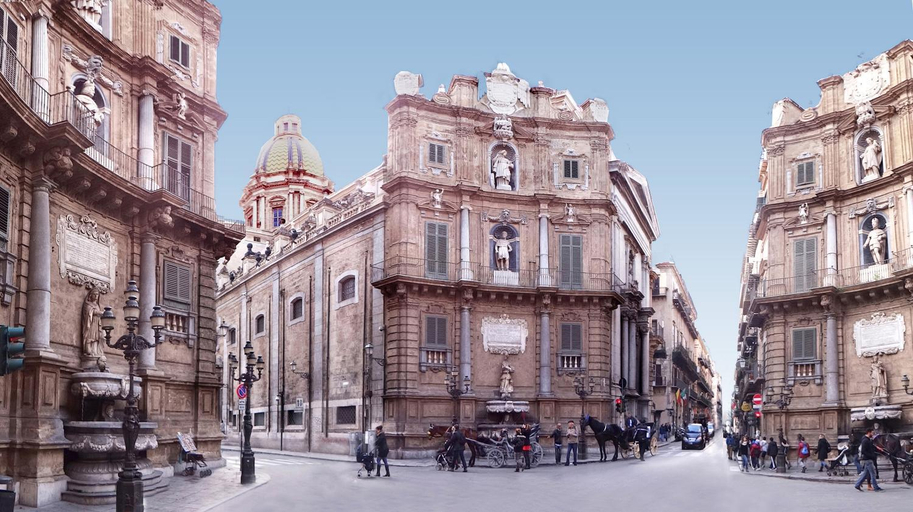
Open Sicily residence i quattro canti
At Open Sicily residence i quattro canti, exceptional service and top-notch amenities create a memorable experience for guests.Complimentary internet access is available in the serviced apartment to ensure you stay connected during your visit.Desire to unwind? Make the most of your visit at Open Sicily residence i quattro canti with accessible amenities such as daily housekeeping. Due to health concerns, smoking is strictly prohibited within the entire premises of serviced apartment. Accommodations come equipped with all the conveniences required for a restful night's slumber.A selection of rooms at Open Sicily residence i quattro canti come furnished with air conditioning to cater to your needs and comfort.In certain chosen rooms, a refrigerator is conveniently available for your use.
See detailsPalazzo Brunaccini Boutique Hotel
Palazzo Brunaccini Boutique Hotel Location
Palazzo Brunaccini Boutique Hotel is in the heart of Palermo, within a 5-minute walk of Via Vittorio Emanuele and Piazza Bellini. This family-friendly hotel is 0.3 mi (0.6 km) from Via Roma and 0.5 mi (0.8 km) from Quattro Canti.
Palazzo Brunaccini Boutique Hotel Facility and Service
Be sure to enjoy recreational amenities including a fitness center and bicycles to rent. Additional amenities at this hotel include complimentary wireless internet access, concierge services, and a television in a common area.
Palazzo Brunaccini Boutique Hotel Rooms
Make yourself at home in one of the 18 individually decorated guestrooms, featuring minibars and flat-screen televisions. Your bed comes with down comforters and Frette Italian sheets. Complimentary wireless internet access keeps you connected, and digital programming is available for your entertainment. Bathrooms have complimentary toiletries and bidets.
Restaurant and Cafe
Enjoy Italian cuisine at Ristorante Brunaccini, a restaurant where you can enjoy drinks at the bar/lounge and dine alfresco. Or stay in and take advantage of the room service (during limited hours). Buffet breakfasts are available daily from 7:30 AM to 10:30 AM for a fee.
See detailsPalazzo Brunaccini Boutique Hotel is in the heart of Palermo, within a 5-minute walk of Via Vittorio Emanuele and Piazza Bellini. This family-friendly hotel is 0.3 mi (0.6 km) from Via Roma and 0.5 mi (0.8 km) from Quattro Canti.
Palazzo Brunaccini Boutique Hotel Facility and Service
Be sure to enjoy recreational amenities including a fitness center and bicycles to rent. Additional amenities at this hotel include complimentary wireless internet access, concierge services, and a television in a common area.
Palazzo Brunaccini Boutique Hotel Rooms
Make yourself at home in one of the 18 individually decorated guestrooms, featuring minibars and flat-screen televisions. Your bed comes with down comforters and Frette Italian sheets. Complimentary wireless internet access keeps you connected, and digital programming is available for your entertainment. Bathrooms have complimentary toiletries and bidets.
Restaurant and Cafe
Enjoy Italian cuisine at Ristorante Brunaccini, a restaurant where you can enjoy drinks at the bar/lounge and dine alfresco. Or stay in and take advantage of the room service (during limited hours). Buffet breakfasts are available daily from 7:30 AM to 10:30 AM for a fee.
“Worth it”
Azzurra Apartment Mondello - Casa Vacanza a due passi dal Mare
Artemisia Palace Hotel
Artemisia Palace Hotel Location
With a stay at Artemisia Palace Hotel, you'll be centrally located in Palermo, steps from Via Roma and 4 minutes by foot from Palermo Harbour. This hotel is 0.4 mi (0.7 km) from Teatro Massimo and 6.5 mi (10.5 km) from Mondello Beach.
Artemisia Palace Hotel Facility and Service
Make use of convenient amenities such as complimentary wireless internet access, concierge services, and a banquet hall.
Artemisia Palace Hotel Rooms
Make yourself at home in one of the 19 air-conditioned rooms featuring minibars and LED televisions. Complimentary wireless internet access keeps you connected, and satellite programming is available for your entertainment. Private bathrooms have designer toiletries and bidets. Conveniences include laptop-compatible safes and desks, as well as phones with free local calls.
Restaurant and Cafe
Take advantage of the hotel's room service. Wrap up your day with a drink at the bar/lounge. Buffet breakfasts are available daily from 7:00 AM to 10:00 AM for a fee.
See detailsWith a stay at Artemisia Palace Hotel, you'll be centrally located in Palermo, steps from Via Roma and 4 minutes by foot from Palermo Harbour. This hotel is 0.4 mi (0.7 km) from Teatro Massimo and 6.5 mi (10.5 km) from Mondello Beach.
Artemisia Palace Hotel Facility and Service
Make use of convenient amenities such as complimentary wireless internet access, concierge services, and a banquet hall.
Artemisia Palace Hotel Rooms
Make yourself at home in one of the 19 air-conditioned rooms featuring minibars and LED televisions. Complimentary wireless internet access keeps you connected, and satellite programming is available for your entertainment. Private bathrooms have designer toiletries and bidets. Conveniences include laptop-compatible safes and desks, as well as phones with free local calls.
Restaurant and Cafe
Take advantage of the hotel's room service. Wrap up your day with a drink at the bar/lounge. Buffet breakfasts are available daily from 7:00 AM to 10:00 AM for a fee.
“Worth it”
Unìco Boutique Hotel d'Arte
Unìco Boutique Hotel d'Arte Location
With a stay at Unìco Boutique Hotel d'Arte in Palermo (Partanna - Mondello), you'll be within a 15-minute drive of Mondello Beach and Palermo Harbour. This hotel is 7.6 mi (12.2 km) from Via Roma and 8.4 mi (13.5 km) from Teatro Massimo.
Unìco Boutique Hotel d'Arte Facility and Service
Take advantage of recreation opportunities such as an outdoor pool or take in the view from a rooftop terrace and a garden. This hotel also features complimentary wireless internet access, concierge services, and a fireplace in the lobby.
Unìco Boutique Hotel d'Arte Rooms
Make yourself at home in one of the 8 individually decorated guestrooms, featuring minibars and Smart televisions. Your memory foam bed comes with down comforters and premium bedding. Complimentary wireless internet access keeps you connected, and satellite programming is available for your entertainment. Private bathrooms have designer toiletries and bidets.
Restaurant and Cafe
Grab a bite from the snack bar/deli, or stay in and take advantage of the hotel's room service (during limited hours). Relax with your favorite drink at the bar/lounge or the poolside bar. A complimentary full breakfast is served daily from 7:30 AM to 11:00 AM.
See detailsWith a stay at Unìco Boutique Hotel d'Arte in Palermo (Partanna - Mondello), you'll be within a 15-minute drive of Mondello Beach and Palermo Harbour. This hotel is 7.6 mi (12.2 km) from Via Roma and 8.4 mi (13.5 km) from Teatro Massimo.
Unìco Boutique Hotel d'Arte Facility and Service
Take advantage of recreation opportunities such as an outdoor pool or take in the view from a rooftop terrace and a garden. This hotel also features complimentary wireless internet access, concierge services, and a fireplace in the lobby.
Unìco Boutique Hotel d'Arte Rooms
Make yourself at home in one of the 8 individually decorated guestrooms, featuring minibars and Smart televisions. Your memory foam bed comes with down comforters and premium bedding. Complimentary wireless internet access keeps you connected, and satellite programming is available for your entertainment. Private bathrooms have designer toiletries and bidets.
Restaurant and Cafe
Grab a bite from the snack bar/deli, or stay in and take advantage of the hotel's room service (during limited hours). Relax with your favorite drink at the bar/lounge or the poolside bar. A complimentary full breakfast is served daily from 7:30 AM to 11:00 AM.
La Maison del Sole
Palazzo Natoli Boutique Hotel
Palazzo Natoli Boutique Hotel Location
With a stay at Palazzo Natoli Boutique Hotel, you'll be centrally located in Palermo, just a 4-minute walk from Palermo Cathedral and 6 minutes by foot from Via Roma. This hotel is 0.6 mi (0.9 km) from Teatro Massimo and 0.6 mi (1 km) from Palermo Harbour.
Palazzo Natoli Boutique Hotel Facility and Service
Make use of convenient amenities, which include complimentary wireless internet access and concierge services.
Palazzo Natoli Boutique Hotel Rooms
Make yourself at home in one of the 9 guestrooms featuring minibars and espresso makers. 40-inch Smart televisions with digital programming provide entertainment, while complimentary wireless internet access keeps you connected. Bathrooms have complimentary toiletries and bidets. Conveniences include phones, as well as safes and desks.
Restaurant and Cafe
Satisfy your appetite at the hotel's coffee shop/cafe, or stay in and take advantage of the room service (during limited hours). A complimentary full breakfast is served daily from 7:30 AM to 10:00 AM.
See detailsWith a stay at Palazzo Natoli Boutique Hotel, you'll be centrally located in Palermo, just a 4-minute walk from Palermo Cathedral and 6 minutes by foot from Via Roma. This hotel is 0.6 mi (0.9 km) from Teatro Massimo and 0.6 mi (1 km) from Palermo Harbour.
Palazzo Natoli Boutique Hotel Facility and Service
Make use of convenient amenities, which include complimentary wireless internet access and concierge services.
Palazzo Natoli Boutique Hotel Rooms
Make yourself at home in one of the 9 guestrooms featuring minibars and espresso makers. 40-inch Smart televisions with digital programming provide entertainment, while complimentary wireless internet access keeps you connected. Bathrooms have complimentary toiletries and bidets. Conveniences include phones, as well as safes and desks.
Restaurant and Cafe
Satisfy your appetite at the hotel's coffee shop/cafe, or stay in and take advantage of the room service (during limited hours). A complimentary full breakfast is served daily from 7:30 AM to 10:00 AM.
“Strategic location”
PTA Appartamento Girasole
B&B Alexander-Room and Breakfast
Due Passi Suite
Hotel Giardino Inglese
Hotel Giardino Inglese Location
A stay at Hotel Giardino Inglese places you in the heart of Palermo, within a 15-minute walk of Palermo Harbour and Via Roma. This family-friendly hotel is 5.5 mi (8.9 km) from Mondello Beach and 1.5 mi (2.3 km) from Teatro Massimo.
Hotel Giardino Inglese Facility and Service
Enjoy recreational amenities such as a sauna and a fitness center. This hotel also features complimentary wireless internet access, concierge services, and babysitting (surcharge).
Hotel Giardino Inglese Rooms
Make yourself at home in one of the 25 guestrooms featuring minibars. Rooms have private balconies. Complimentary wireless internet access keeps you connected, and digital programming is available for your entertainment. Private bathrooms with showers feature rainfall showerheads and complimentary toiletries.
Restaurant and Cafe
Enjoy a meal at the restaurant or snacks in the coffee shop/cafe. The hotel also offers 24-hour room service. Wrap up your day with a drink at the bar/lounge. A complimentary buffet breakfast is served daily.
See detailsA stay at Hotel Giardino Inglese places you in the heart of Palermo, within a 15-minute walk of Palermo Harbour and Via Roma. This family-friendly hotel is 5.5 mi (8.9 km) from Mondello Beach and 1.5 mi (2.3 km) from Teatro Massimo.
Hotel Giardino Inglese Facility and Service
Enjoy recreational amenities such as a sauna and a fitness center. This hotel also features complimentary wireless internet access, concierge services, and babysitting (surcharge).
Hotel Giardino Inglese Rooms
Make yourself at home in one of the 25 guestrooms featuring minibars. Rooms have private balconies. Complimentary wireless internet access keeps you connected, and digital programming is available for your entertainment. Private bathrooms with showers feature rainfall showerheads and complimentary toiletries.
Restaurant and Cafe
Enjoy a meal at the restaurant or snacks in the coffee shop/cafe. The hotel also offers 24-hour room service. Wrap up your day with a drink at the bar/lounge. A complimentary buffet breakfast is served daily.
“Worth it”
Leone Apartments
Belmonte Apartments

How to Book Hotels on tiket.com
1. Find the hotelEnter the name of the city, area, or hotel to find the place you want.
2. Select a roomOn the hotel detail page, you will see the available room options. Select a room that suits your needs.
3. Complete the booking detailsInput the contact details (the person who will be contacted by tiket.com and the hotel about the booking) and the guests’ details.
4. Select Add-onsYou can also buy additional services such as meal packages, transportation, and many more.
5. Pay your bookingSelect the payment method and complete your transaction. Don’t forget to use the promo code to get a cheaper hotel price at tiket.com.
6. Get the reservation e-voucherAfter the payment is successful, the e-voucher will be available on the Your Orders menu and sent to the email listed in the contact details.