



Apartments in Ashmore
Showing 2 Apartments in Ashmore
 Southport, Gold Coast
 Southport, Gold Coast
Royal Woods Resort
Apartment
Royal Woods Resort is styled with a subtle mediterranean touch set on 12 acres of tropical gardens. A large outdoor pool with waterfall and barbecue area is supplemented with a heated indoor pool, gym, steam room, children's pool and outdoor jacuzzi. Royal Woods boasts 45 individually designed freestanding Villa's and 90 luxurious guest rooms within an authentic Australian tropical environment. Royal Woods is just 4km from Surfers Paradise and 2. 5km from Southport, and conveniently located within 500 metres of the nearest shopping centre.
See detailsApartment Stay Close to Surfers Paradise
Apartment
Apartment Stay Close to Surfers Paradise Location
With a stay at this apartment in Gold Coast (Ashmore), you'll be within a 10-minute drive of Cavill Avenue and Gold Coast Convention and Exhibition Centre. This apartment is 8.8 mi (14.2 km) from Warner Bros. Movie World and 3 mi (4.8 km) from Surfers Paradise Beach.
Apartment Stay Close to Surfers Paradise Rooms
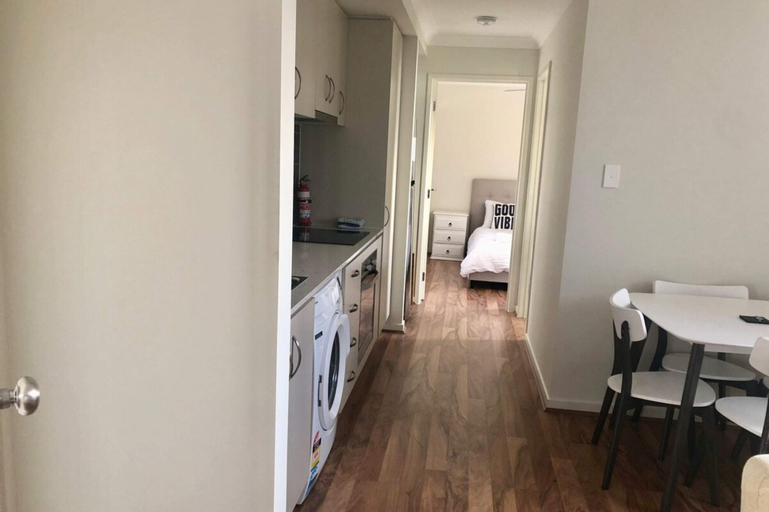
Make yourself comfortable in this air-conditioned apartment, featuring a kitchen with a refrigerator and an oven. Conveniences include a microwave and a washer/dryer.
Restaurant and Cafe
A complimentary breakfast is included.
See detailsWith a stay at this apartment in Gold Coast (Ashmore), you'll be within a 10-minute drive of Cavill Avenue and Gold Coast Convention and Exhibition Centre. This apartment is 8.8 mi (14.2 km) from Warner Bros. Movie World and 3 mi (4.8 km) from Surfers Paradise Beach.
Apartment Stay Close to Surfers Paradise Rooms
Make yourself comfortable in this air-conditioned apartment, featuring a kitchen with a refrigerator and an oven. Conveniences include a microwave and a washer/dryer.
Restaurant and Cafe
A complimentary breakfast is included.
FAQ about Apartments in Ashmore
Apartments in Ashmore
Don't feel hesitant to book Apartments in Ashmore at tiket.com! We'll make sure to provide all conveniences you need when doing a room reservation. Book your favourite hotel now only at tiket.com!

How to Book Accommodations on tiket.com
1. Find the accommodationEnter the name of the city, area, or accommodation to find the place you want.
2. Select a roomOn the accommodation detail page, you will see the available room options. Select a room that suits your needs.
3. Complete the booking detailsInput the contact details (the person who will be contacted by tiket.com and the accommodation about the booking) and the guests’ details.
4. Select Add-onsYou can also buy additional services such as meal packages, transportation, and many more.
5. Pay your bookingSelect the payment method and complete your transaction. Don't forget to use the promo code to get a cheaper accommodation price at tiket.com.
6. Get the reservation e-voucherAfter the payment is successful, the e-voucher will be available on the Your Orders menu and sent to the email listed in the contact details.