



Apartments in Floresti
Showing 4 Apartments in Floresti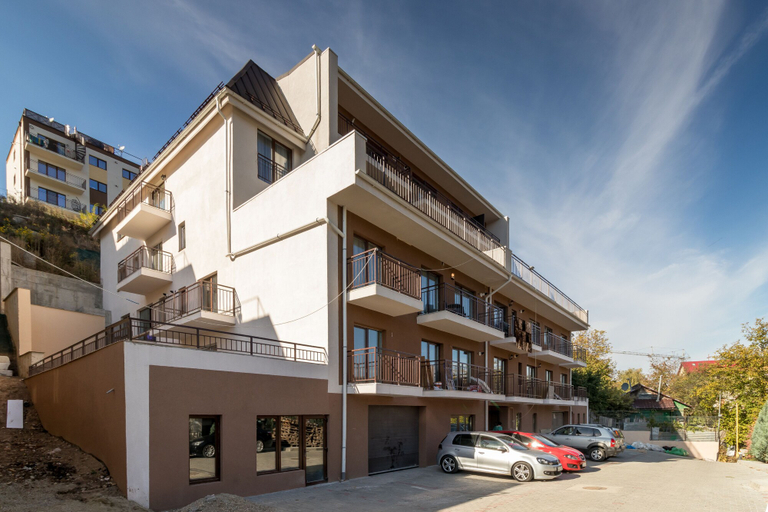
 Floresti
 FlorestiFloresti
 Floresti
Nicobri Studios
Apartment
Nicobri Studios Location
Located in Floresti, Nicobri Studios is a 4-minute drive from VIVO! Cluj-Napoca and 6 minutes from Polyvalent Hall. This apartment is 3 mi (4.9 km) from Cluj Arena and 3.1 mi (5 km) from Central Park Simion Barnutiu.
Nicobri Studios Rooms
Make yourself at home in one of the 2 guestrooms, featuring kitchens with full-sized refrigerators/freezers and ovens. Flat-screen televisions with cable programming provide entertainment, while complimentary wireless internet access keeps you connected. Conveniences include microwaves and coffee/tea makers, and housekeeping is provided on request.
See detailsLocated in Floresti, Nicobri Studios is a 4-minute drive from VIVO! Cluj-Napoca and 6 minutes from Polyvalent Hall. This apartment is 3 mi (4.9 km) from Cluj Arena and 3.1 mi (5 km) from Central Park Simion Barnutiu.
Nicobri Studios Rooms
Make yourself at home in one of the 2 guestrooms, featuring kitchens with full-sized refrigerators/freezers and ovens. Flat-screen televisions with cable programming provide entertainment, while complimentary wireless internet access keeps you connected. Conveniences include microwaves and coffee/tea makers, and housekeeping is provided on request.
Art House
Apartment
M&M Apartments
Apartment
Viv Apartments 210
Apartment
Viv Apartments 210 welcomes you to a comfortable stay at Floresti. The Apartment offers complete facilities to cater to guests’ needs, such as WiFi, parking, and accessible facilities.
The rooms feature (a) AC, TV, and refrigerator. The en suite bathroom comes with (a) shower, bathtub, and free toiletries.
Staff at the Apartment can assist you with luggage storage and first aid kit. Other facilities include washing machine and iron/ironing board.
See detailsApartments in Floresti
Don't feel hesitant to book Apartments in Floresti at tiket.com! We'll make sure to provide all conveniences you need when doing a room reservation. Book your favourite hotel now only at tiket.com!

How to Book Accommodations on tiket.com
1. Find the accommodationEnter the name of the city, area, or accommodation to find the place you want.
2. Select a roomOn the accommodation detail page, you will see the available room options. Select a room that suits your needs.
3. Complete the booking detailsInput the contact details (the person who will be contacted by tiket.com and the accommodation about the booking) and the guests’ details.
4. Select Add-onsYou can also buy additional services such as meal packages, transportation, and many more.
5. Pay your bookingSelect the payment method and complete your transaction. Don't forget to use the promo code to get a cheaper accommodation price at tiket.com.
6. Get the reservation e-voucherAfter the payment is successful, the e-voucher will be available on the Your Orders menu and sent to the email listed in the contact details.