



Ryokans in Katsuura
Showing 3 Ryokans in Katsuura
 Katsuura
 Katsuura
 Katsuura
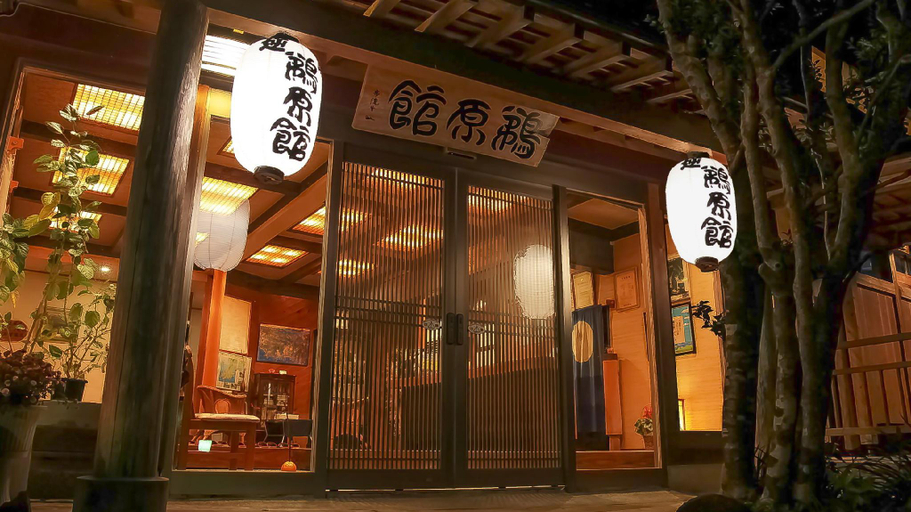
鵜原館 -Ubarakan-
Ryokan
Ubarakan
Ryokan
Ubarakan provides flawless service and all the necessary facilities for visitors. Stay connected with your associates, as complimentary Wi-Fi is available during your entire visit.The ryokan offers taxi amenities to assist you in discovering your desired offerings in Onjuku.When arriving by car, you'll be grateful for the on-site complimentary parking at ryokan. The ryokan's daily housekeeping ensures an excellent option for your stay. Smoking is permitted solely in the specified smoking zones allocated by ryokan.In order to ensure the utmost level of relaxation, the guestrooms feature an inviting design and are equipped with all basic necessities, creating a delightful stay experience.To ensure your satisfaction, certain rooms in the ryokan come fitted with air conditioning for a more pleasant stay. At Ubarakan, various room configurations are available, featuring separate living room and balcony or terrace in some rooms.Within specific rooms, a refrigerator, instant coffee and mini bar is conveniently available for your use.Understanding the significance of bathroom facilities in enhancing visitor contentment, ryokan offers a hair dryer and toiletries within a few chosen chambers.
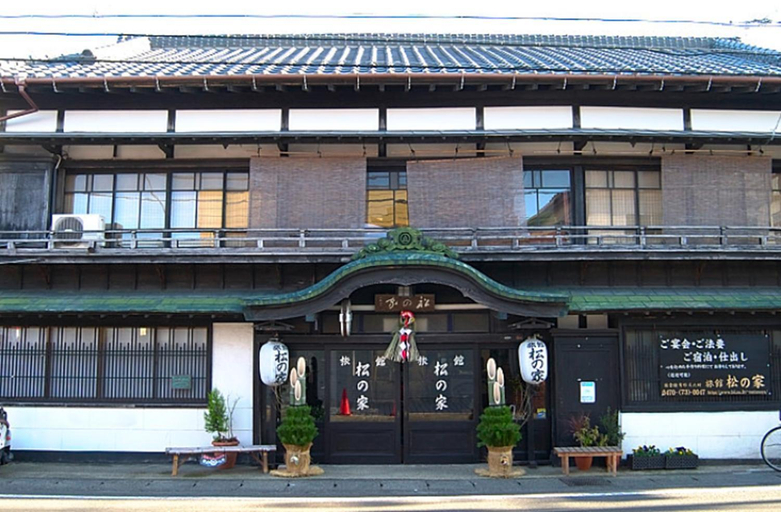
See details旅館 松の家
Ryokan
Hotel Introduction Description
Stay in a national tangible cultural asset. Highly rated dinner menu includes abalone and whole alfonsino.
Ryokans in Katsuura
Don't feel hesitant to book Ryokans in Katsuura at tiket.com! We'll make sure to provide all conveniences you need when doing a room reservation. Book your favourite hotel now only at tiket.com!

How to Book Accommodations on tiket.com
1. Find the accommodationEnter the name of the city, area, or accommodation to find the place you want.
2. Select a roomOn the accommodation detail page, you will see the available room options. Select a room that suits your needs.
3. Complete the booking detailsInput the contact details (the person who will be contacted by tiket.com and the accommodation about the booking) and the guests’ details.
4. Select Add-onsYou can also buy additional services such as meal packages, transportation, and many more.
5. Pay your bookingSelect the payment method and complete your transaction. Don't forget to use the promo code to get a cheaper accommodation price at tiket.com.
6. Get the reservation e-voucherAfter the payment is successful, the e-voucher will be available on the Your Orders menu and sent to the email listed in the contact details.