



2 Star Hotels in West-Vlaanderen
Showing 353 hotels in West-Vlaanderen
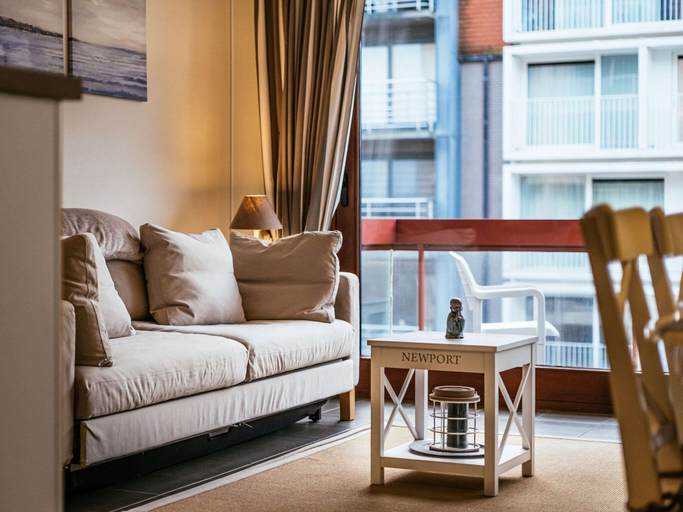
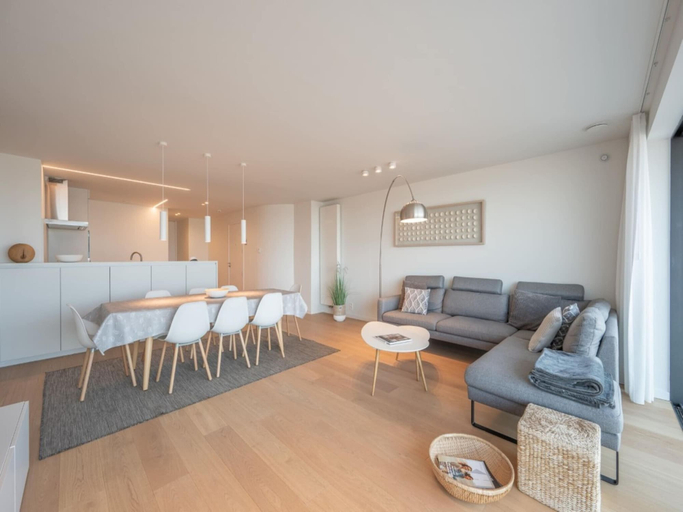
Apartment in Belgium with Cozy Patio
Apartment in Belgium with Cozy Patio provides flawless service and all the necessary facilities for visitors.Maintain seamless communication using the complimentary Wi-Fi at apartment.At Apartment in Belgium with Cozy Patio, every guestroom is provided with convenient amenities and fittings to ensure a comfortable stay. A few accommodations within Apartment in Belgium with Cozy Patio offer unique design elements such as a balcony or terrace. Certain rooms offer in-room amusement features such as the television for your enjoyment.
See detailsApartment in St. Idesbald With Sea Views
Apartment in St. Idesbald With Sea Views Location
With a stay at this apartment in Koksijde, you'll be near the beach, within a 10-minute drive of Plopsaland De Panne and De Panne Beach. This apartment is 0.6 mi (1 km) from Paul Delvaux Museum and 1 mi (1.6 km) from Koksijde Beach.
Apartment in St. Idesbald With Sea Views Rooms
Make yourself comfortable in your apartment, which features a microwave. The bathroom has a bathtub or shower.
See detailsWith a stay at this apartment in Koksijde, you'll be near the beach, within a 10-minute drive of Plopsaland De Panne and De Panne Beach. This apartment is 0.6 mi (1 km) from Paul Delvaux Museum and 1 mi (1.6 km) from Koksijde Beach.
Apartment in St. Idesbald With Sea Views Rooms
Make yourself comfortable in your apartment, which features a microwave. The bathroom has a bathtub or shower.
Apartment in Knokke with Sea View
Each accommodation at Apartment in Knokke with Sea View is thoughtfully created and adorned to provide visitors with a comfortable, home-like atmosphere. At Apartment in Knokke with Sea View, the uniquely tailored rooms provide a configuration choice resembling a balcony or terrace. In select rooms, guests can enjoy a touch of amusement with the availability of television for their entertainment. Rest assured, in a few chosen rooms, the presence of a coffee or tea maker can be found.
See details
How to Book Hotels on tiket.com
1. Find the hotelEnter the name of the city, area, or hotel to find the place you want.
2. Select a roomOn the hotel detail page, you will see the available room options. Select a room that suits your needs.
3. Complete the booking detailsInput the contact details (the person who will be contacted by tiket.com and the hotel about the booking) and the guests’ details.
4. Select Add-onsYou can also buy additional services such as meal packages, transportation, and many more.
5. Pay your bookingSelect the payment method and complete your transaction. Don’t forget to use the promo code to get a cheaper hotel price at tiket.com.
6. Get the reservation e-voucherAfter the payment is successful, the e-voucher will be available on the Your Orders menu and sent to the email listed in the contact details.