



3 Star Hotels in Éden
Showing 2 hotels in Éden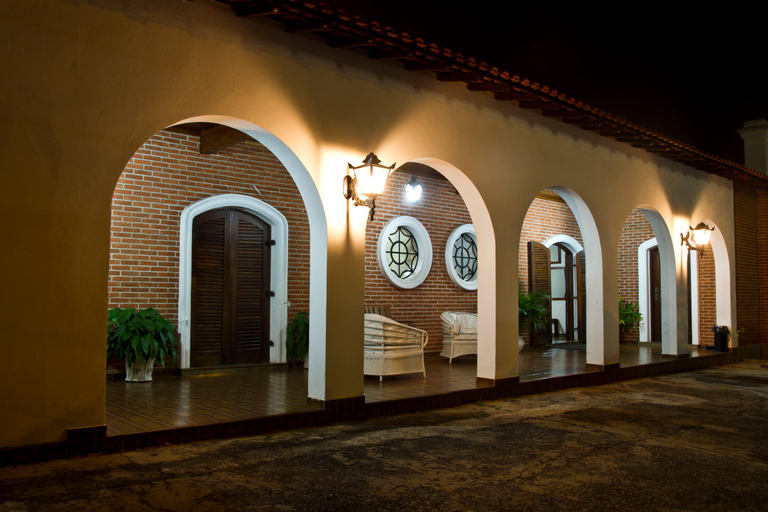
Eden Park Hotel
Eden Park Hotel features a total of 30 guest rooms. Eden Park Hotel was built in 2015. Everyone staying at this accommodation may take advantage of the Wi-Fi connection on public areas. As this hotel features 24-hour reception, guests are always welcome. Cots are not available at this hotel. There is a car park. Additional fees may apply for some services.
See detailsHotel Eden
Hotel Eden Location
With a stay at Hotel Eden in Sorocaba (Eden), you'll be within a 10-minute drive of Campininha Waterfall and Irmaos Vilas Boas Botanical Garden. This hotel is 4.2 mi (6.8 km) from Teotonio Vilela Municipal Theater and 4.3 mi (7 km) from Palacio dos Tropeiros.
Hotel Eden Facility and Service
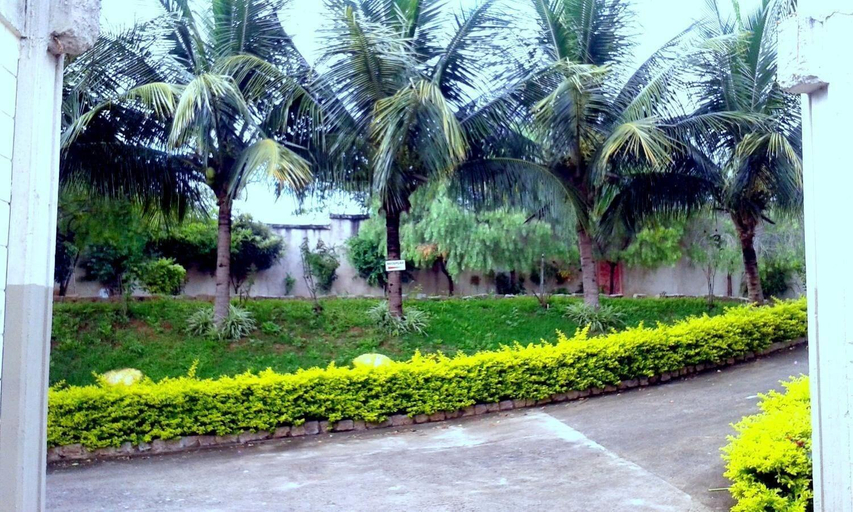
Take in the views from a terrace and a garden and make use of amenities such as complimentary wireless internet access.
Hotel Eden Rooms
Stay in one of 42 guestrooms featuring LCD televisions. Complimentary wireless internet access keeps you connected, and digital programming is available for your entertainment. Private bathrooms with showers feature complimentary toiletries and hair dryers. Conveniences include phones, housekeeping is provided daily, and you can request irons/ironing boards.
Restaurant and Cafe
Enjoy a meal at the restaurant, or stay in and take advantage of the hotel's room service. A complimentary buffet breakfast is served daily from 7 AM to 9:30 AM.
See detailsWith a stay at Hotel Eden in Sorocaba (Eden), you'll be within a 10-minute drive of Campininha Waterfall and Irmaos Vilas Boas Botanical Garden. This hotel is 4.2 mi (6.8 km) from Teotonio Vilela Municipal Theater and 4.3 mi (7 km) from Palacio dos Tropeiros.
Hotel Eden Facility and Service
Take in the views from a terrace and a garden and make use of amenities such as complimentary wireless internet access.
Hotel Eden Rooms
Stay in one of 42 guestrooms featuring LCD televisions. Complimentary wireless internet access keeps you connected, and digital programming is available for your entertainment. Private bathrooms with showers feature complimentary toiletries and hair dryers. Conveniences include phones, housekeeping is provided daily, and you can request irons/ironing boards.
Restaurant and Cafe
Enjoy a meal at the restaurant, or stay in and take advantage of the hotel's room service. A complimentary buffet breakfast is served daily from 7 AM to 9:30 AM.
FAQ about Hotels in Éden

How to Book Hotels on tiket.com
1. Find the hotelEnter the name of the city, area, or hotel to find the place you want.
2. Select a roomOn the hotel detail page, you will see the available room options. Select a room that suits your needs.
3. Complete the booking detailsInput the contact details (the person who will be contacted by tiket.com and the hotel about the booking) and the guests’ details.
4. Select Add-onsYou can also buy additional services such as meal packages, transportation, and many more.
5. Pay your bookingSelect the payment method and complete your transaction. Don’t forget to use the promo code to get a cheaper hotel price at tiket.com.
6. Get the reservation e-voucherAfter the payment is successful, the e-voucher will be available on the Your Orders menu and sent to the email listed in the contact details.