



3 Star Hotels in San Antero
Showing 4 hotels in San Antero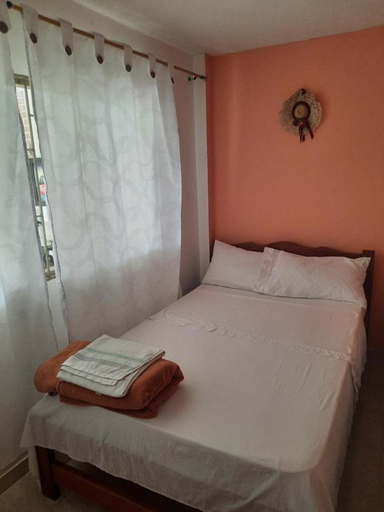
Hostal Santa Clara
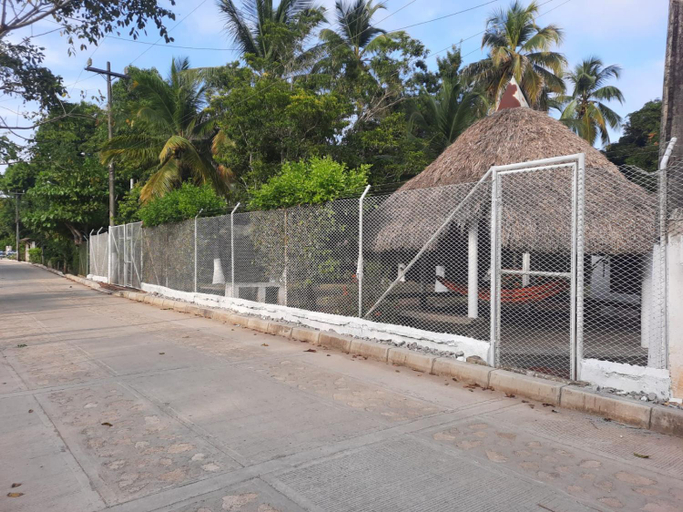
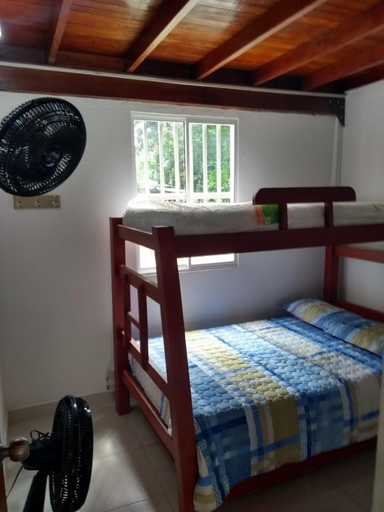
Located in San Antero, Hostal Santa Clara offers accommodation with easy access to San Antero’s best spots. The property features restaurant, WiFi, and children facility.
The rooms feature (a) AC, TV, and refrigerator. The en suite bathroom comes with (a) shower, bathtub, and bathtub.
The property offers washing machine and BBQ facilities. Other facilities include 24-hour front desk, luggage storage, and laundry service/dry cleaning.
See detailsHostal Roldan
Hostel La Casa Monocuco
Hostel La Casa Monocuco Location
When you stay at Hostel La Casa Monocuco in San Antero, you'll be near the beach and steps from Cispata Mangrove. This hotel is 3.8 mi (6.2 km) from Volcan de Lodo Thermal Pools and 16 mi (25.8 km) from Puerto Viejo Beach.
Hostel La Casa Monocuco Facility and Service
Take in the views from a terrace and a garden and make use of amenities such as complimentary wireless internet access.
Hostel La Casa Monocuco Rooms
Make yourself at home in one of the 4 air-conditioned guestrooms. Complimentary wireless internet access is available to keep you connected.
Restaurant and Cafe
Continental breakfasts are available daily from 8:00 AM to 10:00 AM for a fee.
See detailsWhen you stay at Hostel La Casa Monocuco in San Antero, you'll be near the beach and steps from Cispata Mangrove. This hotel is 3.8 mi (6.2 km) from Volcan de Lodo Thermal Pools and 16 mi (25.8 km) from Puerto Viejo Beach.
Hostel La Casa Monocuco Facility and Service
Take in the views from a terrace and a garden and make use of amenities such as complimentary wireless internet access.
Hostel La Casa Monocuco Rooms
Make yourself at home in one of the 4 air-conditioned guestrooms. Complimentary wireless internet access is available to keep you connected.
Restaurant and Cafe
Continental breakfasts are available daily from 8:00 AM to 10:00 AM for a fee.
Cabanas Mayarena
Each room is equipped with AC and room heater. The bathroom comes with free toiletries and hair dryer.
FAQ about Hotels in San Antero

How to Book Hotels on tiket.com
1. Find the hotelEnter the name of the city, area, or hotel to find the place you want.
2. Select a roomOn the hotel detail page, you will see the available room options. Select a room that suits your needs.
3. Complete the booking detailsInput the contact details (the person who will be contacted by tiket.com and the hotel about the booking) and the guests’ details.
4. Select Add-onsYou can also buy additional services such as meal packages, transportation, and many more.
5. Pay your bookingSelect the payment method and complete your transaction. Don’t forget to use the promo code to get a cheaper hotel price at tiket.com.
6. Get the reservation e-voucherAfter the payment is successful, the e-voucher will be available on the Your Orders menu and sent to the email listed in the contact details.