Showing 2 hotels in Palitana


Sanskaar by Acasa
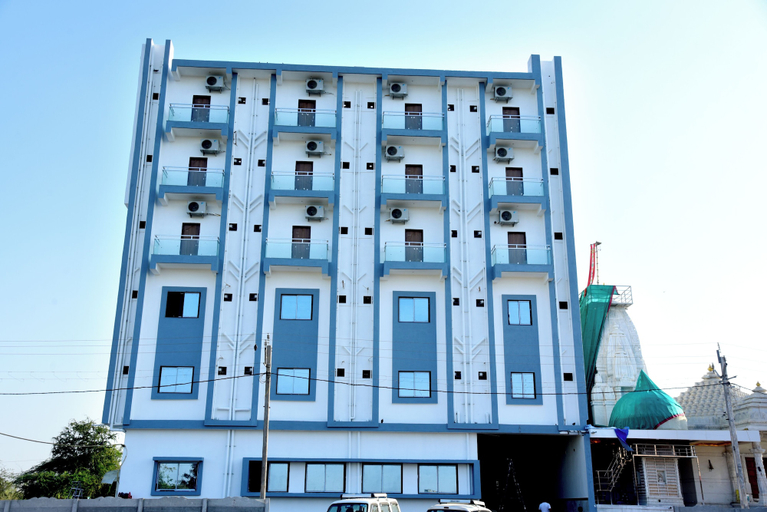
Experience an abundance of unparalleled facilities and features at Sanskaar by Acasa. Maintain seamless communication using the complimentary Wi-Fi at apartment. Guests can avail parking facilities at the apartment.During leisurely days and evenings, on-site amenities such as daily housekeeping enable you to fully enjoy your accommodation.At Sanskaar by Acasa, every guestroom is provided with convenient amenities and fittings to ensure a comfortable stay.Elevate your experience at apartment with the knowledge that certain rooms are equipped with air conditioning, ensuring a more pleasant stay for you.
See details
Jainsite
Jainsite Location
Located in Palitana, Jainsite is within the vicinity of Palitana Temples and Shatrunjaya.
Jainsite Facility and Service
Take in the views from a garden.
Jainsite Rooms
Make yourself at home in one of the 35 guestrooms. Rooms have private balconies. Complimentary wireless internet access is available to keep you connected. Bathrooms with showers are provided.
Restaurant and Cafe
Buffet breakfasts are available daily from 8:00 AM to 9:00 AM for a fee.
See detailsLocated in Palitana, Jainsite is within the vicinity of Palitana Temples and Shatrunjaya.
Jainsite Facility and Service
Take in the views from a garden.
Jainsite Rooms
Make yourself at home in one of the 35 guestrooms. Rooms have private balconies. Complimentary wireless internet access is available to keep you connected. Bathrooms with showers are provided.
Restaurant and Cafe
Buffet breakfasts are available daily from 8:00 AM to 9:00 AM for a fee.
FAQ about Hotels in Palitana
Hotels in Palitana
Don't feel hesitant to book hotels in Palitana at tiket.com! We'll make sure to provide all conveniences you need when doing a room reservation. Book your favourite hotel now only at tiket.com!

How to Book Hotels on tiket.com
1. Find the hotelEnter the name of the city, area, or hotel to find the place you want.
2. Select a roomOn the hotel detail page, you will see the available room options. Select a room that suits your needs.
3. Complete the booking detailsInput the contact details (the person who will be contacted by tiket.com and the hotel about the booking) and the guests’ details.
4. Select Add-onsYou can also buy additional services such as meal packages, transportation, and many more.
5. Pay your bookingSelect the payment method and complete your transaction. Don’t forget to use the promo code to get a cheaper hotel price at tiket.com.
6. Get the reservation e-voucherAfter the payment is successful, the e-voucher will be available on the Your Orders menu and sent to the email listed in the contact details.