



2 Star Hotels in Kebonsari
Showing 2 hotels in Kebonsari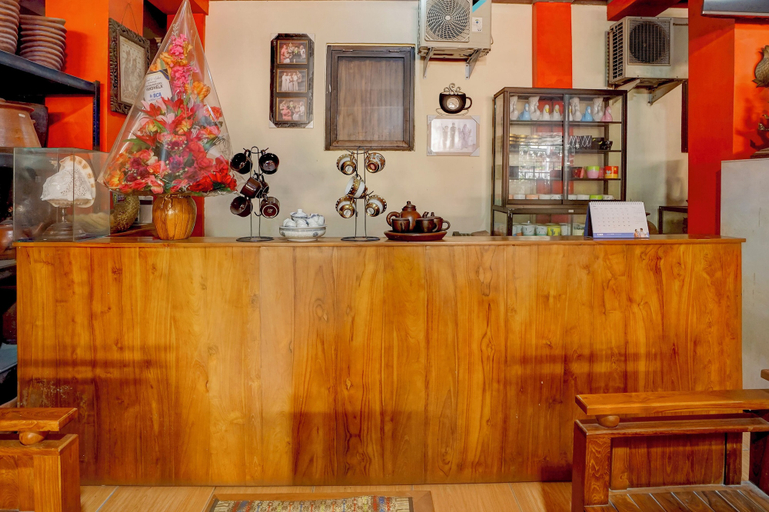

Hotel O near City of Tomorrow Mall formerly Vandhela Homestay
Hotel O near City of Tomorrow Mall formerly Vandhela Homestay Location
Located in Surabaya, Hotel O near City of Tomorrow Mall formerly Vandhela Homestay is within a 5-minute drive of Al Akbar Mosque and Universitas Islam Negeri Sunan Ampel Surabaya. This hotel is 2.3 mi (3.7 km) from Pelita Harapan University Surabaya and 2.4 mi (3.9 km) from City of Tomorrow.
Hotel O near City of Tomorrow Mall formerly Vandhela Homestay Facility and Service
This hotel offers designated smoking areas.
Hotel O near City of Tomorrow Mall formerly Vandhela Homestay Rooms
Make yourself at home in one of the 24 air-conditioned rooms featuring flat-screen televisions. Complimentary wireless internet access keeps you connected, and satellite programming is available for your entertainment. Bathrooms with showers are provided. Conveniences include phones, and housekeeping is provided daily.
Restaurant and Cafe
Take advantage of the hotel's room service (during limited hours).
See detailsLocated in Surabaya, Hotel O near City of Tomorrow Mall formerly Vandhela Homestay is within a 5-minute drive of Al Akbar Mosque and Universitas Islam Negeri Sunan Ampel Surabaya. This hotel is 2.3 mi (3.7 km) from Pelita Harapan University Surabaya and 2.4 mi (3.9 km) from City of Tomorrow.
Hotel O near City of Tomorrow Mall formerly Vandhela Homestay Facility and Service
This hotel offers designated smoking areas.
Hotel O near City of Tomorrow Mall formerly Vandhela Homestay Rooms
Make yourself at home in one of the 24 air-conditioned rooms featuring flat-screen televisions. Complimentary wireless internet access keeps you connected, and satellite programming is available for your entertainment. Bathrooms with showers are provided. Conveniences include phones, and housekeeping is provided daily.
Restaurant and Cafe
Take advantage of the hotel's room service (during limited hours).
Vandhela Homestay Syariah
Located in Surabaya, 6 miles from Sharp Bamboo Monument, Vandhela Homestay Syariah Mitra RedDoorz provides accommodations with free WiFi and free private parking. The property is around 6. 1 miles from Submarine Monument, 6. 4 miles from Gubeng Train Station and 7. 1 miles from Pasar Turi Train Station Surabaya. Jalesveva Jayamahe Monument – Monjaya is 12 miles away and Al Akbar Mosque is a 19-minute walk from the hotel. Red Bridge Surabaya is 8. 2 miles from the hotel, while Ampel Mosque is 8. 9 miles away. The nearest airport is Juanda International Airport, 7. 5 miles from Vandhela Homestay Syariah Mitra RedDoorz.
See details
How to Book Hotels on tiket.com
1. Find the hotelEnter the name of the city, area, or hotel to find the place you want.
2. Select a roomOn the hotel detail page, you will see the available room options. Select a room that suits your needs.
3. Complete the booking detailsInput the contact details (the person who will be contacted by tiket.com and the hotel about the booking) and the guests’ details.
4. Select Add-onsYou can also buy additional services such as meal packages, transportation, and many more.
5. Pay your bookingSelect the payment method and complete your transaction. Don’t forget to use the promo code to get a cheaper hotel price at tiket.com.
6. Get the reservation e-voucherAfter the payment is successful, the e-voucher will be available on the Your Orders menu and sent to the email listed in the contact details.