



1 Star Hotels in PEKAN BARU CHANGLUN
Showing 2 hotels in PEKAN BARU CHANGLUN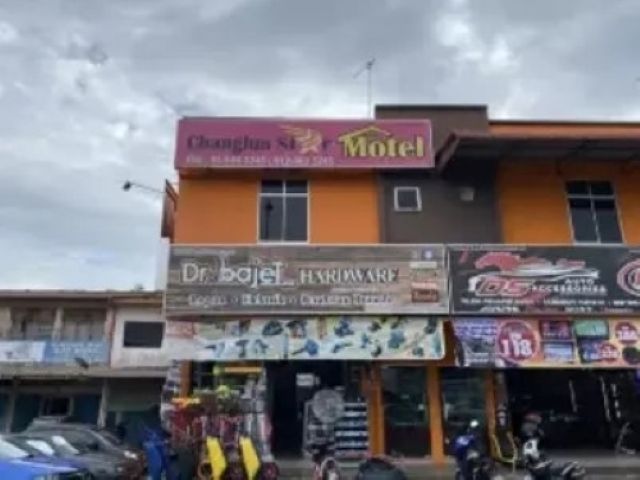 See details
Changlun Star Hotel
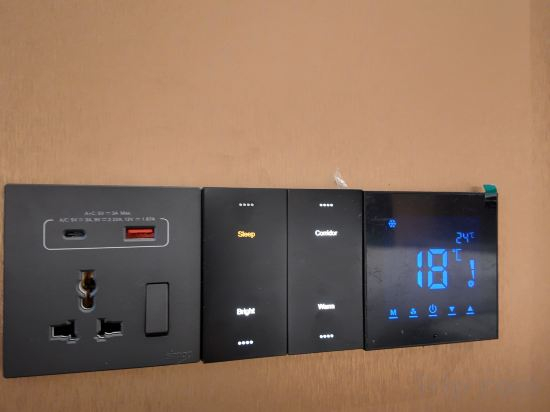
Settle into one of the 12 air-conditioned rooms, each equipped with a flat-screen TV. Stay connected with free Wi-Fi and enjoy satellite channels for entertainment. Each private bathroom is fitted with a rainfall showerhead and comes with complimentary toiletries. You'll also find free bottled water in your room, and daily housekeeping services are included.
Urban Inn, Changlun
Urban Inn, Changlun offers top-notch services and amenities, ensuring guests experience utmost comfort. Share your photos and respond to emails at your convenience, thanks to the free Wi-Fi internet access offered by hotel.Room amenities feature daily housekeeping, allowing you to unwind and make the most of your visit. The hotel maintains a completely smoke-free zone, providing a breathable atmosphere.Each accommodation at Urban Inn, Changlun is thoughtfully created and adorned to provide visitors with a comfortable, home-like atmosphere. In certain rooms, the hotel offers linen service, blackout curtains and air conditioning for guest convenience and satisfaction. Rest assured, in a few chosen rooms, the presence of instant coffee can be found. Understanding the significance of bathroom facilities in enhancing visitor contentment, hotel offers a hair dryer, toiletries and towels within a few chosen chambers.
See details
How to Book Hotels on tiket.com
1. Find the hotelEnter the name of the city, area, or hotel to find the place you want.
2. Select a roomOn the hotel detail page, you will see the available room options. Select a room that suits your needs.
3. Complete the booking detailsInput the contact details (the person who will be contacted by tiket.com and the hotel about the booking) and the guests’ details.
4. Select Add-onsYou can also buy additional services such as meal packages, transportation, and many more.
5. Pay your bookingSelect the payment method and complete your transaction. Don’t forget to use the promo code to get a cheaper hotel price at tiket.com.
6. Get the reservation e-voucherAfter the payment is successful, the e-voucher will be available on the Your Orders menu and sent to the email listed in the contact details.