



3 Star Hotels in BANDAR RINGLET
Showing 2 hotels in BANDAR RINGLET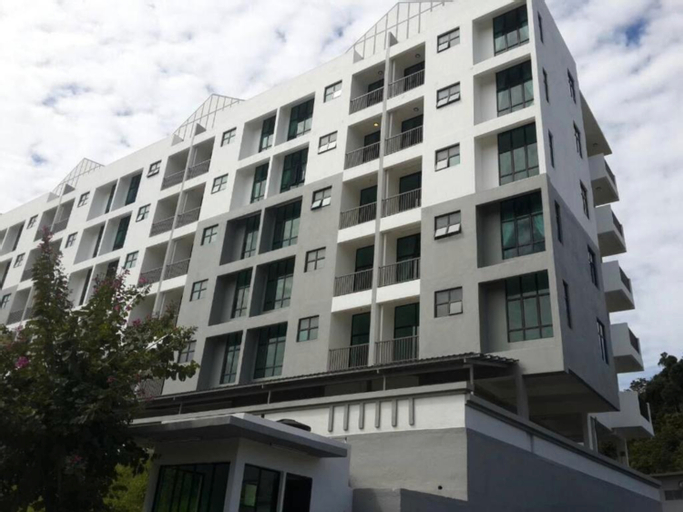 See details
Sekata Apartment
Sekata Apartment is located in Cameron Highlands and features an outdoor pool. Guests can enjoy complimentary WiFi, free private parking, and an electric vehicle charging station.
Each apartment includes a balcony, a seating area, a satellite flat-screen TV, and a fully equipped kitchenette with a microwave, fridge, stovetop, kitchenware, and a kettle. The private bathroom comes with a bidet and slippers. Bed linen and towels are also provided in the units.
The closest airport is Sultan Azlan Shah Airport, situated 95 km away from the apartment.
KPW at Royal Lily Apartment
KPW at Royal Lily Apartment offers top-notch services and amenities, ensuring guests experience utmost comfort.Should you require transportation to or from the airport, apartment is able to organize it prior to your arrival date.Taxi and car hire offerings at the apartment simplify arranging your excursions, explorations, and additional activities in Cameron Highlands.Visitors can take advantage of complimentary parking directly at the apartment. Should you desire access to the top entertainment in the city, assistance can be provided by the apartment's tours. Traveling with minimal baggage is achievable at KPW at Royal Lily Apartment, as the apartment's laundromat and dry cleaning service ensures your garments stay fresh. Minor items you neglected to bring won't cause major issues! Simply visit convenience stores to acquire what's necessary. Each accommodation at KPW at Royal Lily Apartment is thoughtfully created and adorned to provide visitors with a comfortable, home-like atmosphere. At KPW at Royal Lily Apartment, the uniquely tailored rooms provide a configuration choice resembling a balcony or terrace. In select rooms, guests can enjoy a touch of amusement with the availability of television for their entertainment. Rest assured, in a few chosen rooms, the presence of a refrigerator can be found.
See detailsFAQ about Hotels in BANDAR RINGLET

How to Book Hotels on tiket.com
1. Find the hotelEnter the name of the city, area, or hotel to find the place you want.
2. Select a roomOn the hotel detail page, you will see the available room options. Select a room that suits your needs.
3. Complete the booking detailsInput the contact details (the person who will be contacted by tiket.com and the hotel about the booking) and the guests’ details.
4. Select Add-onsYou can also buy additional services such as meal packages, transportation, and many more.
5. Pay your bookingSelect the payment method and complete your transaction. Don’t forget to use the promo code to get a cheaper hotel price at tiket.com.
6. Get the reservation e-voucherAfter the payment is successful, the e-voucher will be available on the Your Orders menu and sent to the email listed in the contact details.