



4 Star Hotels in Ica
Showing 2 hotels in Ica
Las Dunas
Nestled in Ica, Peru, this family-friendly hotel offers convenient access to both the Nazca Lines and the Paracas Nature Reserve. Renovated in 2011, the hotel features 130 air-conditioned rooms, each boasting classic styling with wide patios, cupola roofs, and private terraces offering beautiful views. Amenities include a 24-hour reception, currency exchange, hairdressing salon, kids' club, playground, and a variety of dining and entertainment options, including a restaurant, café, bar, and disco. Business travelers will appreciate the conference facilities, business center, and Wi-Fi access. Additional services such as room service and laundry are also available. For recreation, guests can enjoy the on-site bicycle rentals. All rooms offer en suite bathrooms, double or king-size beds, individually regulated heating and air conditioning, satellite TV, minibars, and Wi-Fi. In compliance with Law No. 30802, minors must be accompanied by a parent or legal guardian with proper identification.
See details“Worth it”
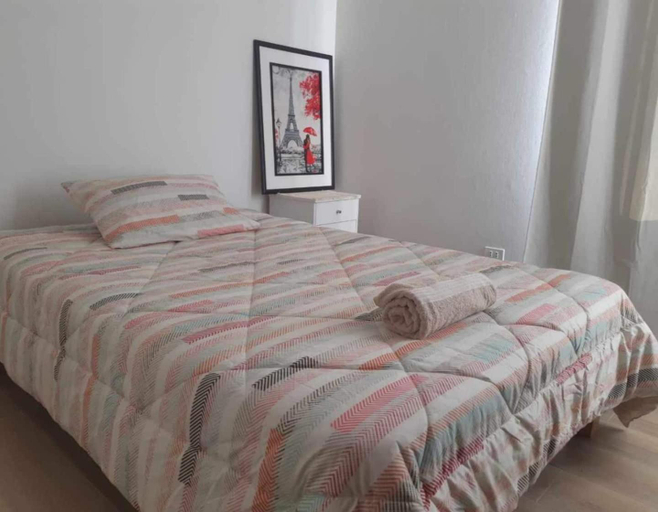
Lily House
Rooms at Lily House are equipped with AC, TV, and refrigerator. The bathroom is fitted with free toiletries and hair dryer.
Staff at the Vacation Home can assist you with 24-hour front desk and luggage storage. Other facilities include washing machine and iron/ironing board.
See detailsFAQ about Hotels in Ica

How to Book Hotels on tiket.com
1. Find the hotelEnter the name of the city, area, or hotel to find the place you want.
2. Select a roomOn the hotel detail page, you will see the available room options. Select a room that suits your needs.
3. Complete the booking detailsInput the contact details (the person who will be contacted by tiket.com and the hotel about the booking) and the guests’ details.
4. Select Add-onsYou can also buy additional services such as meal packages, transportation, and many more.
5. Pay your bookingSelect the payment method and complete your transaction. Don’t forget to use the promo code to get a cheaper hotel price at tiket.com.
6. Get the reservation e-voucherAfter the payment is successful, the e-voucher will be available on the Your Orders menu and sent to the email listed in the contact details.