



Hotels in Castellón
Showing 753 hotels in Castellón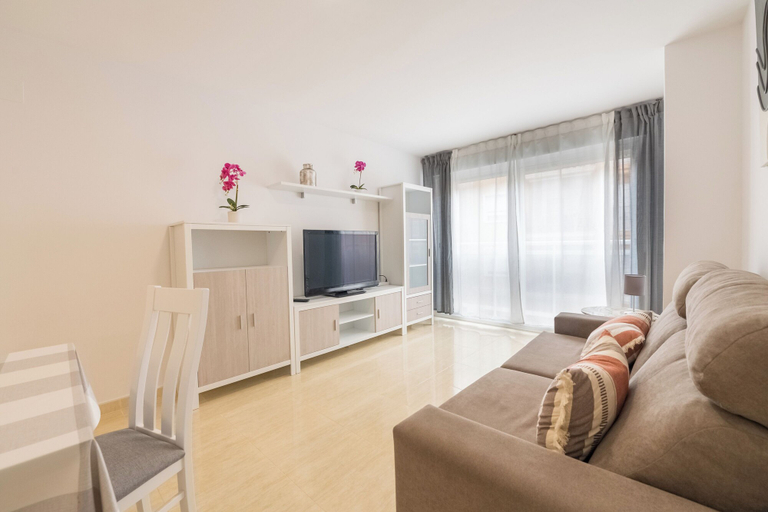


Edificio Mestral
Edificio Mestral Location
With a stay at Edificio Mestral in Peniscola (North Beach Area (Platja Nord)), you'll be within a 10-minute walk of Norte Beach and Sur Beach. This apartment is 0.7 mi (1.1 km) from Bufador and 0.8 mi (1.3 km) from Museum of the Sea.
Edificio Mestral Rooms
Make yourself at home in one of the 4 air-conditioned rooms featuring kitchens with refrigerators and ovens. 40-inch flat-screen televisions with cable programming provide entertainment, while complimentary wireless internet access keeps you connected. Conveniences include microwaves and sofa beds.
See detailsWith a stay at Edificio Mestral in Peniscola (North Beach Area (Platja Nord)), you'll be within a 10-minute walk of Norte Beach and Sur Beach. This apartment is 0.7 mi (1.1 km) from Bufador and 0.8 mi (1.3 km) from Museum of the Sea.
Edificio Mestral Rooms
Make yourself at home in one of the 4 air-conditioned rooms featuring kitchens with refrigerators and ovens. 40-inch flat-screen televisions with cable programming provide entertainment, while complimentary wireless internet access keeps you connected. Conveniences include microwaves and sofa beds.
Jardines del Puerto
Centrally located and directly on the beach Alcoceber, the complex is only 1000 metres away from the resort centre. Near the complex is a commercial area with all kind of shops, cafeterias, restaurants, etc.
Apartamentos Borriana
Located in Castellón, Apartamentos Borriana offers accommodation with easy access to Castellón’s best spots. The property features WiFi, children facility, and kitchen.
The property offers washing machine and bicycle rental. Other facilities include tours/ticket assistance, tours, and doctor on call 24-hour.
See detailsHotels in Castellón
Don't feel hesitant to book hotels in Castellón at tiket.com! We'll make sure to provide all conveniences you need when doing a room reservation. Book your favourite hotel now only at tiket.com!

How to Book Hotels on tiket.com
1. Find the hotelEnter the name of the city, area, or hotel to find the place you want.
2. Select a roomOn the hotel detail page, you will see the available room options. Select a room that suits your needs.
3. Complete the booking detailsInput the contact details (the person who will be contacted by tiket.com and the hotel about the booking) and the guests’ details.
4. Select Add-onsYou can also buy additional services such as meal packages, transportation, and many more.
5. Pay your bookingSelect the payment method and complete your transaction. Don’t forget to use the promo code to get a cheaper hotel price at tiket.com.
6. Get the reservation e-voucherAfter the payment is successful, the e-voucher will be available on the Your Orders menu and sent to the email listed in the contact details.