

lcpo
Promo
Promo
Blibli Tiket RewardsYour Orders
Tiket.com logo
Staycation in Bandung
Event in Jakarta
Flight to Surabaya
Tour in Lombok
Train to Yogyakarta
Car Rental in Semarang
Activities in Bali
hero-banner-image

1 Star Hotels in Thanyaburi
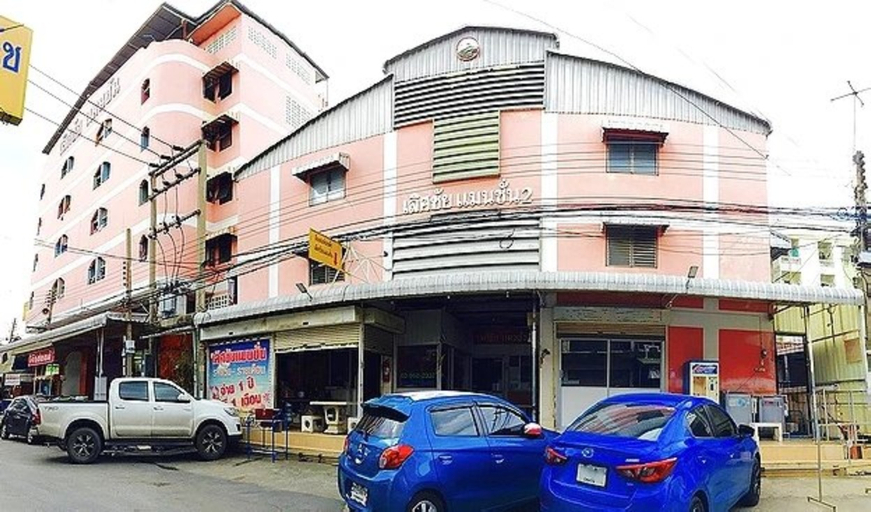
Thanyaburi
Wed, 05 Aug 2026 - Thu, 06 Aug 2026 (1 night)
1 Room, 1 Adult, 0 Children

FAQ about Hotels in Thanyaburi

What are the top tourist destinations in Thanyaburi?

Which hotels have the best ratings in Thanyaburi?

What are the best hotels in Thanyaburi with swimming pools?

Which dates are the cheapest to stay in Thanyaburi this month?

What are some cheap hotels that are popular in Thanyaburi?

What are some cool hotels that have many Instagrammable spots in Thanyaburi?

What hotels in Thanyaburi offer great breakfasts?

Where are the best areas to stay in Thanyaburi?

Review about Hotels in Thanyaburi

4.3/5
GoodFrom 130 reviews
5.0/519 Des 2024
Arief Dwi Hartanto • Family Trip
Hotel nya nyaman, kamar luas dan bersih. Sarapan sih biasa aja, akan tetapi tdk perlu khawatir karena di depannya banyak resto & cafe. Oh ya 7 eleven juga tidak jauh, dan bisa kuliner di night market sekitar 7 eleven tersebut. Ke Dream World Bangkok juga sangat dekat, mau shopping ke Future Park Rangsit juga dekat. Kalau pesan sebaiknya yg kelas suite karena lokasinya di lantai dasar. Kalau kamar lain dapat di lantai 2 atau 3, tidak ada lift, sehingga kalau bawa koper besar2 agak lumayan juga sih naik tangga nya, hehehe
4.0/52 Sep 2024
Emiliana Ades Kabur • Couple Trip
Breakfast is very good
5.0/530 Jun 2024
Karina Erlianti • Trip with Friends
Ok Kebersihan maksimal. Area yang aman dan bersih.
5.0/521 Mei 2024
SD • Family Trip
Tersedia koneksi TV kabel. Desain futuristik. Harga sebanding dengan yang didapatkan.
5.0/531 Mar 2024
Yandi Syukri • Solo Trip
Resepsionis yang terlatih dengan baik dan cekatan.
4.6/519 Mar 2024
DK • Couple Trip
Nuansa artistik. Suasana kolam yang menyegarkan.
4.0/517 Mar 2023
Fariz Luthfan
Ok
how-to-book-poster

How to Book Hotels on tiket.com

1. Find the hotelEnter the name of the city, area, or hotel to find the place you want.
2. Select a roomOn the hotel detail page, you will see the available room options. Select a room that suits your needs.
3. Complete the booking detailsInput the contact details (the person who will be contacted by tiket.com and the hotel about the booking) and the guests’ details.
4. Select Add-onsYou can also buy additional services such as meal packages, transportation, and many more.
5. Pay your bookingSelect the payment method and complete your transaction. Don’t forget to use the promo code to get a cheaper hotel price at tiket.com.
6. Get the reservation e-voucherAfter the payment is successful, the e-voucher will be available on the Your Orders menu and sent to the email listed in the contact details.
