



Hotels near Dolores River Brewery
Showing 3 hotels near Dolores River Brewery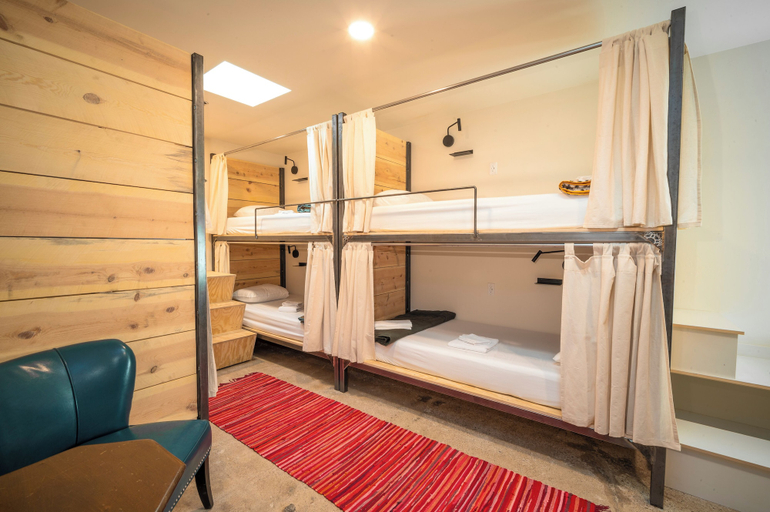
Dolores Bike Hostel
Dolores Bike Hostel Location
With a stay at Dolores Bike Hostel in Dolores, you'll be just steps from Rio Grande Southern Railroad Museum and Dolores River Brewery. This hostel is 0.2 mi (0.3 km) from Dolores River and 0.3 mi (0.5 km) from McPhee Lake.
Dolores Bike Hostel Facility and Service
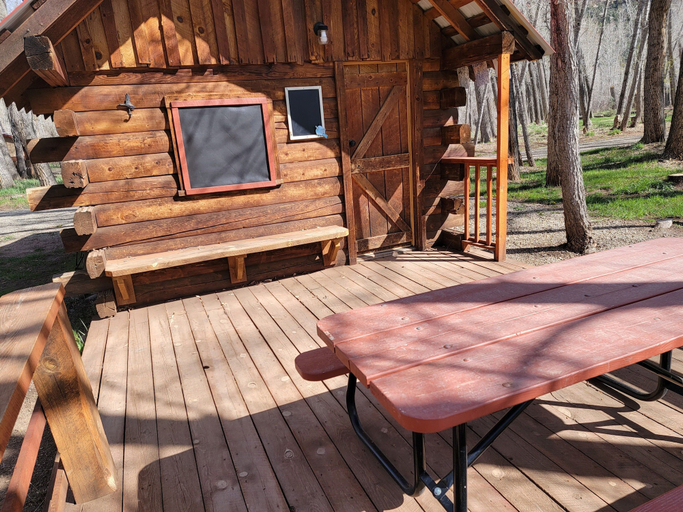
Enjoy recreation amenities such as a sauna or take in the view from a garden. Additional amenities at this hostel include complimentary wireless internet access, a communal living room, and a picnic area.
Dolores Bike Hostel Rooms
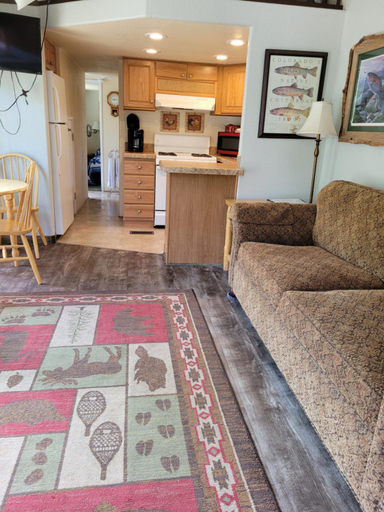
Make yourself at home in one of the 6 air-conditioned rooms featuring microwaves. Prepare your meals in the shared/communal kitchen. Complimentary wireless internet access is available to keep you connected.
Restaurant and Cafe
A complimentary self-serve breakfast is served daily from 7:30 AM to 11:00 AM.
See detailsWith a stay at Dolores Bike Hostel in Dolores, you'll be just steps from Rio Grande Southern Railroad Museum and Dolores River Brewery. This hostel is 0.2 mi (0.3 km) from Dolores River and 0.3 mi (0.5 km) from McPhee Lake.
Dolores Bike Hostel Facility and Service
Enjoy recreation amenities such as a sauna or take in the view from a garden. Additional amenities at this hostel include complimentary wireless internet access, a communal living room, and a picnic area.
Dolores Bike Hostel Rooms
Make yourself at home in one of the 6 air-conditioned rooms featuring microwaves. Prepare your meals in the shared/communal kitchen. Complimentary wireless internet access is available to keep you connected.
Restaurant and Cafe
A complimentary self-serve breakfast is served daily from 7:30 AM to 11:00 AM.
Outpost Motel on the River
Located in Montezuma, Outpost Motel on the River offers accommodation with easy access to Montezuma’s best spots. The property features parking, kitchen, and patio or balcony.
The rooms feature (a) AC, TV, and refrigerator. The en suite bathroom comes with (a) shower, bathtub, and free toiletries.
The property offers washing machine and bicycle rental. Other facilities include concierge services, tours/ticket assistance, and tours.
See detailsDolores River RV Resort
Dolores River RV Resort Location
Located in Dolores, Dolores River RV Resort is within a 5-minute drive of Dolores River and Rio Grande Southern Railroad Museum. This holiday park is 2.8 mi (4.5 km) from Dolores River Brewery and 5.7 mi (9.2 km) from McPhee Lake.
Dolores River RV Resort Facility and Service
Take in the views from a garden.
Dolores River RV Resort Rooms
Make yourself at home in one of the 4 guestrooms. Complimentary wireless internet access is available to keep you connected.
See detailsLocated in Dolores, Dolores River RV Resort is within a 5-minute drive of Dolores River and Rio Grande Southern Railroad Museum. This holiday park is 2.8 mi (4.5 km) from Dolores River Brewery and 5.7 mi (9.2 km) from McPhee Lake.
Dolores River RV Resort Facility and Service
Take in the views from a garden.
Dolores River RV Resort Rooms
Make yourself at home in one of the 4 guestrooms. Complimentary wireless internet access is available to keep you connected.
FAQ about Hotels in Dolores River Brewery
Hotels near Dolores River Brewery
Don't feel hesitant to book hotels near Dolores River Brewery at tiket.com! We'll make sure to provide all conveniences you need when doing a room reservation. Book your favourite hotel now only at tiket.com!

How to Book Hotels on tiket.com
1. Find the hotelEnter the name of the city, area, or hotel to find the place you want.
2. Select a roomOn the hotel detail page, you will see the available room options. Select a room that suits your needs.
3. Complete the booking detailsInput the contact details (the person who will be contacted by tiket.com and the hotel about the booking) and the guests’ details.
4. Select Add-onsYou can also buy additional services such as meal packages, transportation, and many more.
5. Pay your bookingSelect the payment method and complete your transaction. Don’t forget to use the promo code to get a cheaper hotel price at tiket.com.
6. Get the reservation e-voucherAfter the payment is successful, the e-voucher will be available on the Your Orders menu and sent to the email listed in the contact details.