



2 Star Hotels in Phó ThuËn
Showing 2 hotels in Phó ThuËn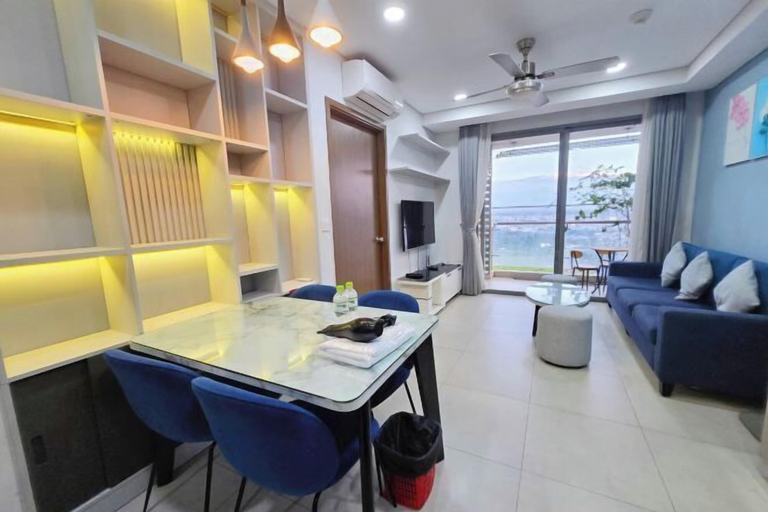
Blue Sky Apartment
Blue Sky Apartment Location
Located in Ho Chi Minh Municipality (Phu Thuan), Blue Sky Apartment is within a 10-minute drive of Dong Khoi Street and Pham Ngu Lao Street. This hotel is 6.5 mi (10.5 km) from Ben Thanh Market and 6.4 mi (10.2 km) from Saigon Square.
Blue Sky Apartment Facility and Service
This hotel was built in 2025.
See detailsLocated in Ho Chi Minh Municipality (Phu Thuan), Blue Sky Apartment is within a 10-minute drive of Dong Khoi Street and Pham Ngu Lao Street. This hotel is 6.5 mi (10.5 km) from Ben Thanh Market and 6.4 mi (10.2 km) from Saigon Square.
Blue Sky Apartment Facility and Service
This hotel was built in 2025.
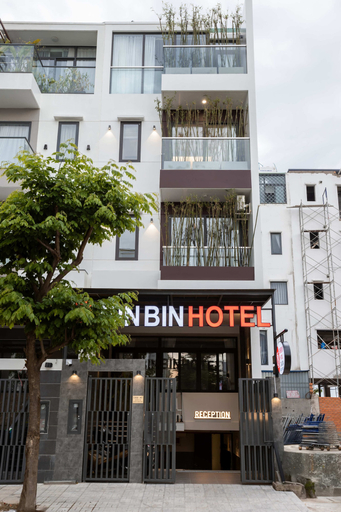
Bin Bin Hotel 19 - Near Saigon Riverside
Bin Bin Hotel 19 - Near Saigon Riverside Location
Located in Ho Chi Minh Municipality (Phu Thuan), Bin Bin Hotel 19 - Near Saigon Riverside is within a 10-minute drive of Ben Thanh Market and Dong Khoi Street. This hotel is 5.7 mi (9.1 km) from Saigon Square and 5.8 mi (9.4 km) from Bui Vien Walking Street.
Bin Bin Hotel 19 - Near Saigon Riverside Rooms
Stay in one of 12 guestrooms featuring flat-screen televisions. Complimentary wireless internet access is available to keep you connected. Private bathrooms with showers feature hair dryers and toothbrushes and toothpaste. Conveniences include desks, and housekeeping is provided daily.
See detailsLocated in Ho Chi Minh Municipality (Phu Thuan), Bin Bin Hotel 19 - Near Saigon Riverside is within a 10-minute drive of Ben Thanh Market and Dong Khoi Street. This hotel is 5.7 mi (9.1 km) from Saigon Square and 5.8 mi (9.4 km) from Bui Vien Walking Street.
Bin Bin Hotel 19 - Near Saigon Riverside Rooms
Stay in one of 12 guestrooms featuring flat-screen televisions. Complimentary wireless internet access is available to keep you connected. Private bathrooms with showers feature hair dryers and toothbrushes and toothpaste. Conveniences include desks, and housekeeping is provided daily.

How to Book Hotels on tiket.com
1. Find the hotelEnter the name of the city, area, or hotel to find the place you want.
2. Select a roomOn the hotel detail page, you will see the available room options. Select a room that suits your needs.
3. Complete the booking detailsInput the contact details (the person who will be contacted by tiket.com and the hotel about the booking) and the guests’ details.
4. Select Add-onsYou can also buy additional services such as meal packages, transportation, and many more.
5. Pay your bookingSelect the payment method and complete your transaction. Don’t forget to use the promo code to get a cheaper hotel price at tiket.com.
6. Get the reservation e-voucherAfter the payment is successful, the e-voucher will be available on the Your Orders menu and sent to the email listed in the contact details.