



Hotels in São Paulo
Showing 3.000+ hotels in São Paulo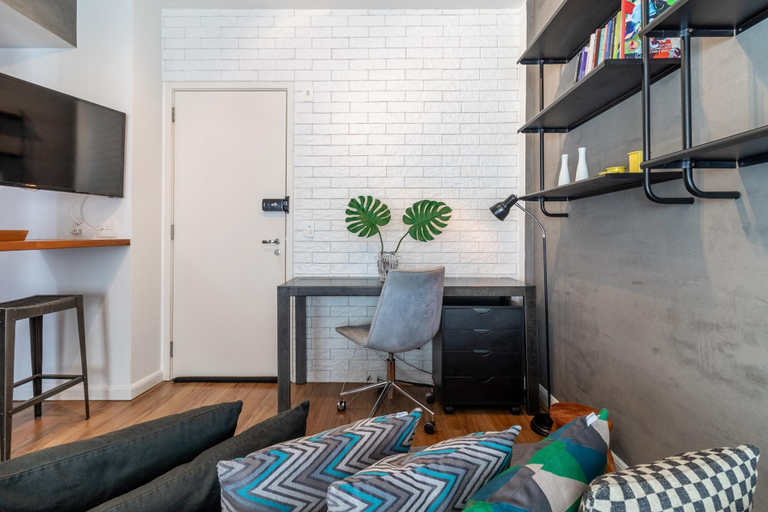



Av1208 Studio Avanhandava
Av1208 Studio Avanhandava Location
With a stay at this apartment in São Paulo (República), you'll be within a 5-minute drive of Paulista Avenue and Rua 25 de Marco. This apartment is 0.6 mi (0.9 km) from Frei Caneca Shopping and Convention Center and 3.3 mi (5.3 km) from Nubank Parque.
Av1208 Studio Avanhandava Facility and Service
Enjoy recreation amenities such as a fitness center or take in the view from a garden.
Av1208 Studio Avanhandava Rooms
Make yourself comfortable in your apartment.
See detailsWith a stay at this apartment in São Paulo (República), you'll be within a 5-minute drive of Paulista Avenue and Rua 25 de Marco. This apartment is 0.6 mi (0.9 km) from Frei Caneca Shopping and Convention Center and 3.3 mi (5.3 km) from Nubank Parque.
Av1208 Studio Avanhandava Facility and Service
Enjoy recreation amenities such as a fitness center or take in the view from a garden.
Av1208 Studio Avanhandava Rooms
Make yourself comfortable in your apartment.
Hotel SLAV Ibirapuera - Master Deluxe Studio - King Veranda Duplex - First Class - Black Edition - B
Located in São Paulo, Hotel SLAV Ibirapuera - Master Deluxe Studio - King Veranda Duplex - First Class - Black Edition - B offers accommodation with easy access to São Paulo’s best spots. The property features swimming pool, restaurant, and WiFi.
Each room is equipped with AC. The bathroom comes with shower.
See detailsQuartos em vila no Itaim Bibi
Located in São Paulo, Quartos em vila no Itaim Bibi offers accommodation with easy access to São Paulo’s best spots. The property features WiFi, parking, and meeting facilities.
360 Suítes Paraiso
Flat Executive Deluxe Al Lorena - Jardins
Located in São Paulo, Flat Executive Deluxe Al Lorena - Jardins offers accommodation with easy access to São Paulo’s best spots. The property features swimming pool, WiFi, and parking.
The rooms feature (a) AC, TV, and refrigerator. The en suite bathroom comes with (a) shower, free toiletries, and hair dryer.
Guests can enjoy washing machine and hotel safe during the course of their stay. Services such as 24-hour front desk and free bottled water are provided at the property.
See detailsHotels in São Paulo
Don't feel hesitant to book hotels in São Paulo at tiket.com! We'll make sure to provide all conveniences you need when doing a room reservation. Book your favourite hotel now only at tiket.com!
How to Book Hotels on tiket.com
1. Find the hotelEnter the name of the city, area, or hotel to find the place you want.
2. Select a roomOn the hotel detail page, you will see the available room options. Select a room that suits your needs.
3. Complete the booking detailsInput the contact details (the person who will be contacted by tiket.com and the hotel about the booking) and the guests’ details.
4. Select Add-onsYou can also buy additional services such as meal packages, transportation, and many more.
5. Pay your bookingSelect the payment method and complete your transaction. Don’t forget to use the promo code to get a cheaper hotel price at tiket.com.
6. Get the reservation e-voucherAfter the payment is successful, the e-voucher will be available on the Your Orders menu and sent to the email listed in the contact details.