



Hotels in Senhor do Bonfim
Showing 2 hotels in Senhor do Bonfim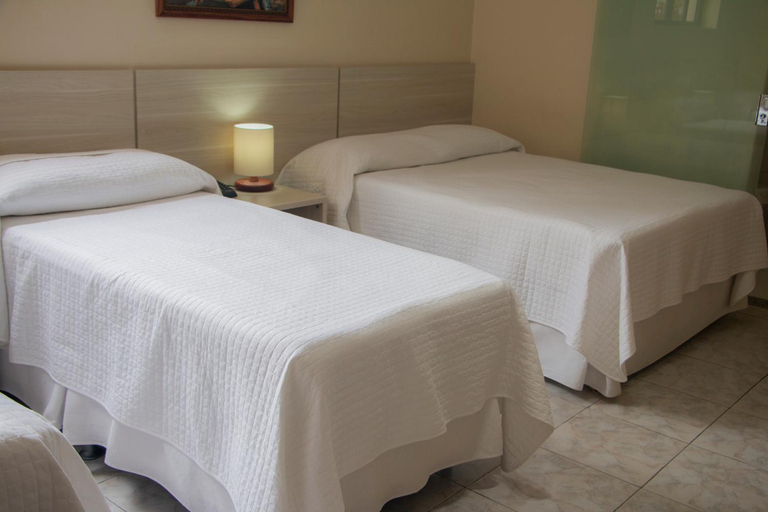

Hotel Novoleste
Mulailah hari Anda dengan perasaan segar dan bersemangat sambil menikmati secangkir kopi berkualitas yang tersedia di kafe yang terletak di dalam akomodasi. Biarkan perjalanan Anda terbebas dari rasa lapar! Restoran-restoran di dalam hotel menawarkan pilihan makanan yang lezat dan mudah diakses.Nikmati malam yang menghibur bersama sesama wisatawan di pilihan hiburan akomodasi.Hotel Novoleste menyediakan beragam fasilitas rekreasi yang luar biasa untuk dinikmati para tamu. Di Hotel Novoleste, beragam fasilitas menjamin pengalaman memuaskan sepanjang kunjungan Anda. Jadikan liburan Anda benar-benar berkesan dengan berenang di kolam renang yang menyegarkan.
See detailsHotel Nobre
Hotel Nobre Location
Hotel Nobre is located in Senhor Do Bonfim.
Hotel Nobre Rooms
Make yourself at home in one of the 32 air-conditioned rooms featuring minibars and LCD televisions. Complimentary wireless internet access is available to keep you connected. Bathrooms feature showers, complimentary toiletries, and hair dryers. Conveniences include blackout drapes/curtains, and housekeeping is provided daily.
Restaurant and Cafe
A complimentary buffet breakfast is served on weekdays from 6:30 AM to 9:00 AM.
See detailsHotel Nobre is located in Senhor Do Bonfim.
Hotel Nobre Rooms
Make yourself at home in one of the 32 air-conditioned rooms featuring minibars and LCD televisions. Complimentary wireless internet access is available to keep you connected. Bathrooms feature showers, complimentary toiletries, and hair dryers. Conveniences include blackout drapes/curtains, and housekeeping is provided daily.
Restaurant and Cafe
A complimentary buffet breakfast is served on weekdays from 6:30 AM to 9:00 AM.
Hotels in Senhor do Bonfim
Don't feel hesitant to book hotels in Senhor do Bonfim at tiket.com! We'll make sure to provide all conveniences you need when doing a room reservation. Book your favourite hotel now only at tiket.com!

How to Book Hotels on tiket.com
1. Find the hotelEnter the name of the city, area, or hotel to find the place you want.
2. Select a roomOn the hotel detail page, you will see the available room options. Select a room that suits your needs.
3. Complete the booking detailsInput the contact details (the person who will be contacted by tiket.com and the hotel about the booking) and the guests’ details.
4. Select Add-onsYou can also buy additional services such as meal packages, transportation, and many more.
5. Pay your bookingSelect the payment method and complete your transaction. Don’t forget to use the promo code to get a cheaper hotel price at tiket.com.
6. Get the reservation e-voucherAfter the payment is successful, the e-voucher will be available on the Your Orders menu and sent to the email listed in the contact details.