



Hotels in Rio de Janeiro
Showing 5.000+ hotels in Rio de Janeiro


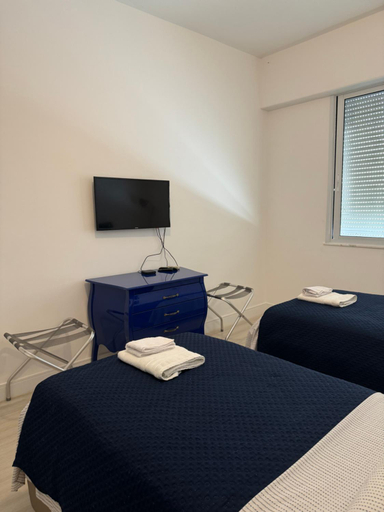

Copacabana in Beach
Apartamento charmoso 2 quartos em Copacabana com Wi-Fi ar-condicionado otima localizacao
Ipanema RJ 2 quartos
Ilha Pura Barra Temporada
Flat com Otima infraestrutura
AP Pepe ALECRIM com JACUZZI e SOLARIO Frente ao MAR
(304) 2 Suites Vista Lateral do Mar em Ipanema
Otima localizacao a 2 quadras da praia!Amei
CopaLeme - 516 - Real Residence
Quarto e Sala Coracao do Leblon
Fantastic sea view - Maison Ipanema Prime
Linda cobertura ipanema quadra da praia c sauna e 2 suites
Apartamentos no Verano Stay 2
Apart-hotel no Real Residence
Via Premiere Apart-Hotel
Suites Aconchegantes na Barra da Tijuca, Link Stay
RioDowntown Hub by RNC Flats
Apartamentos no Verano Stay
RioCopacabana - Ideal para family and friends
Granja Brasil Resort
There are a total of 25 accomodation units on the premises. Visitors may take advantage of the Wi-Fi connection on public areas at Granja Brasil Resort. All guests staying at this property are welcomed in a lobby with 24-hour reception. Travellers can chill out at the end of the day with this property's varied health offer. The entertainment options available are sure to impress those who stay at this establishment.
See detailsHotels in Rio de Janeiro
Don't feel hesitant to book hotels in Rio de Janeiro at tiket.com! We'll make sure to provide all conveniences you need when doing a room reservation. Book your favourite hotel now only at tiket.com!

How to Book Hotels on tiket.com
1. Find the hotelEnter the name of the city, area, or hotel to find the place you want.
2. Select a roomOn the hotel detail page, you will see the available room options. Select a room that suits your needs.
3. Complete the booking detailsInput the contact details (the person who will be contacted by tiket.com and the hotel about the booking) and the guests’ details.
4. Select Add-onsYou can also buy additional services such as meal packages, transportation, and many more.
5. Pay your bookingSelect the payment method and complete your transaction. Don’t forget to use the promo code to get a cheaper hotel price at tiket.com.
6. Get the reservation e-voucherAfter the payment is successful, the e-voucher will be available on the Your Orders menu and sent to the email listed in the contact details.