


2 Star Hotels in Alberni-Clayoquot A
Showing 2 hotels in Alberni-Clayoquot A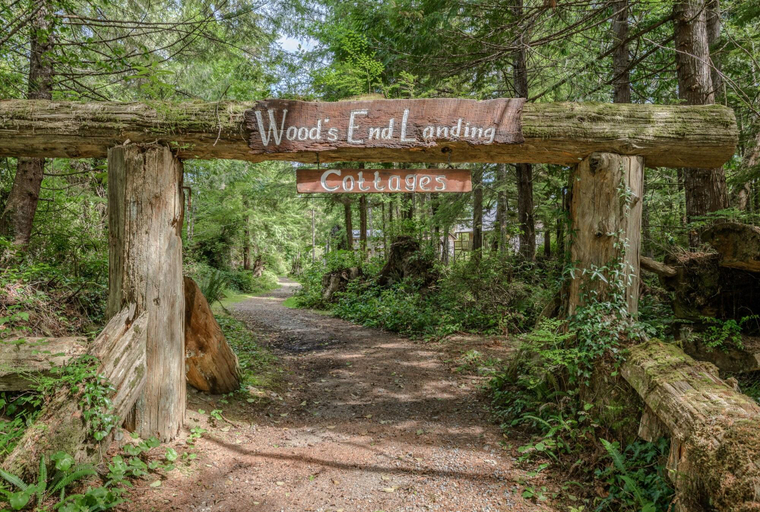

Woods End Landing
Take in the views from a garden and make use of amenities such as complimentary wireless internet access and a picnic area. Featured amenities include express check-in, express check-out, and luggage storage. Self parking (subject to charges) is available onsite. Stay in one of 7 guestrooms featuring flat-screen televisions. Rooms have private balconies. Complimentary wireless internet access keeps you connected, and satellite programming is available for your entertainment. Conveniences include coffee/tea makers, and housekeeping is provided on request. Distances are displayed to the nearest 0. 1 mile and kilometer. Bamfield Marine Sciences Centre - 1. 2 km / 0. 8 mi- Brady's Beach - 2 km / 1. 2 mi- Pacific Rim National Park Reserve - 5. 6 km / 3. 5 mi- Pachena Campground - 5. 6 km / 3. 5 mi. The nearest airports are: Victoria Intl. Airport (YYJ) - 195. 7 km / 121. 6 mi Victoria, BC (YWH-Victoria Inner Harbour Seaplane Base) - 211. 3 km / 131. 3 mi Located in Bamfield, Woods End Landing is by the ocean, a 3-minute drive from Bamfield Marine Sciences Centre and 6 minutes from Brady's Beach. This lodge is 3. 5 mi (5. 6 km) from Pacific Rim National Park Reserve and 3. 5 mi (5. 6 km) from Pachena Campground.
See detailsArgo's Landing
Argo's Landing Location
When you stay at Argo's Landing in Bamfield, you'll be 3 mi (4.8 km) from Pacific Rim National Park Reserve. This guesthouse is within the region of Wild Pacific Trail and Wickaninnish Beach.
Argo's Landing Facility and Service
Take in the views from a terrace.
Argo's Landing Rooms
Treat yourself to a stay in one of the 5 guestrooms, featuring heated floors. Rooms have private patios.
See detailsWhen you stay at Argo's Landing in Bamfield, you'll be 3 mi (4.8 km) from Pacific Rim National Park Reserve. This guesthouse is within the region of Wild Pacific Trail and Wickaninnish Beach.
Argo's Landing Facility and Service
Take in the views from a terrace.
Argo's Landing Rooms
Treat yourself to a stay in one of the 5 guestrooms, featuring heated floors. Rooms have private patios.

How to Book Hotels on tiket.com
1. Find the hotelEnter the name of the city, area, or hotel to find the place you want.
2. Select a roomOn the hotel detail page, you will see the available room options. Select a room that suits your needs.
3. Complete the booking detailsInput the contact details (the person who will be contacted by tiket.com and the hotel about the booking) and the guests’ details.
4. Select Add-onsYou can also buy additional services such as meal packages, transportation, and many more.
5. Pay your bookingSelect the payment method and complete your transaction. Don’t forget to use the promo code to get a cheaper hotel price at tiket.com.
6. Get the reservation e-voucherAfter the payment is successful, the e-voucher will be available on the Your Orders menu and sent to the email listed in the contact details.