



Hotels in Perpignan

Special offers for you




1/10
Showing 372 hotels in Perpignan
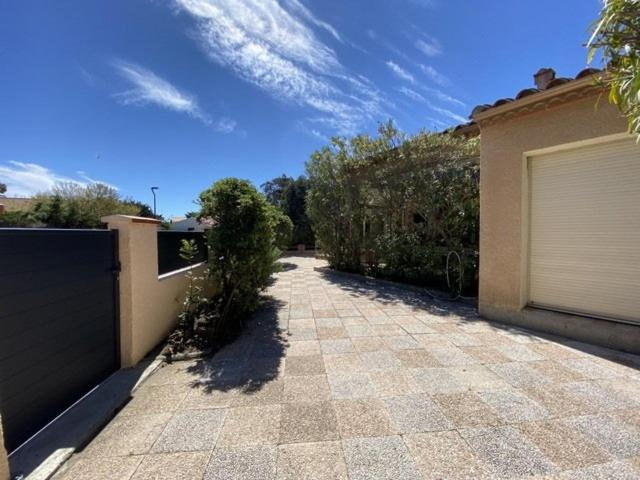
Cadre verdoyant proche mer pour ce T2 avec terrasse - 4CAR113
Les Fregates - Appart 4 pers proche plage et piscine
Superbe vue pour ce joli T2 en front de mer -Wifi -Direct Plage-5PC254
Superbe vue Appartement 4 a 6 personnes front de mer 6FLOTB79
Maison familiale - Village - Parking - Le Barcares - 2 minutes plage 10ALJOF25
Apartment Les Goelettes-6 by Interhome
Capitelles : Studio vue mer en residence avec Piscine
Loft Casa Wi hyper centre - Parking-clim
Apartment Port d'Attache-8 by Interhome
Logesty Studio Cosy316
LES CAPITELLES 5 - Acces direct a la plage depuis le jardin - T2 avec cabine - 6 pers - jardin - Pis
Les Papillons
Holiday Home Le Clos de St Cyprien-5 by Interhome
Le tilleul du parc de la dame
Duplex face mer avec solarium
Gite cosy dans une demeure de charme - Romane
Appartement avec jardin privatif a 300m de la plage *2*
Superbe T3 dans residence de standing avec parking privatif - 6LACOR3
Les Bastides Au calme joli appartement avec terrasse - Parking - Piscine - Clim
Beau T3 avec piscine collective proche Port,plage et commerces-4JDN822
Hotels in Perpignan
Don't feel hesitant to book hotels in Perpignan at tiket.com! We'll make sure to provide all conveniences you need when doing a room reservation. Book your favourite hotel now only at tiket.com!

How to Book Hotels on tiket.com
1. Find the hotelEnter the name of the city, area, or hotel to find the place you want.
2. Select a roomOn the hotel detail page, you will see the available room options. Select a room that suits your needs.
3. Complete the booking detailsInput the contact details (the person who will be contacted by tiket.com and the hotel about the booking) and the guests’ details.
4. Select Add-onsYou can also buy additional services such as meal packages, transportation, and many more.
5. Pay your bookingSelect the payment method and complete your transaction. Don’t forget to use the promo code to get a cheaper hotel price at tiket.com.
6. Get the reservation e-voucherAfter the payment is successful, the e-voucher will be available on the Your Orders menu and sent to the email listed in the contact details.