



Hotels in Sardegna
Showing 5.000+ hotels in Sardegna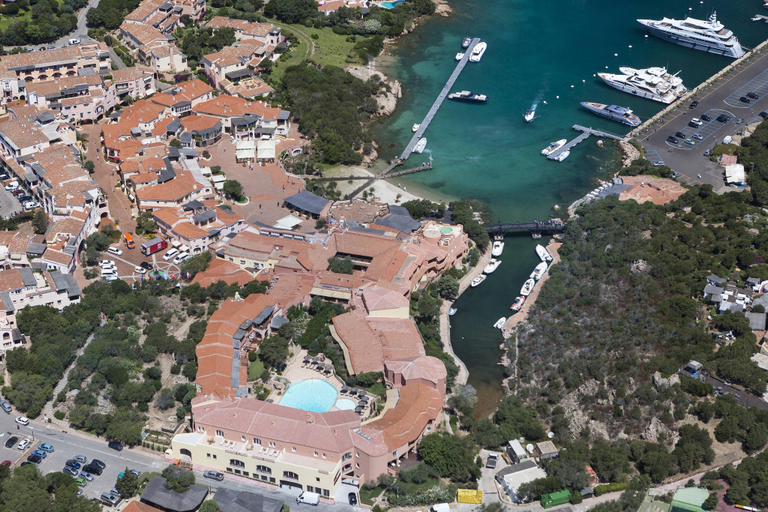
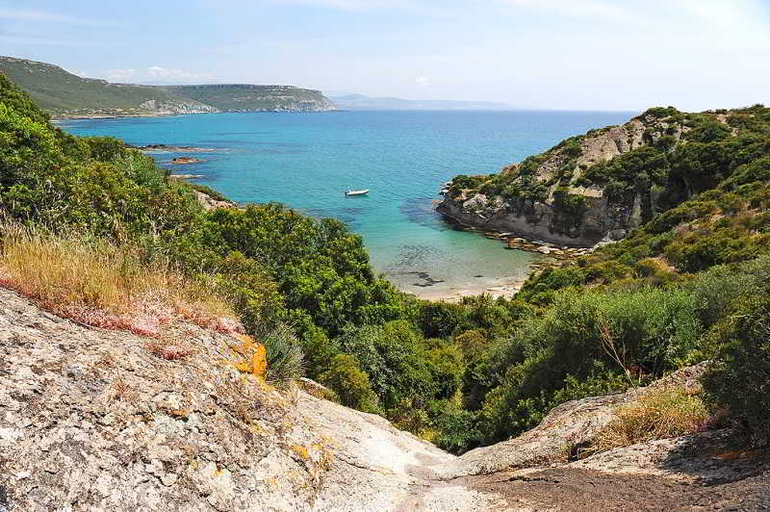
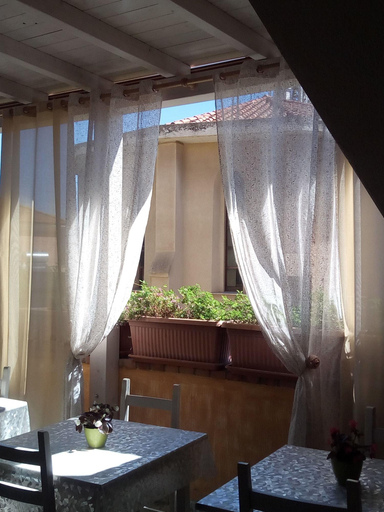
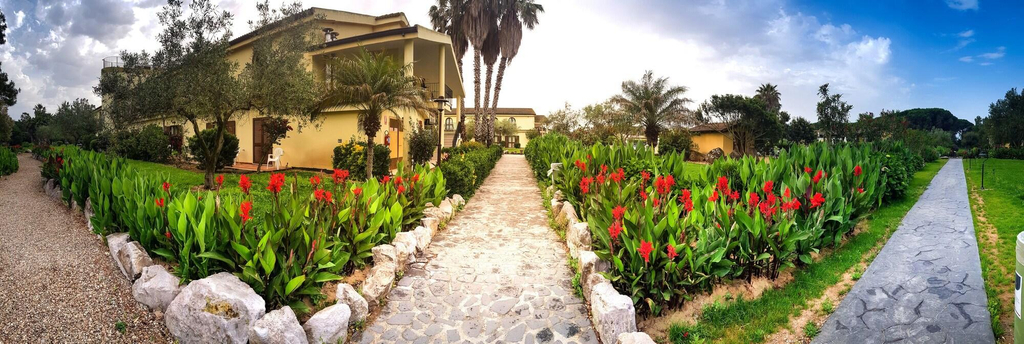
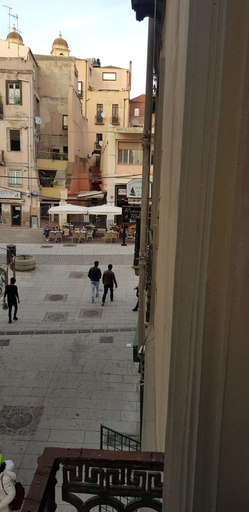

Cervo Hotel Costa Smeralda Resort
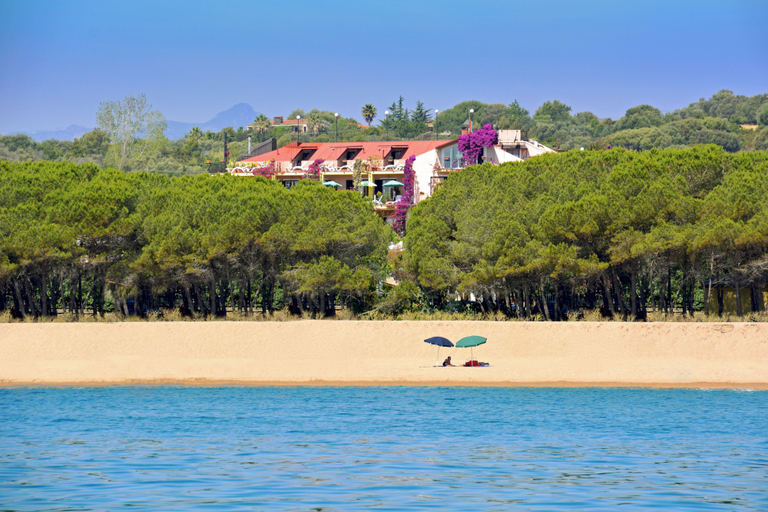
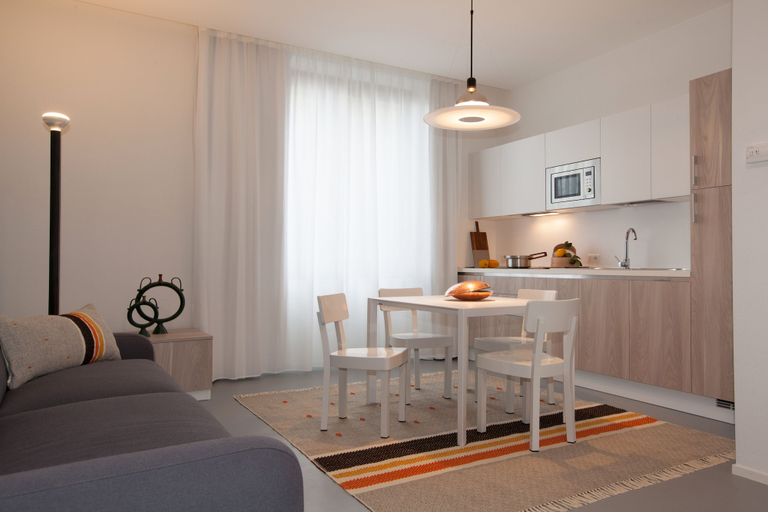
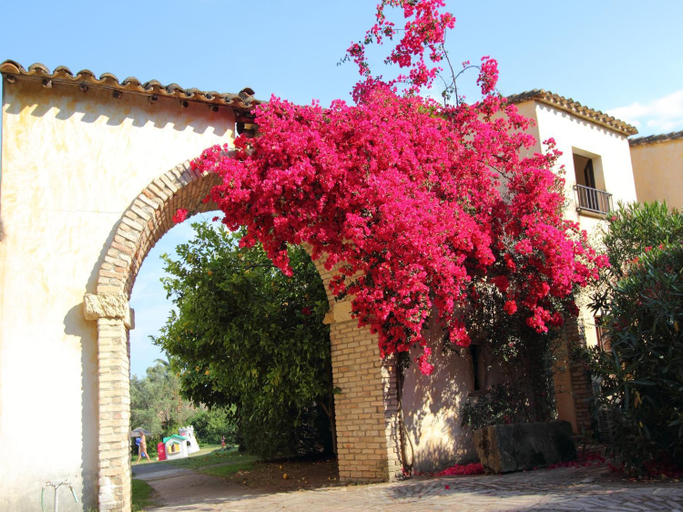
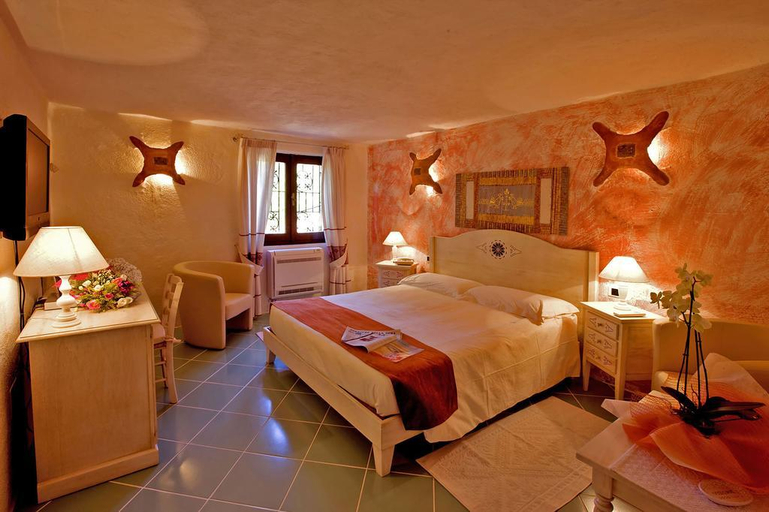
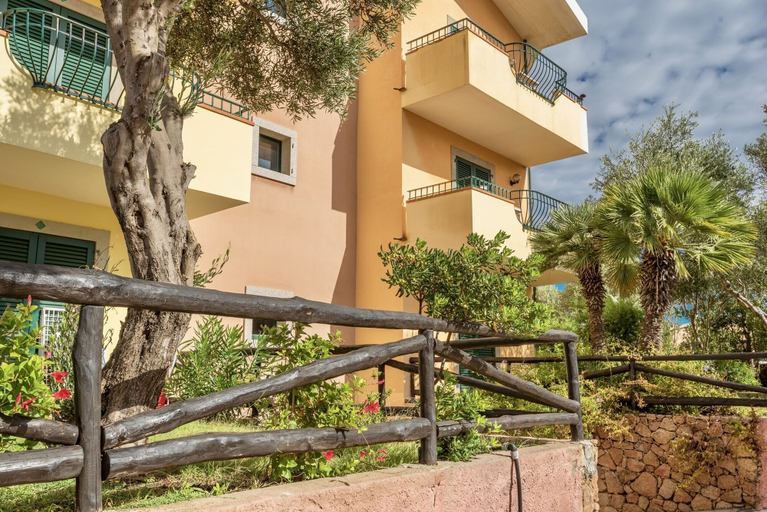
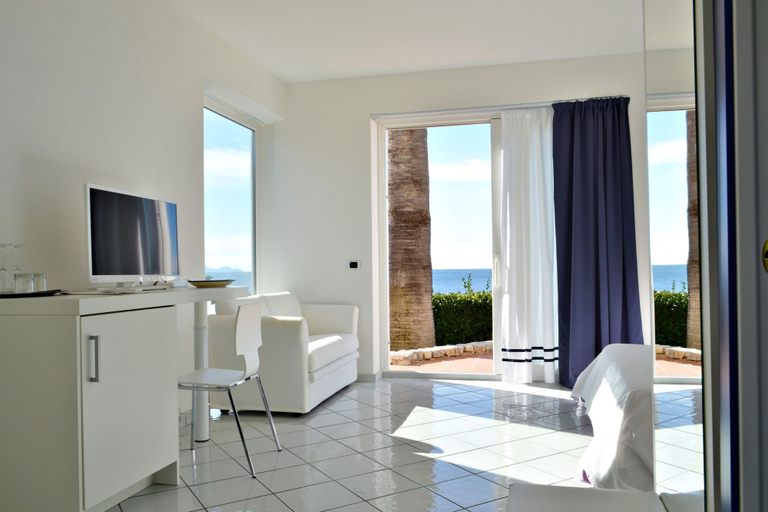
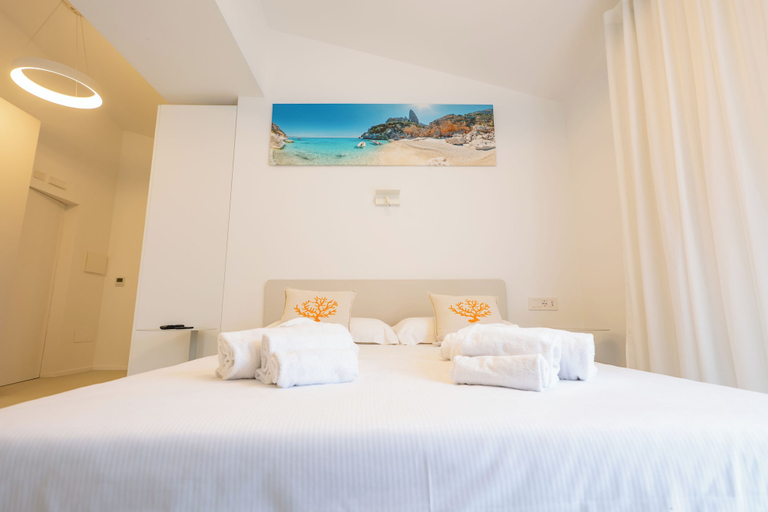
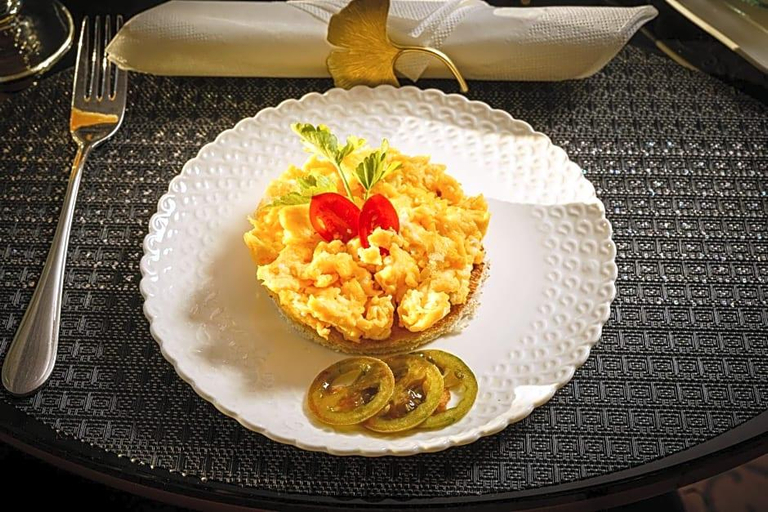
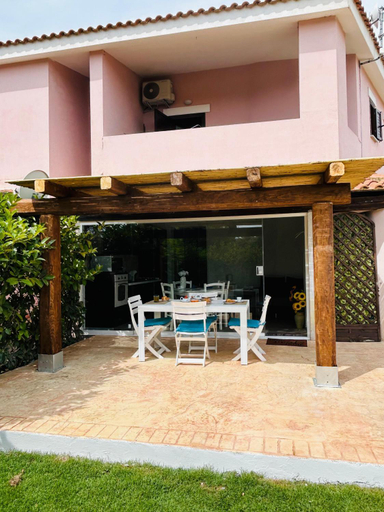
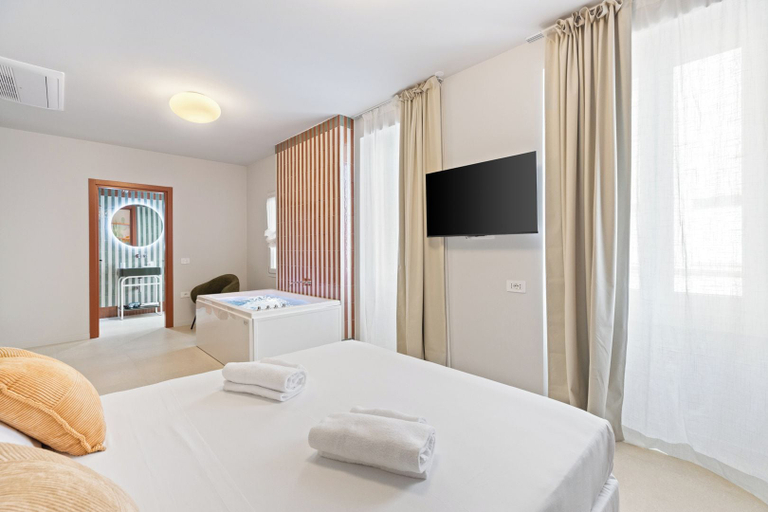
Pink stone and pastel façades frame a delightful hotel overlooking the glamorous Piazzetta of Porto Cervo and its exclusive Marina. Cervo Hotel, Costa Smeralda Resort delights guests with a vibrant atmosphere and pleases the most discerning palates through an extensive collection of restaurants and lounges. Culinary adventures begin with a timeless collection of signature restaurants — La Pergola in Giardino, Novikov Porto Cervo and Nuna al Sole. Enlivening the village epicenter, Cervo Hotel is the true heart and soul of Porto Cervo.
See details“Great deal”
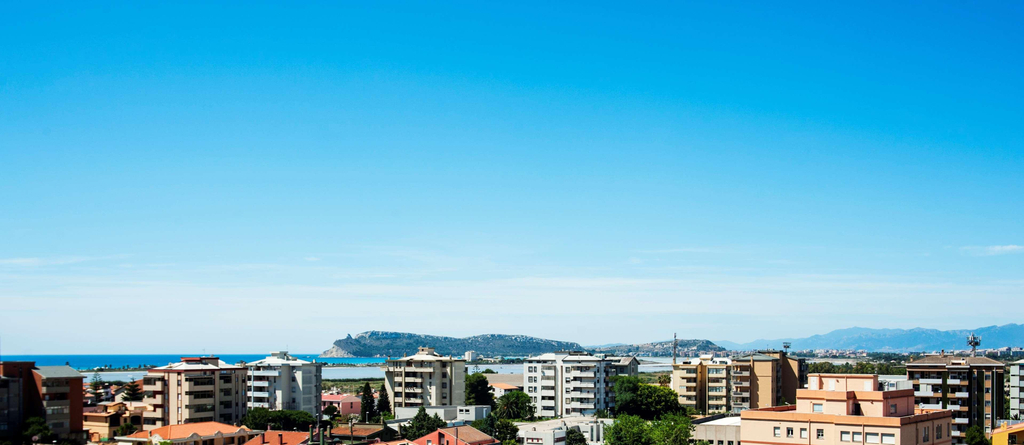
Best Western Hotel Residence Italia
Special Protection, our commitment to ensuring a safe stay with strict cleaning and sanitization protocols. Technologies to support the interaction with the staff to promote social distancing. Healthcare insurance throughout the stay in partnership with AXA Partners. The Best Western Hotel Residence Italia is a brand-new hotel. It is situated within easy access of the Cagliari city center, only seven kilometers via car or bus and within one kilometer of the seaside; near the protected pond of Molentargius where the pink flamingos' nest. Take advantage of the lounge, concierge, safe deposit box and free car park and garage. The rooms feature air-conditioning, mini-bar and room service. There are large rooms and apartments that are suitable for long stays. Enjoy your stay.
See detailsIl Querceto
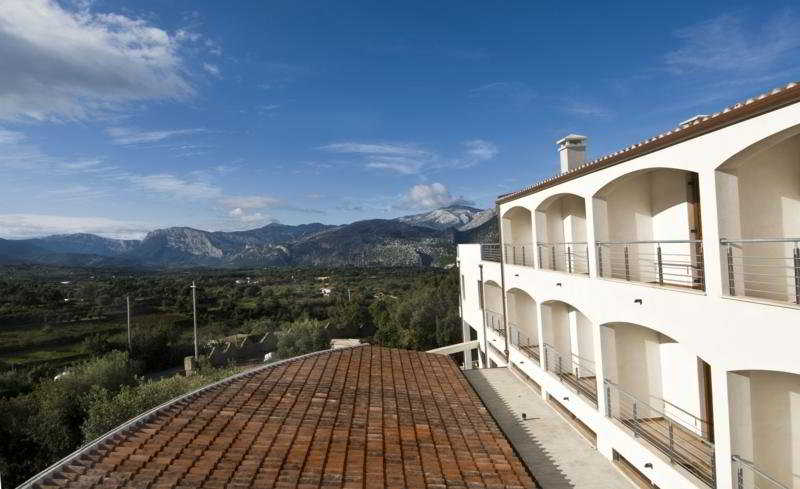
Be sure to enjoy recreational amenities including an indoor pool and bicycles to rent. This hotel also features complimentary wireless internet access, concierge services, and babysitting (surcharge). Getting to nearby attractions is a breeze with the area shuttle (surcharge). Stop by the hotel's restaurant for lunch or dinner. Dining is also available at the coffee shop/cafe, and room service (during limited hours) is provided. Quench your thirst with your favorite drink at the bar/lounge. Featured amenities include a business center, express check-in, and express check-out. Make yourself at home in one of the 40 guestrooms featuring minibars. Complimentary wireless internet access keeps you connected, and satellite programming is available for your entertainment. Bathrooms have complimentary toiletries and bidets. Conveniences include safes and desks, and housekeeping is provided daily. Distances are displayed to the nearest 0. 1 mile and kilometer. Sociale Dorgali Winery - 1 km / 0. 6 mi- Dorgali Archaeological Museum - 1. 3 km / 0. 8 mi- Lake Cedrino - 5. 5 km / 3. 4 mi- Ispinigoli Caves - 6. 3 km / 3. 9 mi- S'Abba Frisca Museum Park - 6. 5 km / 4 mi- Serra Orrios Archaeological Site - 8. 1 km / 5 mi- Nuraghe Mannu - 9. 4 km / 5. 8 mi- Gulf of Orosei - 9. 9 km / 6. 2 mi- Aquarium of Cala Gonone - 10. 1 km / 6. 3 mi- Spiaggia di Cala Gonone - 10. 3 km / 6. 4 mi- Sos Dorroles Beach - 10. 3 km / 6. 4 mi- Spiaggia Centrale - 10. 7 km / 6. 6 mi- Palmasera - 10. 9 km / 6. 8 mi- Bue Marino Grotto - 11 km / 6. 8 mi- Parco Nazionale del Golfo di Orosei e del Gennargentu - 11. 5 km / 7. 2 mi. The preferred airport for Hotel Il Querceto Dorgali is Costa Smeralda Airport (OLB) - 95. 2 km / 59. 1 mi Located in Dorgali, Hotel Il Querceto Dorgali is in a rural location, within a 5-minute drive of Sociale Dorgali Winery and Dorgali Archaeological Museum. This family-friendly hotel is 6. 2 mi (9. 9 km) from Gulf of Orosei and 9. 8 mi (15. 8 km) from Cala Luna Beach.
See details“Worth it”
Aquae Sinis Albergo Diffuso
Aquae Sinis Albergo Diffuso Location
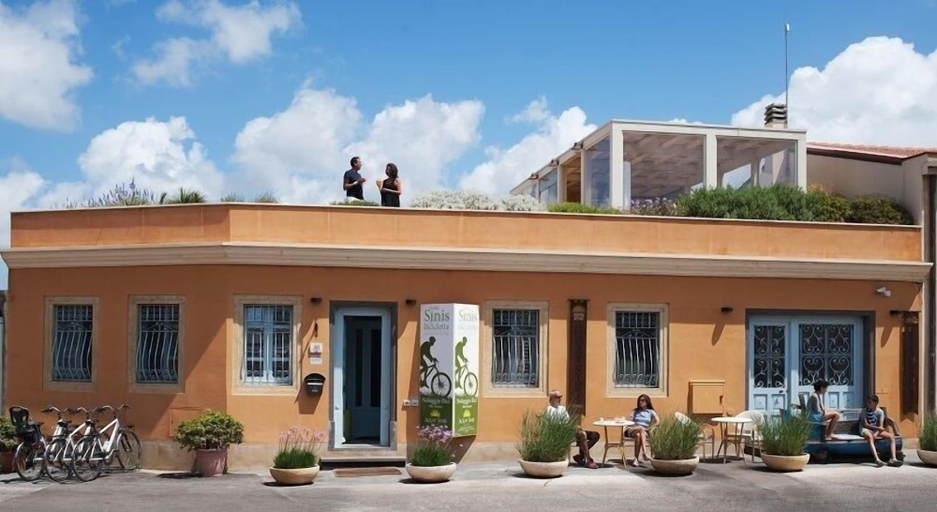
With a stay at Aquae Sinis Albergo Diffuso, you'll be centrally located in Cabras, just a 5-minute walk from Contini Winery and 10 minutes by foot from Civic Archaeological Museum "Giovanni Marongiu". This family-friendly hotel is 1.7 mi (2.7 km) from Pauli 'e Sali Ponds and 1.9 mi (3.1 km) from Eolo Scuola di Windsurf.
Aquae Sinis Albergo Diffuso Facility and Service
Pamper yourself with a visit to the spa, which offers massages, body treatments, and facials. You're sure to appreciate the recreational amenities, including an indoor pool, a sauna, and a seasonal outdoor pool. Additional amenities at this hotel include complimentary wireless internet access, wedding services, and a fireplace in the lobby.
Aquae Sinis Albergo Diffuso Rooms
Make yourself at home in one of the 23 guestrooms featuring refrigerators and minibars. Your memory foam bed comes with down comforters and premium bedding. Complimentary wireless internet access keeps you connected, and digital programming is available for your entertainment. Bathrooms have complimentary toiletries and bidets.
Restaurant and Cafe
A complimentary local cuisine breakfast is served daily from 8:00 AM to 10:00 AM.
See detailsWith a stay at Aquae Sinis Albergo Diffuso, you'll be centrally located in Cabras, just a 5-minute walk from Contini Winery and 10 minutes by foot from Civic Archaeological Museum "Giovanni Marongiu". This family-friendly hotel is 1.7 mi (2.7 km) from Pauli 'e Sali Ponds and 1.9 mi (3.1 km) from Eolo Scuola di Windsurf.
Aquae Sinis Albergo Diffuso Facility and Service
Pamper yourself with a visit to the spa, which offers massages, body treatments, and facials. You're sure to appreciate the recreational amenities, including an indoor pool, a sauna, and a seasonal outdoor pool. Additional amenities at this hotel include complimentary wireless internet access, wedding services, and a fireplace in the lobby.
Aquae Sinis Albergo Diffuso Rooms
Make yourself at home in one of the 23 guestrooms featuring refrigerators and minibars. Your memory foam bed comes with down comforters and premium bedding. Complimentary wireless internet access keeps you connected, and digital programming is available for your entertainment. Bathrooms have complimentary toiletries and bidets.
Restaurant and Cafe
A complimentary local cuisine breakfast is served daily from 8:00 AM to 10:00 AM.
Aparthotel Domus De Janas Sul Mare
Aparthotel Domus De Janas Sul Mare Location
When you stay at Aparthotel Domus De Janas Sul Mare in Bari Sardo, you'll be on the waterfront, within a 5-minute walk of Ogliastra Diving and Torre di Bari Beach. This beach hotel is 0.1 mi (0.2 km) from Torre di Bari and 0.2 mi (0.4 km) from Spiaggia Sa Marina.
Aparthotel Domus De Janas Sul Mare Facility and Service
Dip into one of the 2 hot tubs or enjoy other recreational amenities including a sauna and a fitness center. Additional amenities at this hotel include complimentary wireless internet access, concierge services, and babysitting (surcharge).
Aparthotel Domus De Janas Sul Mare Rooms
Make yourself at home in one of the 27 individually decorated guestrooms, featuring minibars and LED televisions. Complimentary wireless internet access keeps you connected, and digital programming is available for your entertainment. Bathrooms have showers and hair dryers. Conveniences include phones and safes, and housekeeping is provided daily.
Restaurant and Cafe
Enjoy Italian cuisine at Il Pesciolino, a restaurant which features a bar/lounge, or stay in and take advantage of the room service (during limited hours). Buffet breakfasts are available daily from 8:30 AM to 10:30 AM for a fee.
Important Information
The property is closed between October 31 and March 31.
See detailsWhen you stay at Aparthotel Domus De Janas Sul Mare in Bari Sardo, you'll be on the waterfront, within a 5-minute walk of Ogliastra Diving and Torre di Bari Beach. This beach hotel is 0.1 mi (0.2 km) from Torre di Bari and 0.2 mi (0.4 km) from Spiaggia Sa Marina.
Aparthotel Domus De Janas Sul Mare Facility and Service
Dip into one of the 2 hot tubs or enjoy other recreational amenities including a sauna and a fitness center. Additional amenities at this hotel include complimentary wireless internet access, concierge services, and babysitting (surcharge).
Aparthotel Domus De Janas Sul Mare Rooms
Make yourself at home in one of the 27 individually decorated guestrooms, featuring minibars and LED televisions. Complimentary wireless internet access keeps you connected, and digital programming is available for your entertainment. Bathrooms have showers and hair dryers. Conveniences include phones and safes, and housekeeping is provided daily.
Restaurant and Cafe
Enjoy Italian cuisine at Il Pesciolino, a restaurant which features a bar/lounge, or stay in and take advantage of the room service (during limited hours). Buffet breakfasts are available daily from 8:30 AM to 10:30 AM for a fee.
Important Information
The property is closed between October 31 and March 31.
Felix Hotels - Residence Hotel Grandi Magazzini
Felix Hotels - Residence Hotel Grandi Magazzini Location
With a stay at Felix Hotels - Residence Hotel Grandi Magazzini in Nuoro, you'll be within a 10-minute walk of Piazza Sebastiano Satta and MAN Province of Nuoro Museum of Art. This residence is 0.5 mi (0.8 km) from Church of San Carlo Borromeo and 0.6 mi (1 km) from Deleddiano Museum.
Felix Hotels - Residence Hotel Grandi Magazzini Facility and Service
Take advantage of recreation opportunities such as bicycles to rent, or other amenities including complimentary wireless internet access and a vending machine.
Felix Hotels - Residence Hotel Grandi Magazzini Rooms
Stay in one of 40 guestrooms featuring flat-screen televisions. Complimentary wireless internet access keeps you connected, and digital programming is available for your entertainment. Private bathrooms with showers feature rainfall showerheads and bidets. Conveniences include safes and desks, and housekeeping is provided on weekdays only.
See detailsWith a stay at Felix Hotels - Residence Hotel Grandi Magazzini in Nuoro, you'll be within a 10-minute walk of Piazza Sebastiano Satta and MAN Province of Nuoro Museum of Art. This residence is 0.5 mi (0.8 km) from Church of San Carlo Borromeo and 0.6 mi (1 km) from Deleddiano Museum.
Felix Hotels - Residence Hotel Grandi Magazzini Facility and Service
Take advantage of recreation opportunities such as bicycles to rent, or other amenities including complimentary wireless internet access and a vending machine.
Felix Hotels - Residence Hotel Grandi Magazzini Rooms
Stay in one of 40 guestrooms featuring flat-screen televisions. Complimentary wireless internet access keeps you connected, and digital programming is available for your entertainment. Private bathrooms with showers feature rainfall showerheads and bidets. Conveniences include safes and desks, and housekeeping is provided on weekdays only.
Hotel Costa dei Fiori
Experience an abundance of unparalleled facilities and features at Hotel Costa dei Fiori. Maintain seamless communication using the complimentary Wi-Fi at hotel. Effortlessly arrange transportation to and from the airport using the hotel's airport transfer services.Discover the wonders of Pula with ease by utilizing the services provided by car hire and shuttle. For visitors traveling by automobile, complimentary parking is available.During your stay at this fantastic hotel, the attentive front desk personnel can provide you with a range of amenities such as concierge service, luggage storage and safety deposit boxes.Obtaining passes for the town's top entertainments becomes effortless with hotel's tours. At the hotel, utilize the on-site dry cleaning service and laundry service to maintain your beloved travel attire fresh, allowing you to bring fewer clothes. Craving relaxation? Make the most of your stay at the Hotel Costa dei Fiori with convenient amenities like room service and daily housekeeping at your disposal. For visitors wishing to smoke, designated smoking zones can be found. At the hotel, an assortment of easily accessible and delicious meal choices are available to satisfy your appetite whenever it strikes.Enjoy an entertaining evening with your fellow travelers at the hotel's bar.During your stay at hotel, an array of engaging activities and amenities guarantees a delightful experience. Conclude your holiday perfectly with a visit to massage and salon on your final days. Be sure to drop by the pool at hotel at least once during your stay.
See detailsHotel Don Diego
Pamper yourself with massages, body treatments, and facials at this hotel, and enjoy recreational amenities including two outdoor swimming pools, a tennis court, and a fitness center. Stay connected with complimentary Wi-Fi, and take advantage of concierge services. The hotel offers a shuttle service (surcharge) within a 5-kilometer radius. Dine at one of the two on-site restaurants, grab a snack at the coffee shop, or enjoy room service during limited hours. Unwind with a drink at the bar/lounge or poolside bar. A complimentary continental breakfast is served daily from 7:30 AM to 10:30 AM. The hotel also features complimentary wired internet access, limo/town car service, and express check-in. Roundtrip airport and cruise ship terminal shuttles are available for an additional charge. Each of the 48 guestrooms provides a minibar, complimentary Wi-Fi, satellite TV, and a private bathroom with a shower, complimentary toiletries, and a bidet. A phone, safe, and desk are also provided for your convenience. Nearby attractions include: Tavolara - Punta Coda Cavallo Marine Protected Area (0. 1 km), Porto Taverna Beach (3 km), and other beautiful beaches and destinations within a short distance.
See detailsHotel Palazzo Pischedda
Hotel Palazzo Pischedda Location
A stay at Hotel Palazzo Pischedda places you in the heart of Bosa, steps from Church of Sant’Antonio Abate and Sas Conzas. This spa hotel is 0.1 mi (0.2 km) from River Temo Promenade and 0.2 mi (0.3 km) from Tannery Museum.
Hotel Palazzo Pischedda Facility and Service
Take time to pamper yourself with a visit to the full-service spa. This hotel also features complimentary wireless internet access, wedding services, and a television in a common area.
Hotel Palazzo Pischedda Rooms
Make yourself at home in one of the 16 guestrooms featuring minibars and plasma televisions. Complimentary wireless internet access keeps you connected, and satellite programming is available for your entertainment. Bathrooms feature showers, complimentary toiletries, and bidets. Conveniences include phones, as well as safes and desks.
Restaurant and Cafe
Enjoy seafood at Sa Pischedda, a restaurant where you can take in the garden view and dine alfresco. Or stay in and take advantage of the room service (during limited hours). A complimentary buffet breakfast is included.
Important Information
This property is closed from November 8 2026 to February 4 2027 (dates subject to change).
See detailsA stay at Hotel Palazzo Pischedda places you in the heart of Bosa, steps from Church of Sant’Antonio Abate and Sas Conzas. This spa hotel is 0.1 mi (0.2 km) from River Temo Promenade and 0.2 mi (0.3 km) from Tannery Museum.
Hotel Palazzo Pischedda Facility and Service
Take time to pamper yourself with a visit to the full-service spa. This hotel also features complimentary wireless internet access, wedding services, and a television in a common area.
Hotel Palazzo Pischedda Rooms
Make yourself at home in one of the 16 guestrooms featuring minibars and plasma televisions. Complimentary wireless internet access keeps you connected, and satellite programming is available for your entertainment. Bathrooms feature showers, complimentary toiletries, and bidets. Conveniences include phones, as well as safes and desks.
Restaurant and Cafe
Enjoy seafood at Sa Pischedda, a restaurant where you can take in the garden view and dine alfresco. Or stay in and take advantage of the room service (during limited hours). A complimentary buffet breakfast is included.
Important Information
This property is closed from November 8 2026 to February 4 2027 (dates subject to change).
“Great deal”
Hotel Sa Cralla
Hotel Sa Cralla Location
A stay at Hotel Sa Cralla places you in the heart of Villasimius, steps from Villasimius Main Square and Villasimius Tourist Office. This golf hotel is 0.1 mi (0.2 km) from Villasimius City Hall and 0.1 mi (0.2 km) from Gelateria Amore Mio.
Hotel Sa Cralla Facility and Service
Take advantage of recreation opportunities such as a golf course or take in the view from a terrace and a garden. This hotel also features complimentary wireless internet access, concierge services, and a television in a common area.
Hotel Sa Cralla Rooms
Stay in one of 7 guestrooms featuring LED televisions. Complimentary wireless internet access keeps you connected, and digital programming is available for your entertainment. Private bathrooms with showers feature rainfall showerheads and hair dryers. Conveniences include safes and blackout drapes/curtains, and housekeeping is provided daily.
Restaurant and Cafe
Buffet breakfasts are available daily from 8:00 AM to 10:00 AM for a fee.
See detailsA stay at Hotel Sa Cralla places you in the heart of Villasimius, steps from Villasimius Main Square and Villasimius Tourist Office. This golf hotel is 0.1 mi (0.2 km) from Villasimius City Hall and 0.1 mi (0.2 km) from Gelateria Amore Mio.
Hotel Sa Cralla Facility and Service
Take advantage of recreation opportunities such as a golf course or take in the view from a terrace and a garden. This hotel also features complimentary wireless internet access, concierge services, and a television in a common area.
Hotel Sa Cralla Rooms
Stay in one of 7 guestrooms featuring LED televisions. Complimentary wireless internet access keeps you connected, and digital programming is available for your entertainment. Private bathrooms with showers feature rainfall showerheads and hair dryers. Conveniences include safes and blackout drapes/curtains, and housekeeping is provided daily.
Restaurant and Cafe
Buffet breakfasts are available daily from 8:00 AM to 10:00 AM for a fee.
Hotel With Swimming Pool In Arborea
Enjoy a relaxing stay at this family-friendly inn located in Arborea, just a minute's drive from Spiaggia di Arborea and six minutes from the Church of Cristo Redentore. Unwind on the private beach or take advantage of other recreational amenities, including a health club and outdoor tennis court. Indulge your appetite at one of the inn's four restaurants and four bars/lounges. A complimentary buffet breakfast is served daily from 7:30 AM to 10:00 AM. The inn also features complimentary Wi-Fi and on-site shopping. The 40 air-conditioned guest rooms offer refrigerators, flat-screen televisions with cable, and private bathrooms with rainfall showerheads and bidets. Conveniences include phones, safes, and cribs/infant beds (surcharge). Nearby attractions include the Museum of Reclamation (3. 2 mi) and Spiaggia di Abarossa (5. 6 mi). The nearest major airport is Elmas Airport (CAG), 54. 8 mi away.
See detailsThe Good Place
Take in the views from a terrace and make use of amenities such as complimentary wireless internet access. Featured amenities include express check-in, express check-out, and a 24-hour front desk. A roundtrip airport shuttle is provided for a surcharge (available 24 hours), and self parking (subject to charges) is available onsite. Make yourself comfortable in this air-conditioned apartment, which features an indoor private hot tub and a flat-screen TV. A kitchenette is outfitted with a refrigerator, an oven, and a stovetop. Complimentary wireless internet access keeps you connected, and digital programming is available for your entertainment. A private bathroom with a separate bathtub and shower features a jetted bathtub and a rainfall showerhead. Distances are displayed to the nearest 0. 1 mile and kilometer. Piazza Yenne - 0. 1 km / 0. 1 mi- Church of San Michele - 0. 2 km / 0. 1 mi- Sant'Antonio Abate Church - 0. 2 km / 0. 1 mi- Church of Sant'Agostino - 0. 2 km / 0. 2 mi- Crypt of the Holy Sepulcher - 0. 3 km / 0. 2 mi- Church of Santo Sepolcro - 0. 3 km / 0. 2 mi- Santa Restituta Crypt - 0. 3 km / 0. 2 mi- Church of Sant'Efisio - 0. 4 km / 0. 2 mi- Cagliari City Hall - 0. 4 km / 0. 2 mi- Civic Theatre of Castello - 0. 4 km / 0. 3 mi- Tower of the Elephant - 0. 4 km / 0. 3 mi- Sant'Eulalia Archaeological Site and Treasure Museum - 0. 4 km / 0. 3 mi- Capitol Arte Contemporane - 0. 4 km / 0. 3 mi- Church of Sant'Eulalia - 0. 4 km / 0. 3 mi- Church of San Giuseppe Calasanzio - 0. 5 km / 0. 3 mi. The nearest major airport is Elmas Airport (CAG) - 9. 2 km / 5. 7 mi This aparthotel is in the heart of Cagliari, within a 10-minute walk of Piazza Yenne and Port of Cagliari. This aparthotel is 7 mi (11. 3 km) from Poetto Beach and 0. 1 mi (0. 2 km) from Church of Sant'Agostino.
See detailsI Mirti Bianchi Residence con piscina
I Mirti Bianchi Residence con piscina Location
With a stay at I Mirti Bianchi Residence con piscina in Santa Teresa di Gallura, you'll be within a 10-minute walk of Rena Bianca Beach and La Punzesa. This residence is 13.1 mi (21.1 km) from Bonifacio Port and 0.6 mi (1 km) from Longonsardo Tower.
I Mirti Bianchi Residence con piscina Facility and Service
Be sure to enjoy recreational amenities including a hot tub and a seasonal outdoor pool.
I Mirti Bianchi Residence con piscina Rooms
Make yourself at home in one of the 28 air-conditioned rooms featuring kitchenettes with refrigerators and microwaves. Rooms have private furnished balconies or patios. 32-inch flat-screen televisions are provided, with cable programming available. Conveniences include electric kettles, housekeeping is provided on request, and irons/ironing boards can be requested.
See detailsWith a stay at I Mirti Bianchi Residence con piscina in Santa Teresa di Gallura, you'll be within a 10-minute walk of Rena Bianca Beach and La Punzesa. This residence is 13.1 mi (21.1 km) from Bonifacio Port and 0.6 mi (1 km) from Longonsardo Tower.
I Mirti Bianchi Residence con piscina Facility and Service
Be sure to enjoy recreational amenities including a hot tub and a seasonal outdoor pool.
I Mirti Bianchi Residence con piscina Rooms
Make yourself at home in one of the 28 air-conditioned rooms featuring kitchenettes with refrigerators and microwaves. Rooms have private furnished balconies or patios. 32-inch flat-screen televisions are provided, with cable programming available. Conveniences include electric kettles, housekeeping is provided on request, and irons/ironing boards can be requested.
Villa Grachira
Villa Grachira Location
When you stay at Villa Grachira in Alghero, you'll be near the beach, within a 15-minute walk of Punta Negra Beach and Stagno di Calich. This guesthouse is 1.2 mi (2 km) from Golf Club Alghero and 1.5 mi (2.4 km) from Maria Pia Beach.
Villa Grachira Facility and Service
Take advantage of recreation opportunities such as bicycles to rent or take in the view from a terrace and a garden. This guesthouse also features complimentary wireless internet access and tour/ticket assistance.
Villa Grachira Rooms
Make yourself at home in one of the 13 air-conditioned rooms featuring refrigerators and flat-screen televisions. Rooms have private balconies or patios. Complimentary wired and wireless internet access keeps you connected, and satellite programming provides entertainment. Private bathrooms with showers feature complimentary toiletries and bidets.
Restaurant and Cafe
Satisfy your appetite at the guesthouse's coffee shop/cafe. For your convenience, a complimentary breakfast is served daily.
See detailsWhen you stay at Villa Grachira in Alghero, you'll be near the beach, within a 15-minute walk of Punta Negra Beach and Stagno di Calich. This guesthouse is 1.2 mi (2 km) from Golf Club Alghero and 1.5 mi (2.4 km) from Maria Pia Beach.
Villa Grachira Facility and Service
Take advantage of recreation opportunities such as bicycles to rent or take in the view from a terrace and a garden. This guesthouse also features complimentary wireless internet access and tour/ticket assistance.
Villa Grachira Rooms
Make yourself at home in one of the 13 air-conditioned rooms featuring refrigerators and flat-screen televisions. Rooms have private balconies or patios. Complimentary wired and wireless internet access keeps you connected, and satellite programming provides entertainment. Private bathrooms with showers feature complimentary toiletries and bidets.
Restaurant and Cafe
Satisfy your appetite at the guesthouse's coffee shop/cafe. For your convenience, a complimentary breakfast is served daily.
Marea Boutique Hotel
Marea Boutique Hotel Location
Located in Orosei, Marea Boutique Hotel is within a 15-minute walk of Torre di Sant'Antonio and Museo Comunale. This hotel is 2.3 mi (3.8 km) from Marina di Orosei Beach and 2.7 mi (4.4 km) from Chiesetta di Santa Maria 'e Mare.
Marea Boutique Hotel Facility and Service
Take advantage of recreational opportunities offered, including an outdoor pool, a hot tub, and a steam room. This hotel also features complimentary wireless internet access, a picnic area, and charcoal grills.
Marea Boutique Hotel Rooms
Make yourself at home in one of the 6 guestrooms featuring minibars and Smart televisions. Complimentary wireless internet access keeps you connected, and satellite programming is available for your entertainment. Private bathrooms have designer toiletries and bidets. Conveniences include safes and coffee/tea makers, and housekeeping is provided daily.
See detailsLocated in Orosei, Marea Boutique Hotel is within a 15-minute walk of Torre di Sant'Antonio and Museo Comunale. This hotel is 2.3 mi (3.8 km) from Marina di Orosei Beach and 2.7 mi (4.4 km) from Chiesetta di Santa Maria 'e Mare.
Marea Boutique Hotel Facility and Service
Take advantage of recreational opportunities offered, including an outdoor pool, a hot tub, and a steam room. This hotel also features complimentary wireless internet access, a picnic area, and charcoal grills.
Marea Boutique Hotel Rooms
Make yourself at home in one of the 6 guestrooms featuring minibars and Smart televisions. Complimentary wireless internet access keeps you connected, and satellite programming is available for your entertainment. Private bathrooms have designer toiletries and bidets. Conveniences include safes and coffee/tea makers, and housekeeping is provided daily.
Birkin Porto 1870
Birkin Porto 1870 Location
With a stay at Birkin Porto 1870 in Cagliari (Marina District), you'll be a 1-minute drive from Port of Cagliari and 9 minutes from Poetto Beach. This hotel is 0.4 mi (0.6 km) from Golfo degli Angeli and 0.5 mi (0.8 km) from Cagliari City Hall.
Birkin Porto 1870 Facility and Service
Make use of convenient amenities, which include complimentary wireless internet access and concierge services.
Birkin Porto 1870 Rooms
Make yourself at home in one of the 12 guestrooms. Complimentary wireless internet access is available to keep you connected. Conveniences include phones, as well as safes and irons/ironing boards.
Restaurant and Cafe
A complimentary buffet breakfast is served daily from 8:00 AM to 10:30 AM.
See detailsWith a stay at Birkin Porto 1870 in Cagliari (Marina District), you'll be a 1-minute drive from Port of Cagliari and 9 minutes from Poetto Beach. This hotel is 0.4 mi (0.6 km) from Golfo degli Angeli and 0.5 mi (0.8 km) from Cagliari City Hall.
Birkin Porto 1870 Facility and Service
Make use of convenient amenities, which include complimentary wireless internet access and concierge services.
Birkin Porto 1870 Rooms
Make yourself at home in one of the 12 guestrooms. Complimentary wireless internet access is available to keep you connected. Conveniences include phones, as well as safes and irons/ironing boards.
Restaurant and Cafe
A complimentary buffet breakfast is served daily from 8:00 AM to 10:30 AM.
Casa Vacanza Li Menduli San Teodoro
Hotel Villa Fanny
Hotel Villa Fanny Location
A stay at Hotel Villa Fanny places you in the heart of Cagliari, within a 5-minute walk of Massimo Theatre and Cagliari Botanical Garden. This luxury hotel is 0.4 mi (0.7 km) from Santa Restituta Crypt and 0.5 mi (0.8 km) from Church of Sant'Efisio.
Hotel Villa Fanny Facility and Service
Take in the views from a terrace and a garden and make use of amenities such as complimentary wireless internet access. This hotel also features concierge services, babysitting (surcharge), and a television in a common area.
Hotel Villa Fanny Rooms
Make yourself at home in one of the 19 individually decorated guestrooms, featuring minibars and flat-screen televisions. Complimentary wireless internet access keeps you connected, and satellite programming is available for your entertainment. Private bathrooms have complimentary toiletries and bidets. Conveniences include phones, as well as safes and desks.
Restaurant and Cafe
Satisfy your appetite at the hotel's coffee shop/cafe, or stay in and take advantage of the room service (during limited hours). Quench your thirst with your favorite drink at the bar/lounge. A complimentary continental breakfast is served daily from 7:30 AM to 10:30 AM.
Important Information
The following facilities are closed on Sunday:
See detailsA stay at Hotel Villa Fanny places you in the heart of Cagliari, within a 5-minute walk of Massimo Theatre and Cagliari Botanical Garden. This luxury hotel is 0.4 mi (0.7 km) from Santa Restituta Crypt and 0.5 mi (0.8 km) from Church of Sant'Efisio.
Hotel Villa Fanny Facility and Service
Take in the views from a terrace and a garden and make use of amenities such as complimentary wireless internet access. This hotel also features concierge services, babysitting (surcharge), and a television in a common area.
Hotel Villa Fanny Rooms
Make yourself at home in one of the 19 individually decorated guestrooms, featuring minibars and flat-screen televisions. Complimentary wireless internet access keeps you connected, and satellite programming is available for your entertainment. Private bathrooms have complimentary toiletries and bidets. Conveniences include phones, as well as safes and desks.
Restaurant and Cafe
Satisfy your appetite at the hotel's coffee shop/cafe, or stay in and take advantage of the room service (during limited hours). Quench your thirst with your favorite drink at the bar/lounge. A complimentary continental breakfast is served daily from 7:30 AM to 10:30 AM.
Important Information
The following facilities are closed on Sunday:
- Bar/lounge
- Dining venue(s)
“Great deal”
Koro guesthouse
Koro guesthouse Location
With a stay at Koro guesthouse in Oristano, you'll be just steps from Tower of St. Christophoros and Archaeological Museum Antiquarium Arborense. This guesthouse is 0.2 mi (0.4 km) from Church of Santa Chiara and 0.4 mi (0.6 km) from Church of San Francesco.
Koro guesthouse Rooms
Make yourself at home in one of the 4 guestrooms. Complimentary wireless internet access is available to keep you connected. Conveniences include desks, and housekeeping is provided on request.
See detailsWith a stay at Koro guesthouse in Oristano, you'll be just steps from Tower of St. Christophoros and Archaeological Museum Antiquarium Arborense. This guesthouse is 0.2 mi (0.4 km) from Church of Santa Chiara and 0.4 mi (0.6 km) from Church of San Francesco.
Koro guesthouse Rooms
Make yourself at home in one of the 4 guestrooms. Complimentary wireless internet access is available to keep you connected. Conveniences include desks, and housekeeping is provided on request.
Hotels in Sardegna
Don't feel hesitant to book hotels in Sardegna at tiket.com! We'll make sure to provide all conveniences you need when doing a room reservation. Book your favourite hotel now only at tiket.com!

How to Book Hotels on tiket.com
1. Find the hotelEnter the name of the city, area, or hotel to find the place you want.
2. Select a roomOn the hotel detail page, you will see the available room options. Select a room that suits your needs.
3. Complete the booking detailsInput the contact details (the person who will be contacted by tiket.com and the hotel about the booking) and the guests’ details.
4. Select Add-onsYou can also buy additional services such as meal packages, transportation, and many more.
5. Pay your bookingSelect the payment method and complete your transaction. Don’t forget to use the promo code to get a cheaper hotel price at tiket.com.
6. Get the reservation e-voucherAfter the payment is successful, the e-voucher will be available on the Your Orders menu and sent to the email listed in the contact details.