lcpo
Promo
Promo
Blibli Tiket RewardsYour Orders
hero-banner-image

Hotels in Opao

Opao
Sat, 18 Jul 2026 - Sun, 19 Jul 2026 (1 night)
1 Room, 1 Adult, 0 Children
Showing 1 hotels in Opao
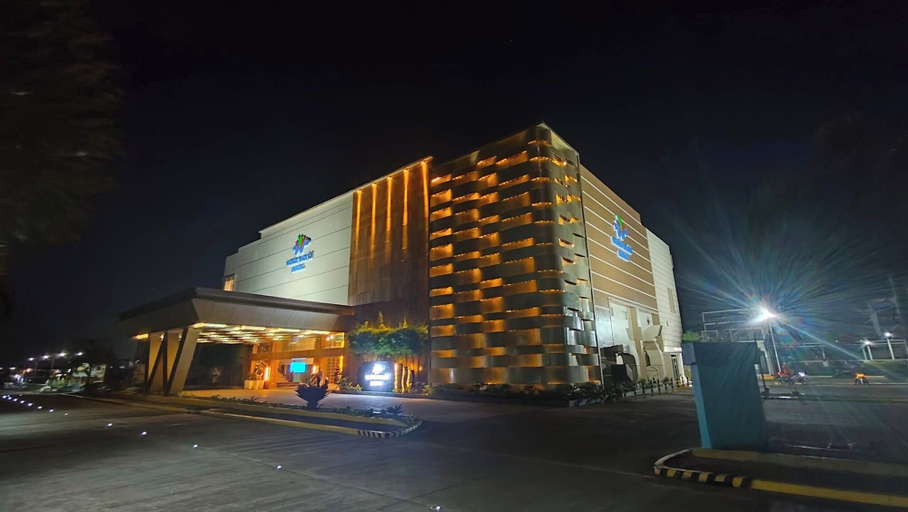
Exterior & Views

WATERWORLD HOTEL

Opao, Mandaue City
WATERWORLD HOTEL Location
Located in Mandaue, WATERWORLD HOTEL is within a 15-minute drive of SM City Cebu and Colon Street. This hotel is 6 mi (9.7 km) from Ayala Center and 6.2 mi (10 km) from Waterfront Cebu City Casino.

WATERWORLD HOTEL Facility and Service
Take advantage of recreation opportunities including a water park (surcharge) and an outdoor pool. This hotel also features complimentary wireless internet access, concierge services, and gift shops/newsstands.

WATERWORLD HOTEL Rooms
Make yourself at home in one of the 73 air-conditioned guestrooms. Complimentary wireless internet access is available to keep you connected. Private bathrooms with showers feature rainfall showerheads and complimentary toiletries. Conveniences include electric kettles and free tea bags/instant coffee, and housekeeping is provided daily.

Restaurant and Cafe
Enjoy a meal at the restaurant, or stay in and take advantage of the hotel's room service (during limited hours). Mingle with other guests at the complimentary reception, held daily. Relax with your favorite drink at the bar/lounge or the poolside bar. Full breakfasts are available daily from 7:00 AM to 10:00 AM for a fee.

Important Information
The property will be renovating from July 1 2026 to July 2 2026 (completion date subject to change). The following areas are affected:
  • Guestrooms
During renovations, the hotel will make every effort to minimize noise and disturbance.

See details
4.1/5
Starts from
USD 46
/room/night

FAQ about Hotels in Opao

Which hotels have the best ratings in Opao?

What are some cheap hotels that are popular in Opao?

Hotels in Opao

Don't feel hesitant to book hotels in Opao at tiket.com! We'll make sure to provide all conveniences you need when doing a room reservation. Book your favourite hotel now only at tiket.com!

how-to-book-poster

How to Book Hotels on tiket.com

1. Find the hotelEnter the name of the city, area, or hotel to find the place you want.
2. Select a roomOn the hotel detail page, you will see the available room options. Select a room that suits your needs.
3. Complete the booking detailsInput the contact details (the person who will be contacted by tiket.com and the hotel about the booking) and the guests’ details.
4. Select Add-onsYou can also buy additional services such as meal packages, transportation, and many more.
5. Pay your bookingSelect the payment method and complete your transaction. Don’t forget to use the promo code to get a cheaper hotel price at tiket.com.
6. Get the reservation e-voucherAfter the payment is successful, the e-voucher will be available on the Your Orders menu and sent to the email listed in the contact details.