


Hotels in Mfolozi
Showing 2 hotels in Mfolozi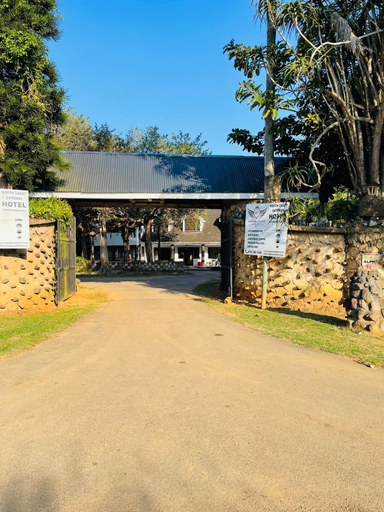

North Coast Gateway Hotel
Marrob Lodge
Marrob Lodge Location
With a stay at Marrob Lodge in Mfolozi, you'll be 11.3 mi (18.2 km) from Aquadene Public Library and 12.3 mi (19.8 km) from Enseleni Nature Reserve. This lodge is 13.9 mi (22.4 km) from Richards Bay Library and 14 mi (22.5 km) from Plaza Bay.
Marrob Lodge Facility and Service
Enjoy the recreation opportunities such as an outdoor pool or make use of other amenities including complimentary wireless internet access.
Marrob Lodge Rooms
Make yourself at home in one of the 7 guestrooms. Complimentary wireless internet access keeps you connected, and cable programming is available for your entertainment. Conveniences include safes and electric kettles, and housekeeping is provided daily.
Restaurant and Cafe
A complimentary full breakfast is served daily from 6:30 AM to 9:00 AM.
See detailsWith a stay at Marrob Lodge in Mfolozi, you'll be 11.3 mi (18.2 km) from Aquadene Public Library and 12.3 mi (19.8 km) from Enseleni Nature Reserve. This lodge is 13.9 mi (22.4 km) from Richards Bay Library and 14 mi (22.5 km) from Plaza Bay.
Marrob Lodge Facility and Service
Enjoy the recreation opportunities such as an outdoor pool or make use of other amenities including complimentary wireless internet access.
Marrob Lodge Rooms
Make yourself at home in one of the 7 guestrooms. Complimentary wireless internet access keeps you connected, and cable programming is available for your entertainment. Conveniences include safes and electric kettles, and housekeeping is provided daily.
Restaurant and Cafe
A complimentary full breakfast is served daily from 6:30 AM to 9:00 AM.
Hotels in Mfolozi
Don't feel hesitant to book hotels in Mfolozi at tiket.com! We'll make sure to provide all conveniences you need when doing a room reservation. Book your favourite hotel now only at tiket.com!

How to Book Hotels on tiket.com
1. Find the hotelEnter the name of the city, area, or hotel to find the place you want.
2. Select a roomOn the hotel detail page, you will see the available room options. Select a room that suits your needs.
3. Complete the booking detailsInput the contact details (the person who will be contacted by tiket.com and the hotel about the booking) and the guests’ details.
4. Select Add-onsYou can also buy additional services such as meal packages, transportation, and many more.
5. Pay your bookingSelect the payment method and complete your transaction. Don’t forget to use the promo code to get a cheaper hotel price at tiket.com.
6. Get the reservation e-voucherAfter the payment is successful, the e-voucher will be available on the Your Orders menu and sent to the email listed in the contact details.