



3 Star Hotels in Santa Cruz de Tenerife
Showing 1.000+ hotels in Santa Cruz de Tenerife
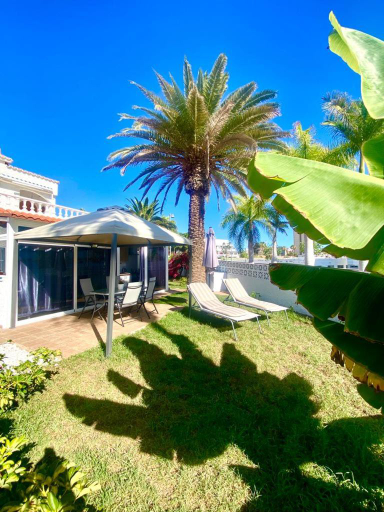
Brisa del Mar
calMar Tenerife 1
APARTAMENTO BUNGAMERICA n112
Casa Lara, Las Maretas
Stunning sea view in Los Abrigos
Marina Pris
El Brezo
Holidays in the Sun, The Heights, Playa Los Cristianos
Balcon del Mar
GO2TENERIFE Apart’Vera Duplex Santiago 2
Apartamento El Carcajal
Mareverde Fanabe Playa
Family Home near Ocean Los Cristianos LoveTenerife
Cheyma Home 2ºA, Luminoso apartamento en Alcala
Puesta de Sol Rentals 2AR
Surf Station Tenerife Holiday Apartment Las Americas
Self Catering, 1 bed Apartment, 13A2, Victoria Court 1, Los Cristianos, Tenerife
Nice Apartment in Las Americas/Costa Adeje 1
Central Penthouse, close to the Natural pools with Big terrace, ocean & city view
Home2Book Party Duplex with Pool in Las Americas

How to Book Hotels on tiket.com
1. Find the hotelEnter the name of the city, area, or hotel to find the place you want.
2. Select a roomOn the hotel detail page, you will see the available room options. Select a room that suits your needs.
3. Complete the booking detailsInput the contact details (the person who will be contacted by tiket.com and the hotel about the booking) and the guests’ details.
4. Select Add-onsYou can also buy additional services such as meal packages, transportation, and many more.
5. Pay your bookingSelect the payment method and complete your transaction. Don’t forget to use the promo code to get a cheaper hotel price at tiket.com.
6. Get the reservation e-voucherAfter the payment is successful, the e-voucher will be available on the Your Orders menu and sent to the email listed in the contact details.