



4 Star Hotels in Santa Cruz de Tenerife
Showing 1.000+ hotels in Santa Cruz de Tenerife


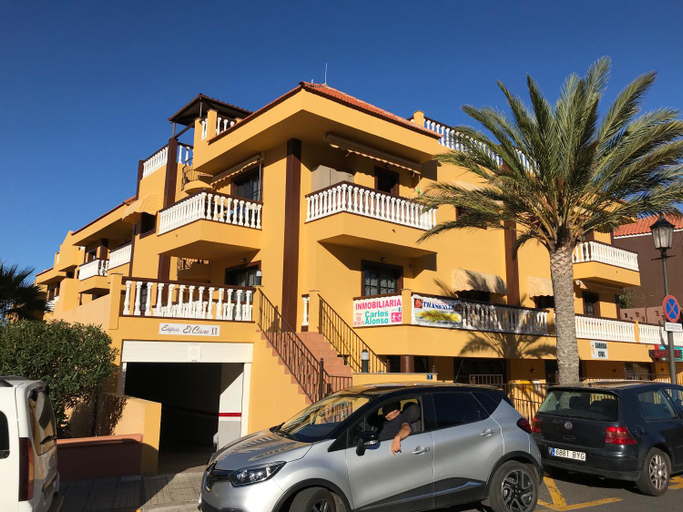
Playa San Marcos Apt.Mirador del Roque
Hola Happy Hols
The Palms Golf Del Sur - Casa Andromeda
Sun and relax in Golf del Sur
Jardines Acoran 04 DELUXE 1B
Comodoro Los Cristianos 601T
Golf Dreams
Casa Mariben, Vacation Rental home Vv 3 Bedrooms private pool with sea views
Casa Dos Angeles
Apartment in Ocean Park, Costa Adeje, Tenerife
Villa Julia Relax Dream Holiday
Home2Book Sea View Studio Puerto de la Cruz
Casa El Cardon B1
Holiday in Playa Calera - Swimming pool
MEDANO4YOU The Rosuca Holiday Home
Beautiful 2 bedroom penthouse Terrazas Del Duque
La Perla: Sea View and Pool (family apartment)
Martianez Club Apartments - Attic 9
Las Hermanas B
Studio Canario

How to Book Hotels on tiket.com
1. Find the hotelEnter the name of the city, area, or hotel to find the place you want.
2. Select a roomOn the hotel detail page, you will see the available room options. Select a room that suits your needs.
3. Complete the booking detailsInput the contact details (the person who will be contacted by tiket.com and the hotel about the booking) and the guests’ details.
4. Select Add-onsYou can also buy additional services such as meal packages, transportation, and many more.
5. Pay your bookingSelect the payment method and complete your transaction. Don’t forget to use the promo code to get a cheaper hotel price at tiket.com.
6. Get the reservation e-voucherAfter the payment is successful, the e-voucher will be available on the Your Orders menu and sent to the email listed in the contact details.