



Hotels in Comunidad de Madrid
Showing 3.000+ hotels in Comunidad de Madrid
Centro Mirasierra - Metro Usera 02
Apartamento HOTEL MONTANA LAVAPIES
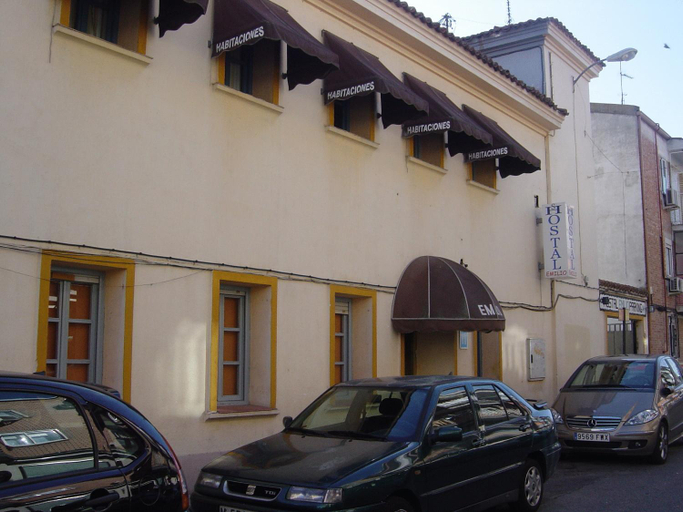
Hostal Emilio Barajas
At Hostal Emilio Barajas, exceptional service and top-notch amenities create a memorable experience for guests.Complimentary internet access is available in the hotel to ensure you stay connected during your visit. Complimentary parking is available for guests. At the hotel, their tours can even assist you in booking tickets and securing reservations for leisure activities and adventures. An evening spent at hotel's bar can offer as much enjoyment as venturing out with your fellow travelers.
See detailsGran apartamento de diseno @plazasanmiguel *lujo*
NEW LOFT ATOCHA Centre
Atico - Tranquilo en pleno Madrid Centro
Gran Via by RegalateMadrid
Plaza de Espana Central - Apartamento coqueto al lado de Plaza Espana
Charming Ribera del Manzanares Madrid
Malasana X calle Barcelo 4BR 4BH
Madrid Styles - Apartamento de 1 dormitorio
LOFTS ARENAL
AmazINN Places Las Letras
Apartamento con encanto en opera
Echegaray en Madrid
Hostal Palacio Madrid
Hostal Palacio Madrid offers top-notch services and amenities, ensuring guests experience utmost comfort. Share your photos and respond to emails at your convenience, thanks to the free Wi-Fi internet access offered by hotel.Visitors can take advantage of the accessible parking options directly at the hotel.Reception services such as luggage storage and safety deposit boxes are available to accommodate your requirements. Should you desire access to the top entertainment in the city, assistance can be provided by the hotel's tours.
See detailsCallao Central - 1 Bedroom Apartment
Centro Atocha 01
El Rincon de La Sierpe
Waou CALLAO es MIA - Corta Duracion
Hotels in Comunidad de Madrid
Don't feel hesitant to book hotels in Comunidad de Madrid at tiket.com! We'll make sure to provide all conveniences you need when doing a room reservation. Book your favourite hotel now only at tiket.com!

How to Book Hotels on tiket.com
1. Find the hotelEnter the name of the city, area, or hotel to find the place you want.
2. Select a roomOn the hotel detail page, you will see the available room options. Select a room that suits your needs.
3. Complete the booking detailsInput the contact details (the person who will be contacted by tiket.com and the hotel about the booking) and the guests’ details.
4. Select Add-onsYou can also buy additional services such as meal packages, transportation, and many more.
5. Pay your bookingSelect the payment method and complete your transaction. Don’t forget to use the promo code to get a cheaper hotel price at tiket.com.
6. Get the reservation e-voucherAfter the payment is successful, the e-voucher will be available on the Your Orders menu and sent to the email listed in the contact details.