What is Insurance Claim Center?
Want to claim the flight ticket insurance that has been purchased??? No need to bother, t-mates, you can do it through the Insurance Claim Center.
At the Insurance Claim Center, you can claim the flight insurance you purchased on tiket.com at Insurance Claim Center. Insurance Claim Center is only accessible via the tiket.com application on Android and iOS, so make sure you have downloaded the application!
For insurance terms and conditions, you can check the email we have sent for every insurance purchase. You can also check it on the "Register Your Insurance" page from the Your Orders page, then tap the "More" button.
How to Claim Insurance
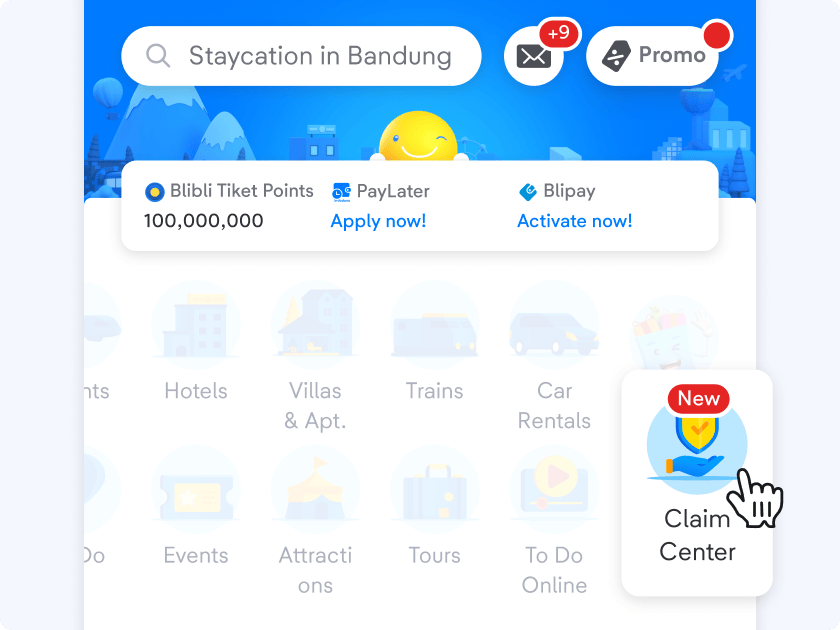
- Open the tiket.com app
Tap the "Claim Center" icon on the homepage
-
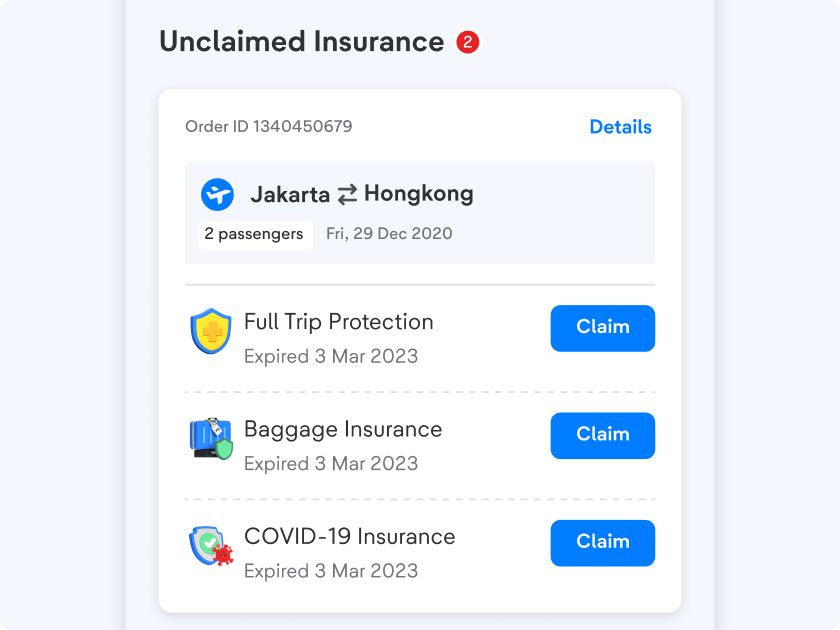
Select the insurance that you want to claim
Find the insurance that you want to claim under the “Unclaimed Insurance” section
-
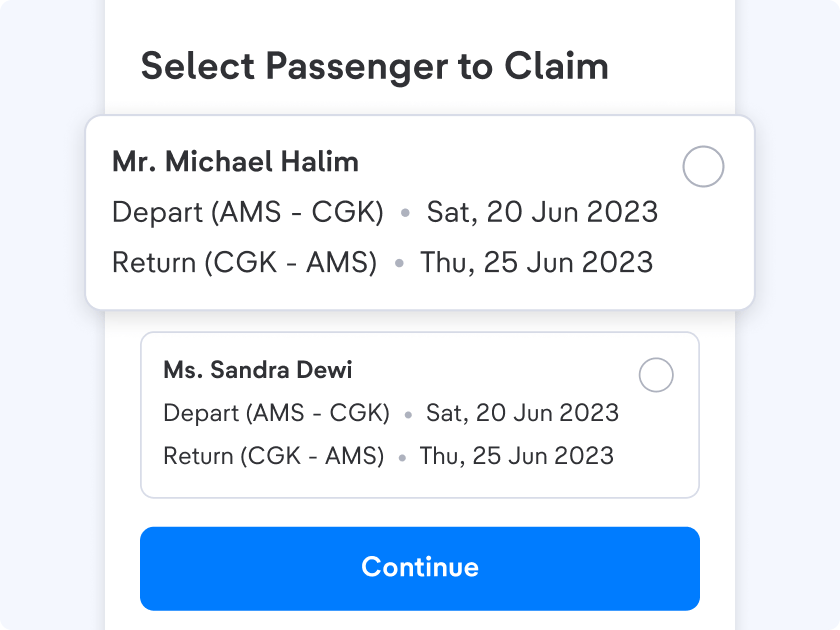
Select a passenger
Select a passenger that you want to claim the insurance
-
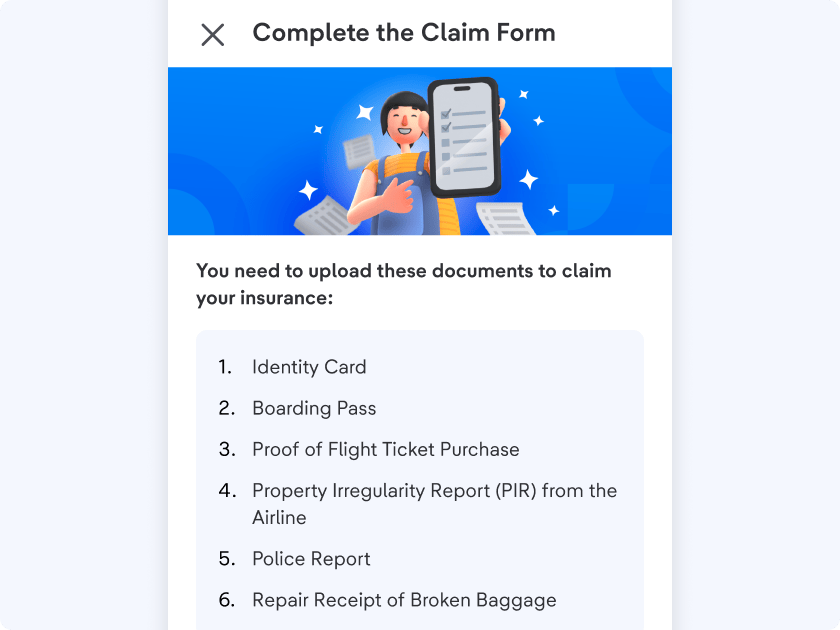
Check the documents required
You will be asked to upload the required document to claim your insurance
-
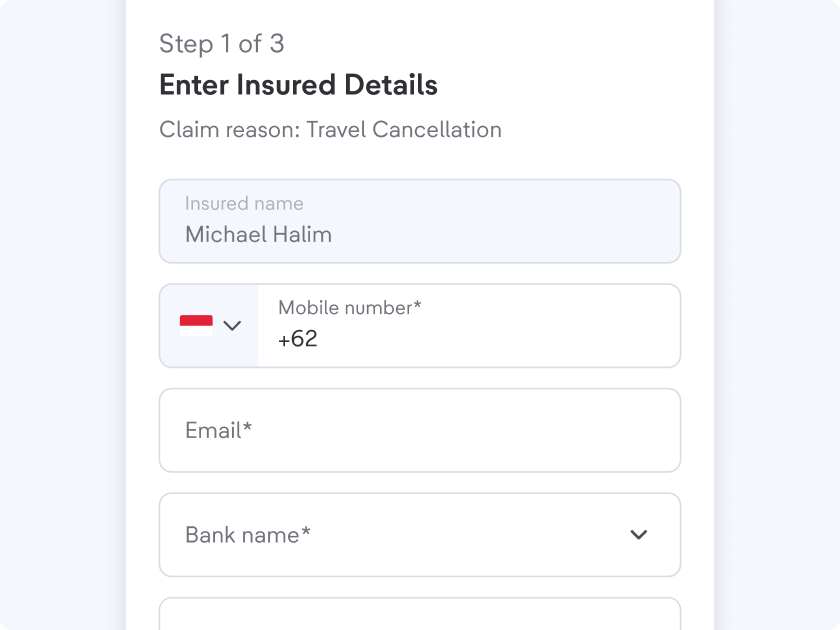
Complete the data on the claim form
Make sure to fill in the data completely and correctly to make the review process easier
-
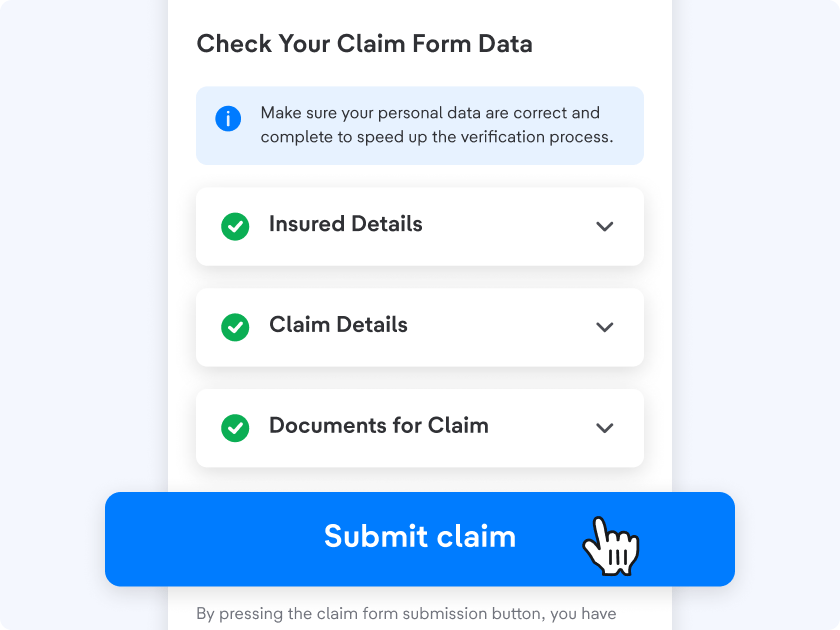
Tap "Submit claim"
Your claim will be sent to the insurance provider to be reviewed
-
Your claim has been submitted!
The review process will take up to 7 days after you submit your claim

-
Check the progress and status of your claim
Open the Insurance Claim Center Page to check the progress and status
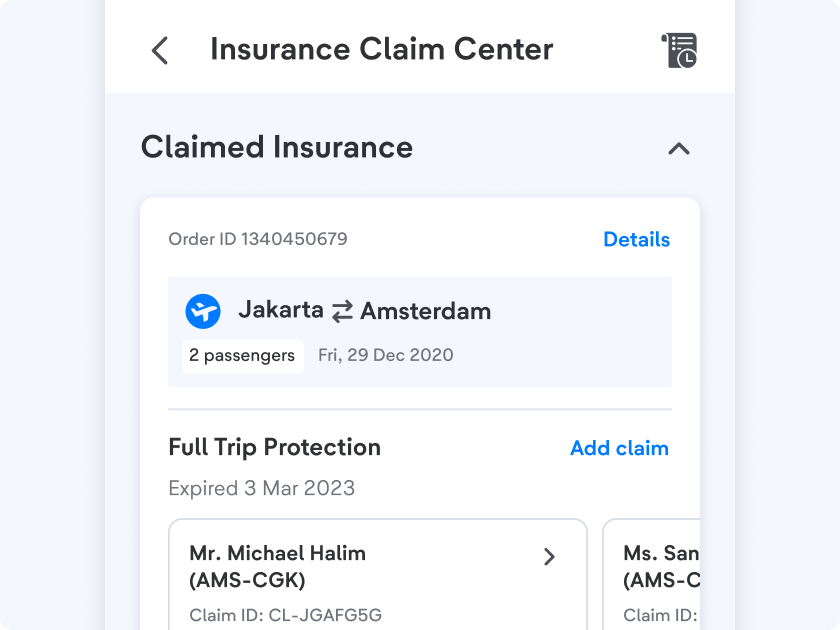
How to Check Claim Status or Progress
-
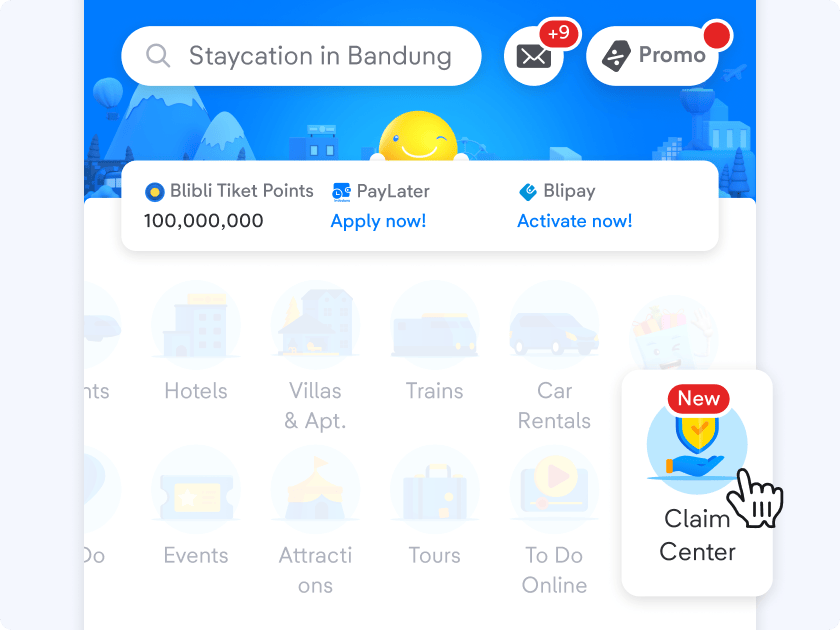
Open the tiket.com app
Tap the "Claim Center" icon on the homepage
-
Select the insurance
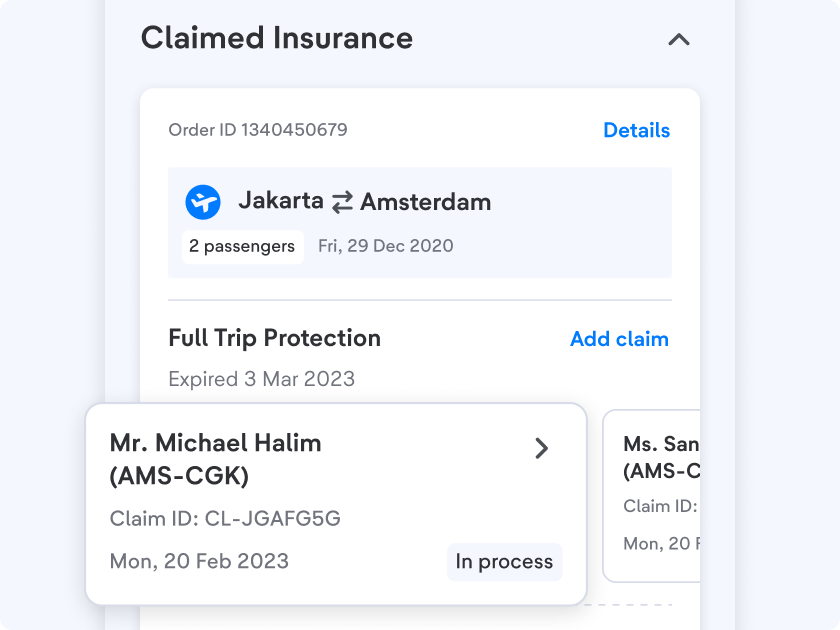
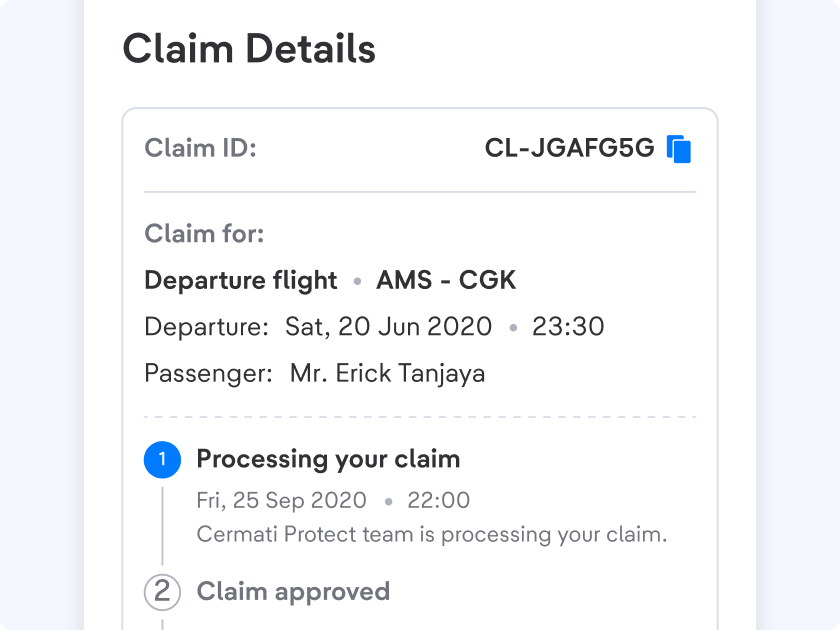
- View claim details and their status
Check the progress and the status of each claim that you submit
How to Check Claim History
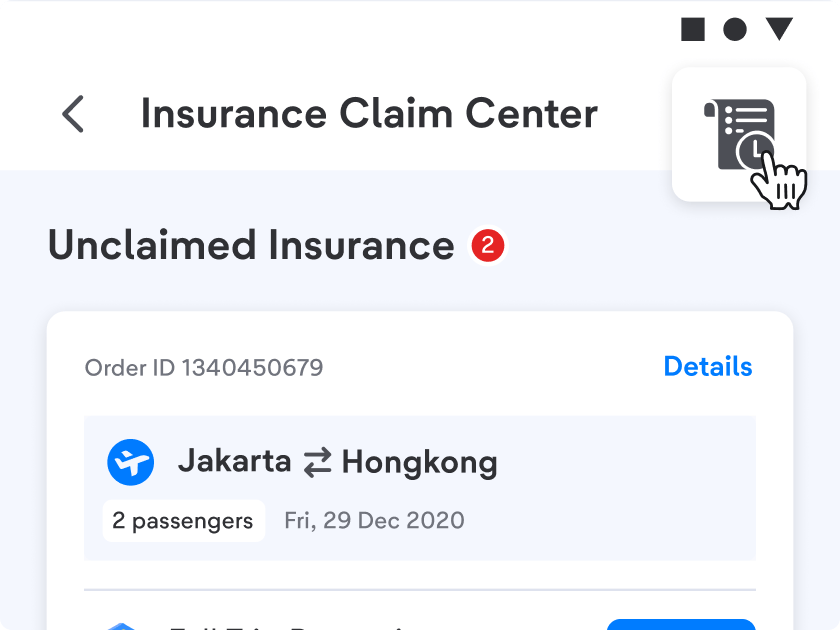
- Open the "Insurance Claim Center" page
Tap the button at the top right of the page
-
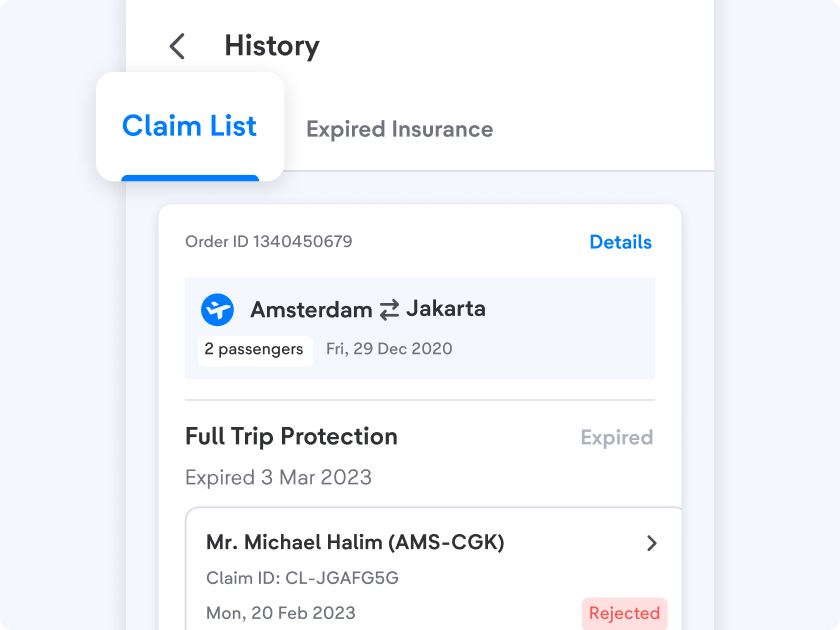
Select the "Claim List" tab
Claims that have expired, been rejected, and have been transferred can be checked on that page
-
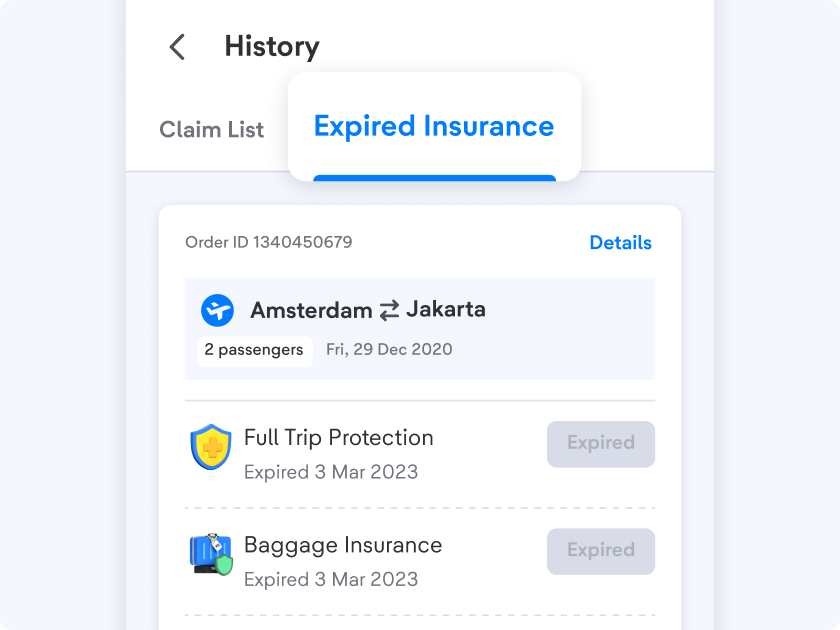
Also check the tab “Expired Insurance”Unclaimed insurance that has expired will be displayed on that page
Important Information:
- You can submit a claim before your insurance expiration date. See your insurance expiration date on the insurance claim center page.
- Claim payments will be processed within a maximum of 14 (fourteen) working days after the claim is approved.
- Make sure to submit a properly formatted document (JPEG, JPG, PNG, MP4, MOV, or PDF) that is less than 30MB in size.
- If there are documents that are lacking, the insurance provider will contact you.
If you encounter any issues or the tiket.com Claim Center cannot be accessed, you can process your the claim directly on the Cermati links as follows:
1. Full Protection
2. Flight Delay Plus
3. Flight Delay Basic
4. Baggage Protection
5. Flight Reschedule Protection
6. Flight Disruption Protection
7. Self Transer Protection
For further questions regarding insurance claims that have been submitted, you can contact Cermati Protect at +6281585009500 (Whatsapp Live Chat) or send an email to claims@cermatiprotect.com at their operational hours Everyday, 09:00 - 21:00 GMT+7.