How to refund my international flight ticket?
You can request for a refund directly on the tiket.com app, through the Smart Refund feature.
Before requesting a refund, you can check the following international flight smart refund conditions below:
- Not all international flight tickets can be requested for a refund. Make sure you have checked the information on refund conditions when placing an order or on your e-ticket.
- Smart refund feature is available for personal reasons and changes or cancellations from airline. If this feature cannot be used, for example, because the departure time is approaching or has passed, you can submit a refund request directly to the airline or through halo tiket.
- The amount of funds refer to the Cancellation and Regulation provisions of each airline.
- A fee of 10% of the ticket price will be charged per passenger and per journey, on top of the amount estimated in terms of refund.
- Requests refunds should be made before departure time so that the fee on the refund is not too large.
- For one route cancellation, transit flight or cancellation of one (1) passenger refers to each airline’s policy. For round trip flights in 1 booking code, refunds cannot be submitted for some routes.
- You can’t request for a refund if you have already checked-in online.
For information, for orders using a currency other than IDR the refund application will be returned according to the currency used when ordering.
Follow the steps below to request a refund for the international airline that you ordered:
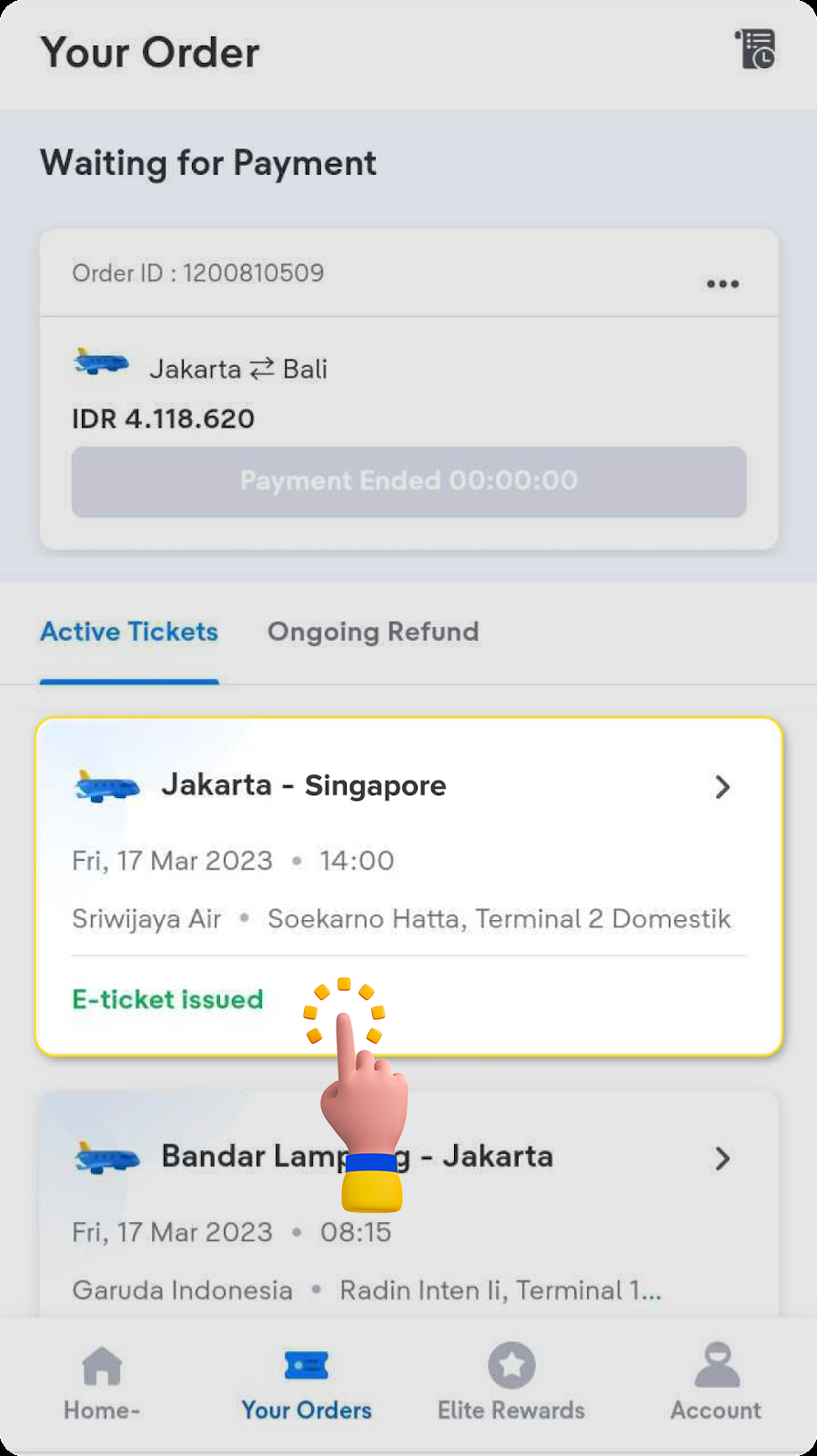
- Check Your Orders.

- Choose the flight that you wish to refund.
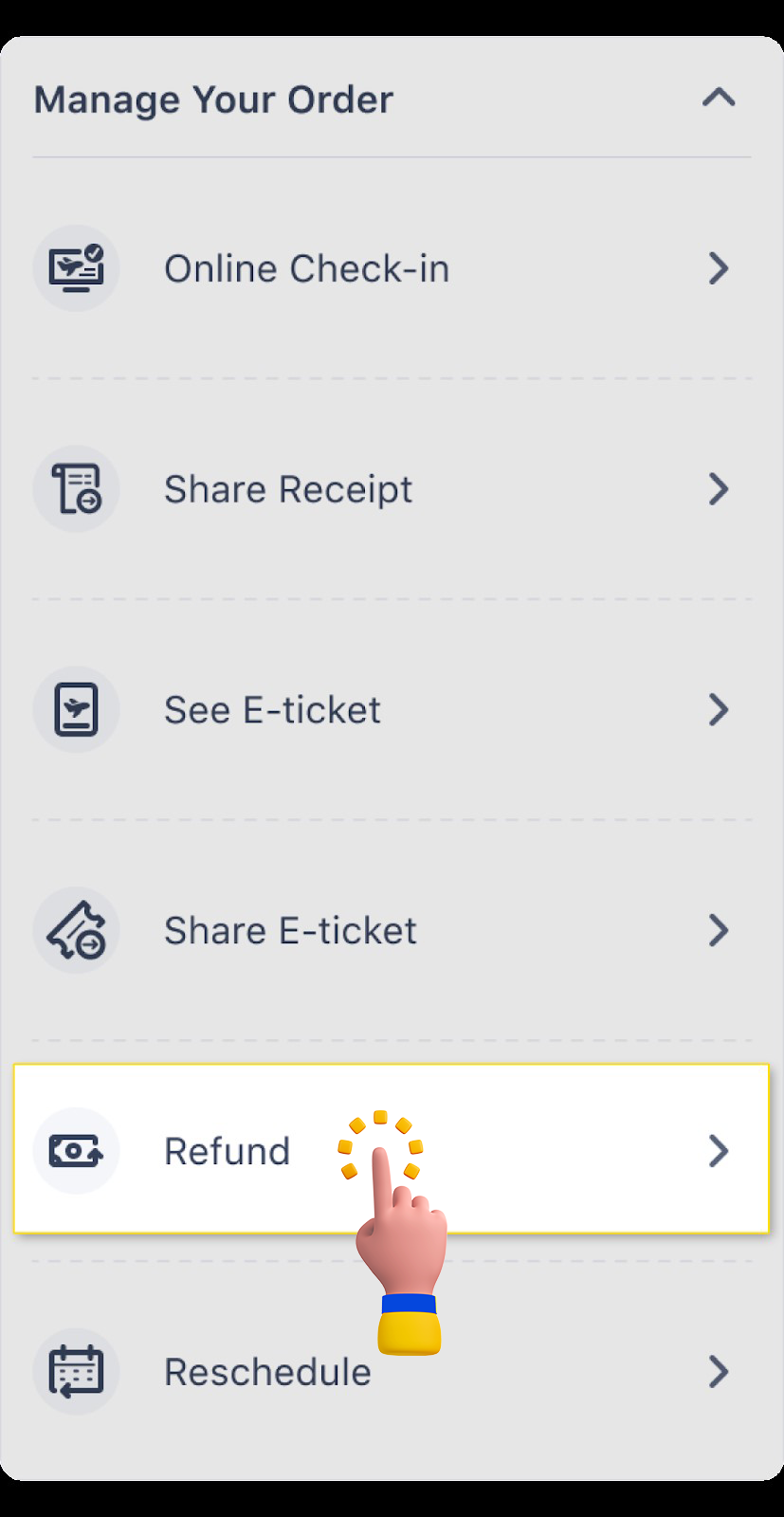
- Select refund.
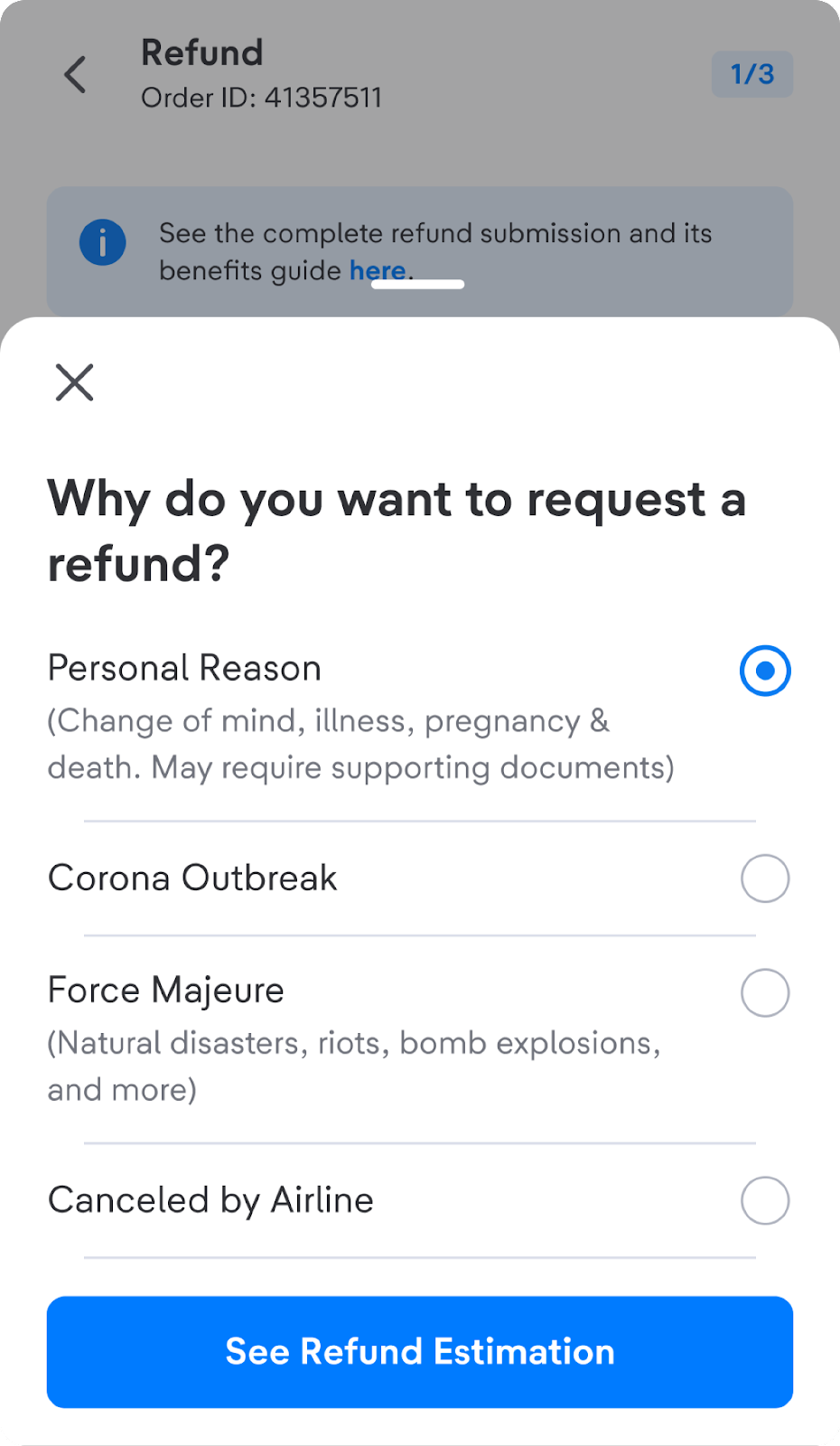
- Choose the reason of refund.
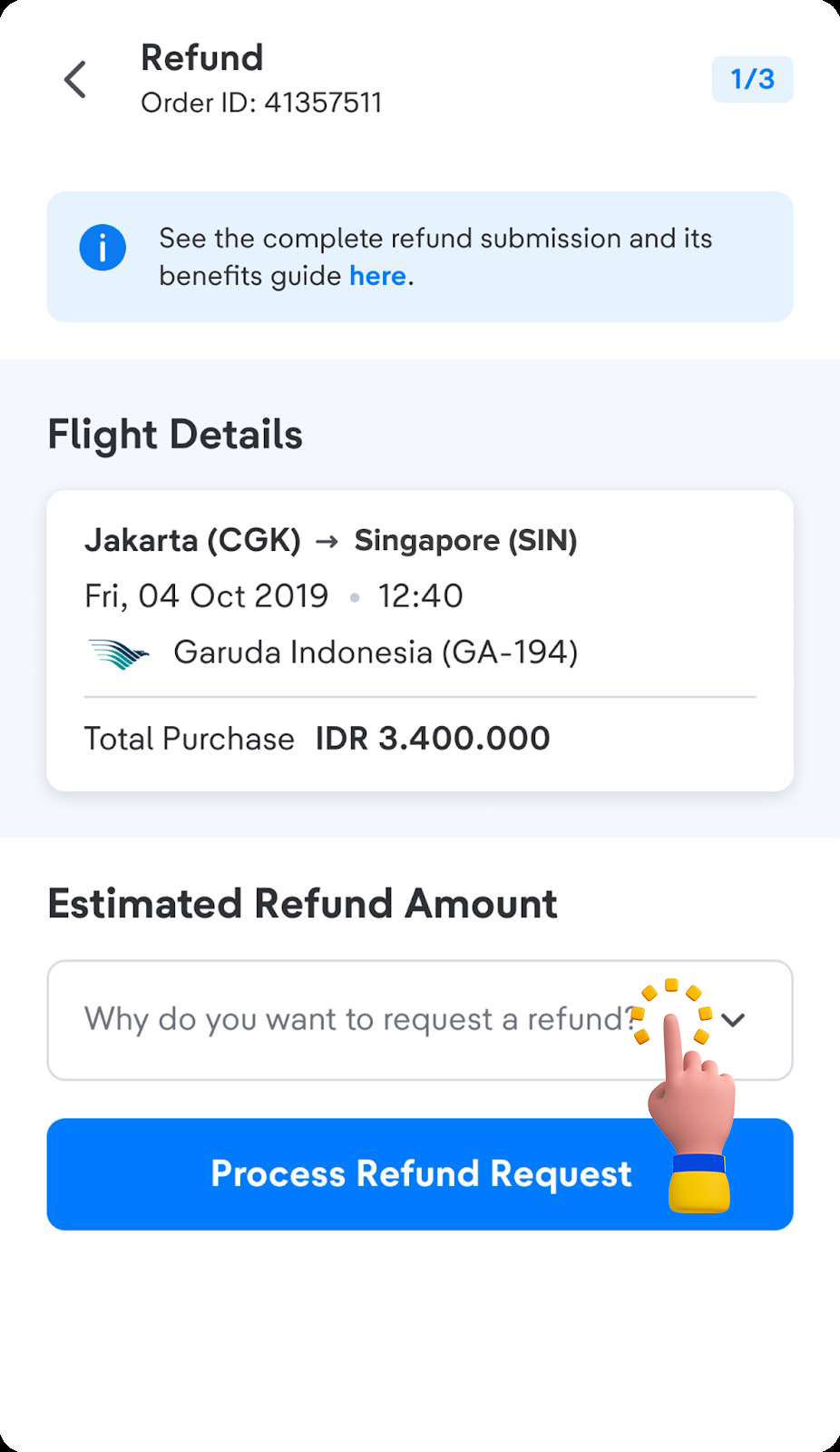
- Select the passengers who want to be refunded and click Continue.
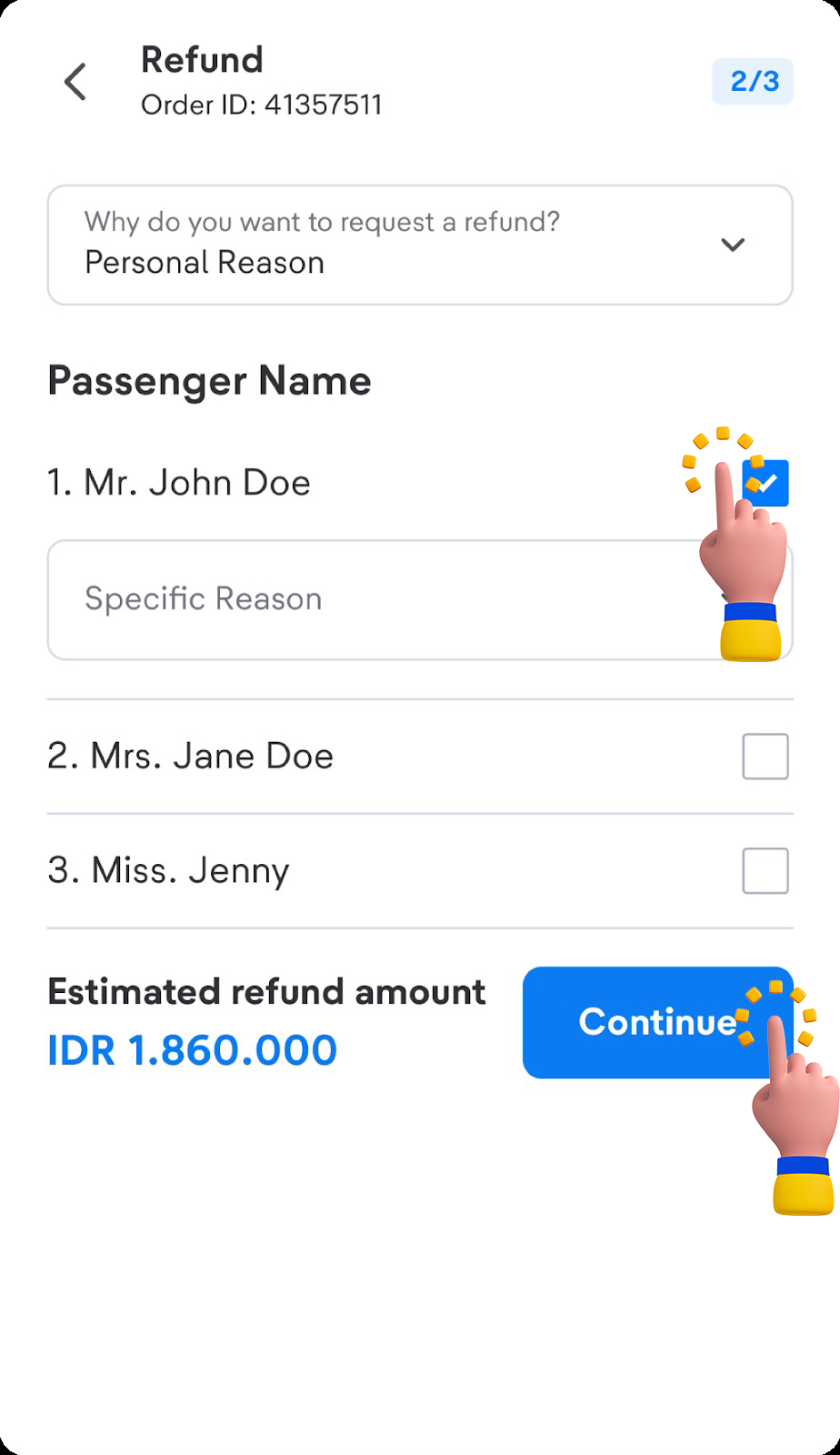
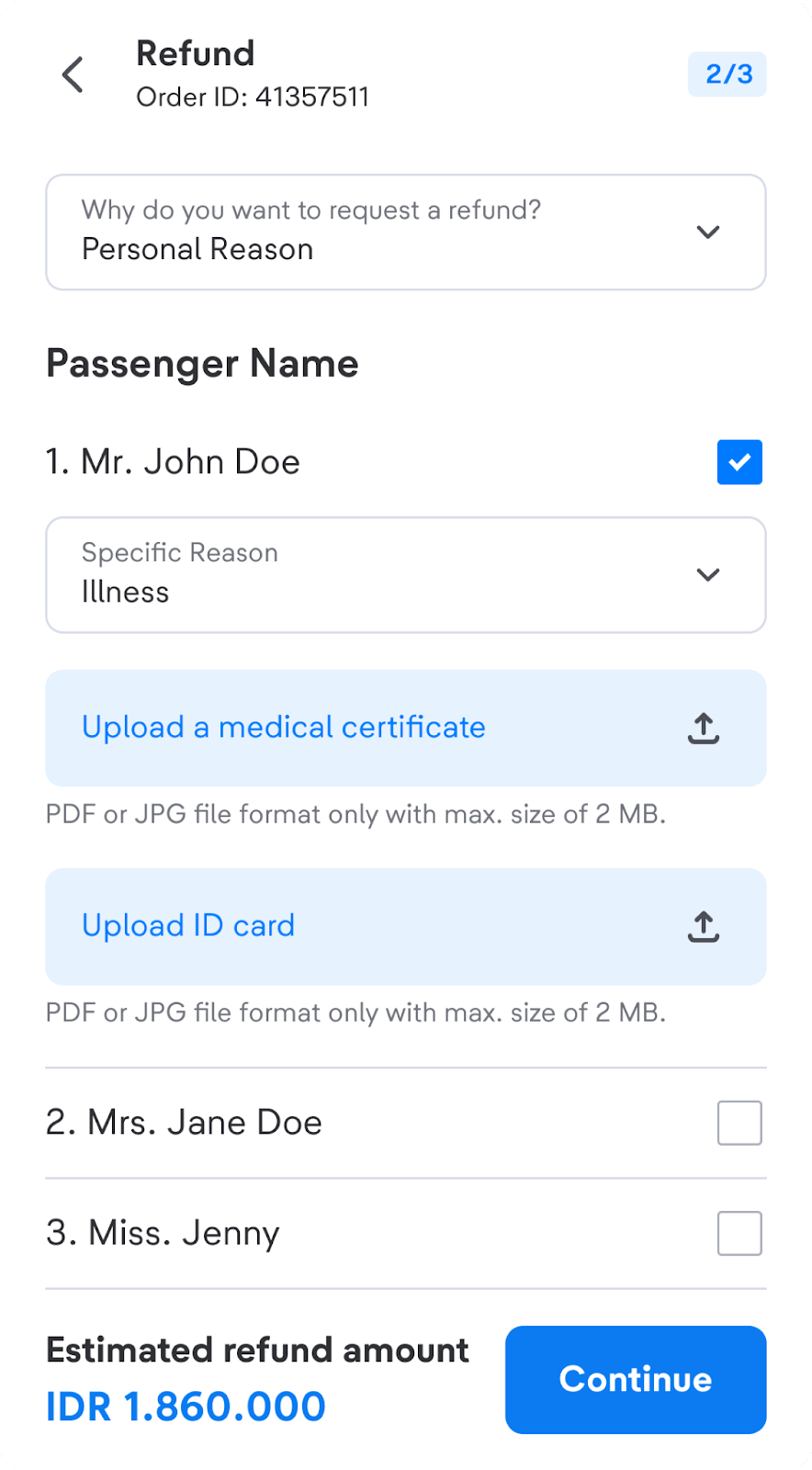
- You will see details of an estimated refund for the selected flight, including details on the price and refund method. Please double-check the flight details before moving on to the next process.
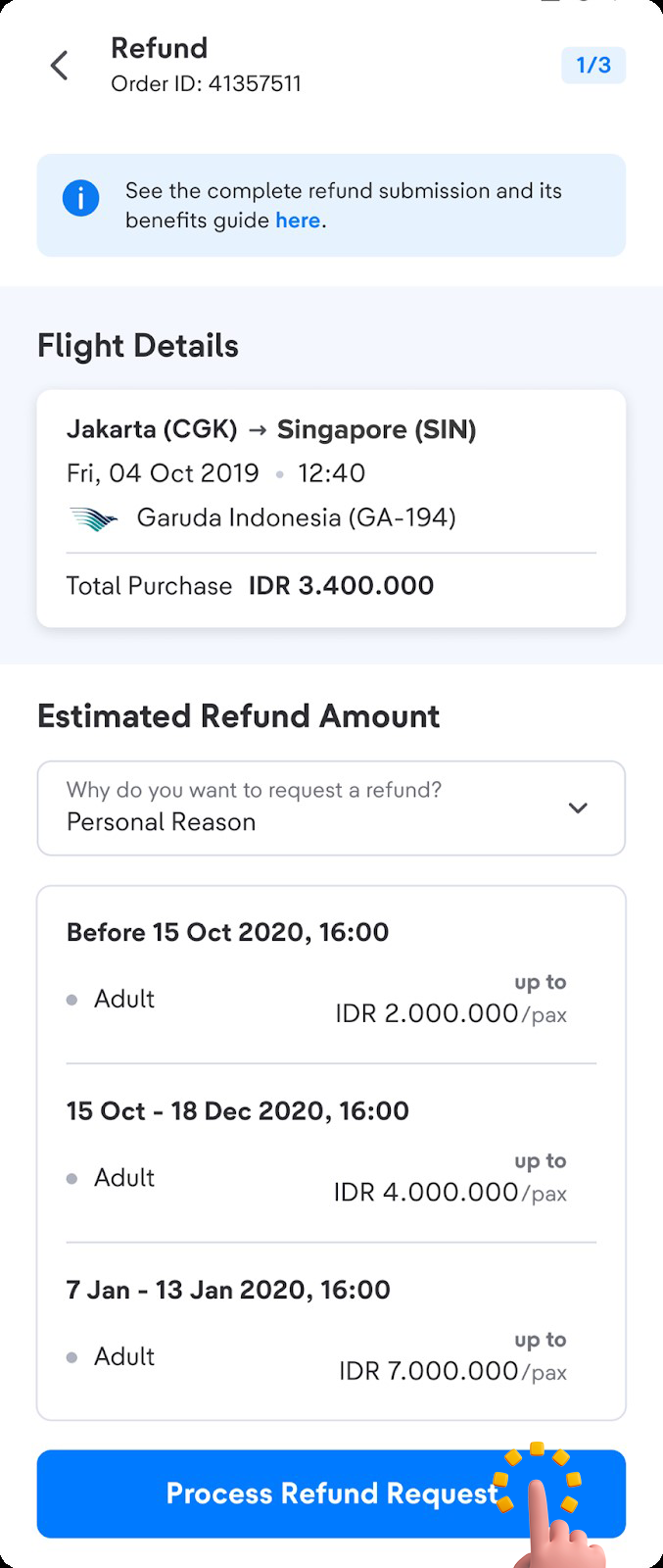
- Read and agree to the refund terms and conditions.
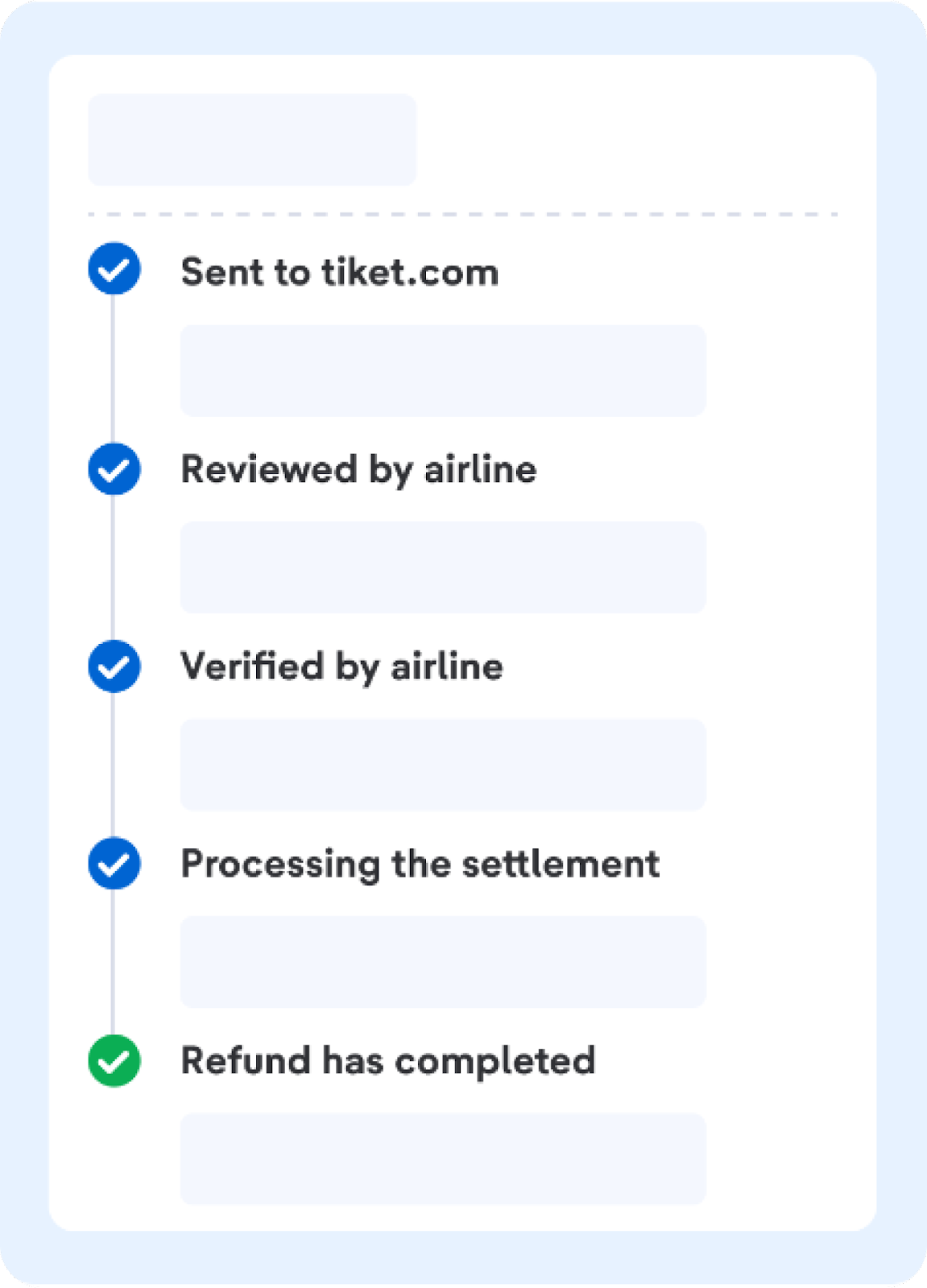
If the refund process is successful, you will receive an e-mail notification that the refund process has been successful. Refunds will be processed within 14-30 calendar days or subject to airline confirmation. For Lion Group airlines (Lion Air, Batik Air, Super Air Jet, Wings Air, and Batik Air Malaysia) refund will be processed maximum 60 calendar days.
Refunds will be given in the form of a BlibliPay balance or following the payment method that you used when ordering.
Important Information:
- Once your refund request has been submitted and approved by the airlines, it cannot be canceled.
- If the submitted refund is rejected, check the reason for your application being rejected through the email registered at tiket.com or on the Refund Status in the Your Orders menu. This happens if you do not fulfill the terms and conditions in submitting an order cancellation. If you want to request a cancellation again, you can confirm in advance by contacting halo tiket.
- In case a system issue occured when submitting a refund through Smart Refund, such as an issue when entering your bank account details or another system-related issue, your refund may be sent via BlibliPay. Don’t worry, your BlibliPay balance can easily be transferred back to your bank account through the tiket.com app. Therefore, make sure you have activated your BlibliPay account to ensure that your refund process goes smoothly.
-
For more information about BlibliPay activation, please visit this page.
-
To learn how to withdraw your balance from BlibliPay, please refer to the following article.
-
You can click this button below to refund your international flight tickets!