How to order train ticket on tiket.com?
Prepare your trip by ordering train tickets easily with just one hand in the tiket.com app.
Train ticket orders can be made starting from 45 days before departure ,and make sure you have checked the conditions here. Come on, follow the easy steps below to order train tickets:
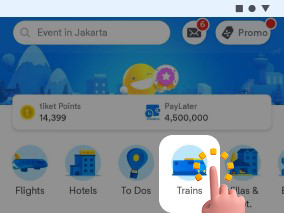
- Open and log in to the tiket.com app. Then, select the Trains menu
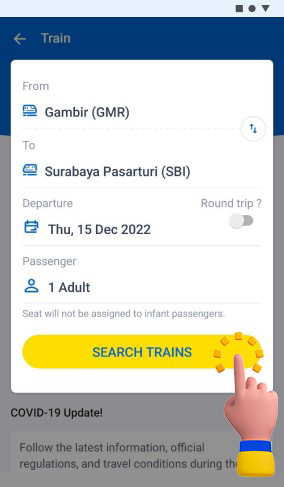
- Choose routes, date, and passenger
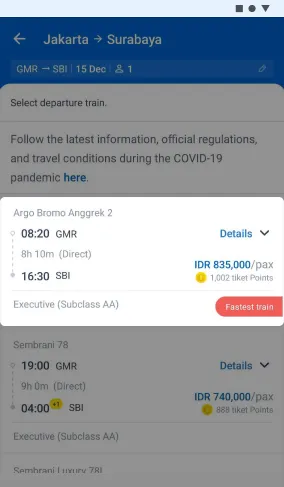
- Choose train
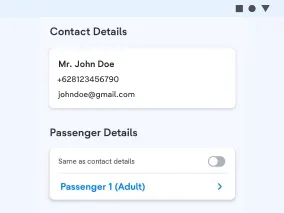
- Fill the Passenger Details
- Choose seats
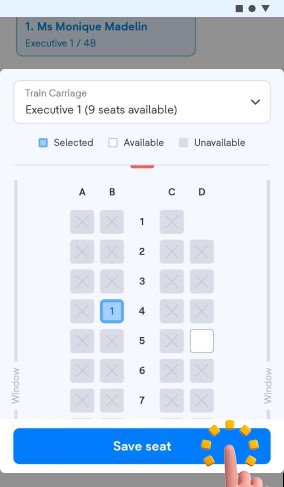
If you want to order for more than one passenger, make sure you choose the same seat and train carriage or adjust your desired seat or train carriage - tiket.com provides additional insurance products that you can order along with your order. Click here to add insurance
- Click Continue to pay
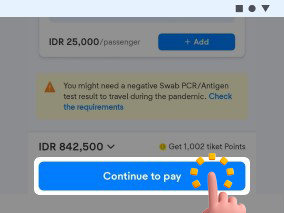
- Don't forget to choose your preferred payment method
- For more interesting offers, input the promo code, pay according to the available time limit, and wait for your payment confirmation
- Yeay! Your payment is completed. Check your e-ticket in your inbox and your email. Enjoy your trip.
Check your order status in the Your Orders menu.
On the departure date, to have an easier check-in experience, you don’t have to print the e-ticket. You can simply open your e-ticket through PDF on your mobile phone. Let’s follow this step below:
- Arrive at the station 1 hour before your departure time, then check in through the check-in machine
- Log in to tiket.com through the website or apps
- Find your e-ticket in the Your Orders menu
- Yeay! Your boarding pass is printed. Enjoy your trip!
Important Information:
- Order deadline and travel routes may change following KAI’s policies
- You can order food before your departure schedule by contacting KAI Access or Preorder on the KAI website here
- To change seats if the ticket has been issued or is successful, you can confirm this with KAI at 121
- After completing your booking and payment, you can check your booking status and resend your e-ticket through the Your Orders menu. Change the language in the settings menu to receive your e-ticket in English.
- If you have made a payment, but your e-ticket hasn’t been issued, wait until your payment deadline is complete
- If the time limit has expired, and you haven’t received your e-ticket, please reach out to us and send the screenshots of your payment through halo tiket.
- If your e-ticket's status suddenly changed to Cancelled, you can always reach out to halo tiket, and we'll check your issues immediately.