How to pay using Debit Card or Credit Card?
After arriving at the payment page, t-mates can choose the payment method via Debit Card or Credit Card. It's important for t-mates to know that operational hours for payment using this method are available 24 hours a day, so t-mates can easily make transactions anytime.
No need to worry, let's follow the steps below to make payment via Debit Card or Credit Card method:
- Enter Debit Card data
- Enter your Debit Card number
- Credit card validity period (months and years)
- Name of the Debit Card holder
- Enter CVV / CCV
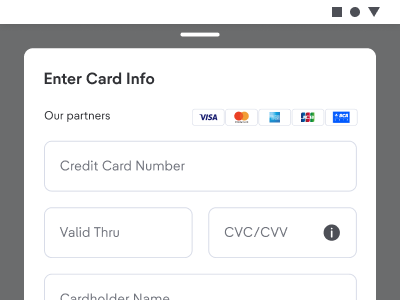
- Specifically for Credit Card, you can choose Installment
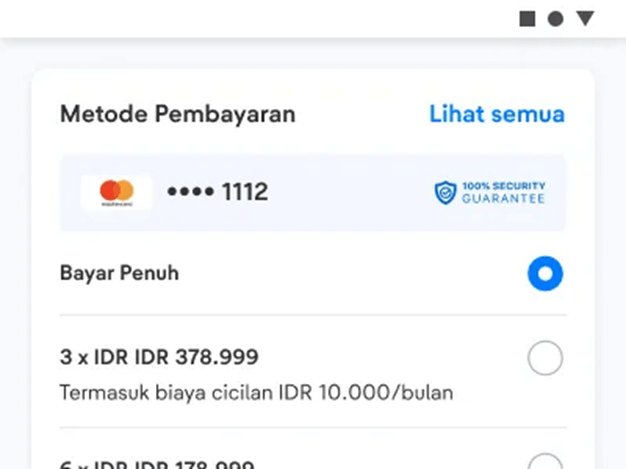
- Enter promo code or gift voucher if you have.

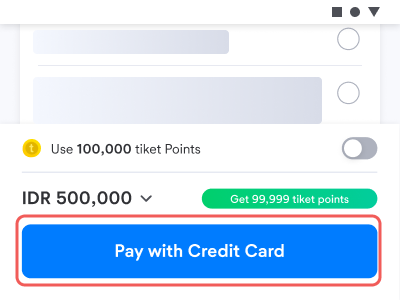
- Select the "Pay" menu to go to the next stage.
- 3D'S display appears. [If Debit Card has a secure 3D feature]
- 3D'S view will request an OTP / password sent to the user's phone number
- Enter "OTP / password" from your phone number
- Click "OK"
- Transaction successful
See the bank lists that collaborate with tiket.com here.