



Villa di Tenjolaya

Penawaran menarik buatmu





1/5
Menampilkan 2 Villa di Tenjolaya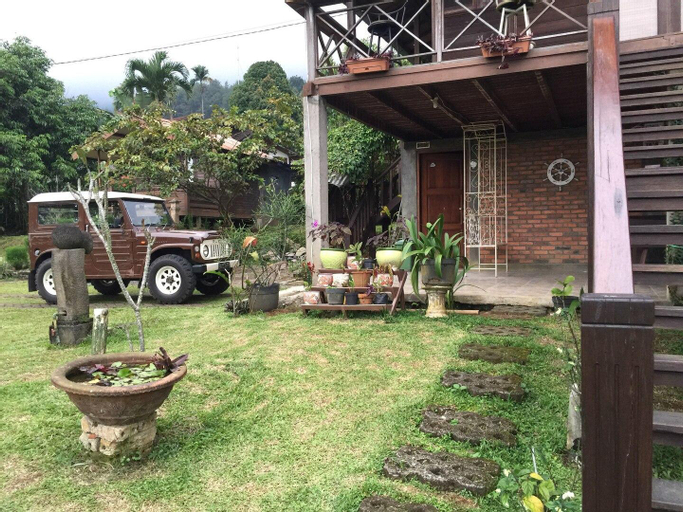

 Tenjolaya, Bogor
 Cibungbulang, Bogor
Taman Sari Villas
Villa
VILLA DIANTIE (WOODEN) menyediakan layanan sempurna dan semua fasilitas yang diperlukan bagi pengunjung.Pengunjung dapat memanfaatkan parkir gratis langsung di akomodasi.Untuk memastikan tingkat relaksasi maksimal, kamar tamu menampilkan desain yang menarik dan dilengkapi dengan semua kebutuhan dasar, menciptakan pengalaman menginap yang menyenangkan.Untuk pengalaman menginap yang lebih baik, kamar-kamar tertentu dilengkapi dengan AC atau layanan linen untuk meningkatkan pengalaman menginap Anda.Sejumlah kamar dilengkapi streaming video dalam kamar, surat kabar harian, atau TV untuk hiburan dan kesenangan para tamu. Memahami pentingnya fasilitas kamar mandi dalam meningkatkan kepuasan tamu, akomodasi ini menawarkan jubah mandi, handuk, atau pengering rambut di kamar-kamar tertentu.
Lihat detailCozzy Aishaf Hills
Villa
Kamar di Cozzy Aishaf Hills
Nikmati kenyamanan rumah Anda sendiri di salah satu dari 15 kamar yang ada.
Nikmati kenyamanan rumah Anda sendiri di salah satu dari 15 kamar yang ada.
Villa di Tenjolaya
Jangan pernah ragu untuk memesan Villa di Tenjolaya melalui tiket.com. Sebagai partner wisata terbaik untuk kamu, tiket.com akan memberikan kemudahan untuk booking hotel yang kamu inginkan, dapatkan hotel favorit kamu sekarang hanya di tiket.com

Cara Pesan Penginapan di tiket.com
1. Cari penginapanKamu bisa cari hotel dengan memasukkan nama kota, area, atau penginapan yang ingin kamu pesan.
2. Pilih kamarDi halaman detail penginapan, kamu akan melihat berbagai pilihan kamar yang masih tersedia.
3. Lengkapi detail pemesananMasukkan detail pemesan (orang yang akan dihubungi tiket.com dan pihak penginapan terkait pemesanan), dan detail tamu yang akan menginap.
4. Tambah Fasilitas EkstraKamu juga bisa menambahkan berbagai layanan tambahan seperti paket makan, transportasi, dan layanan lainnya.
5. Lakukan pembayaranPilih metode pembayaran dan selesaikan pembayaran. Jangan lupa gunakan kode promo untuk pesan penginapan lebih murah di tiket.com.
6. Cek e-voucherSetelah pembayaran berhasil, kamu bisa cek e-voucher di menu Your Orders. E-voucher juga akan dikirim ke email yang ada di detail pemesan.