How to refund my To Do ticket?
Ticket cancelation
t-mates, you need to know that the To Do ticket, including concerts or events that you bought is non-refundable. If there are special conditions such as the event being canceled by the promoter or the attraction not operating, then you will get a notification from tiket.com to request a refund.
If your product is refundable, the refund process takes 7 days from the date the submission is received or according to the promoter.
Refunds will be given in the form of a BlibliPay balance or following the payment method that you used when ordering.
To refund your order with currency Non-IDR will be refund according to the currency used when ordering.
The refund process follows the information and policies that apply to each organizer/manager, here are the steps for submitting a refund:
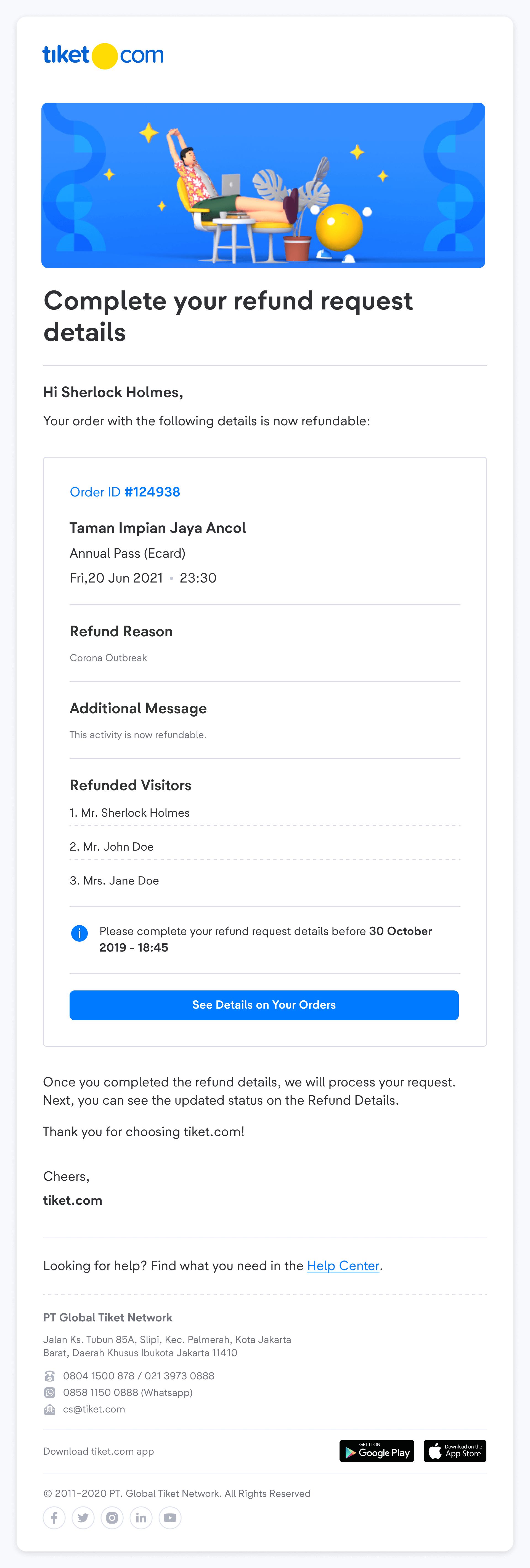
- Ensure that you receive an email from tiket.com regarding your order refund to start the refund process.
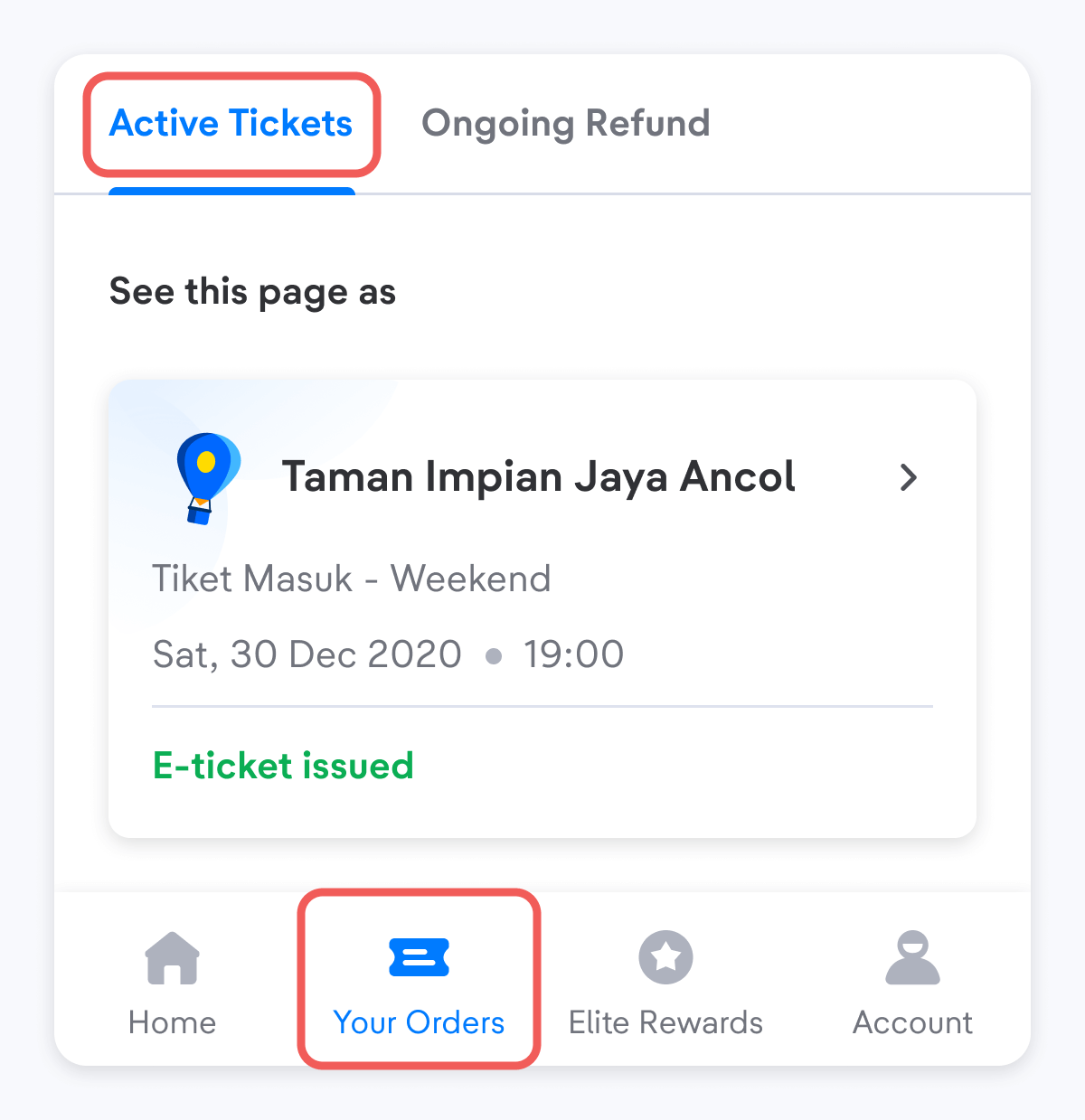
- Check Your Orders Page choose one of your active tickets you want to be refunded.
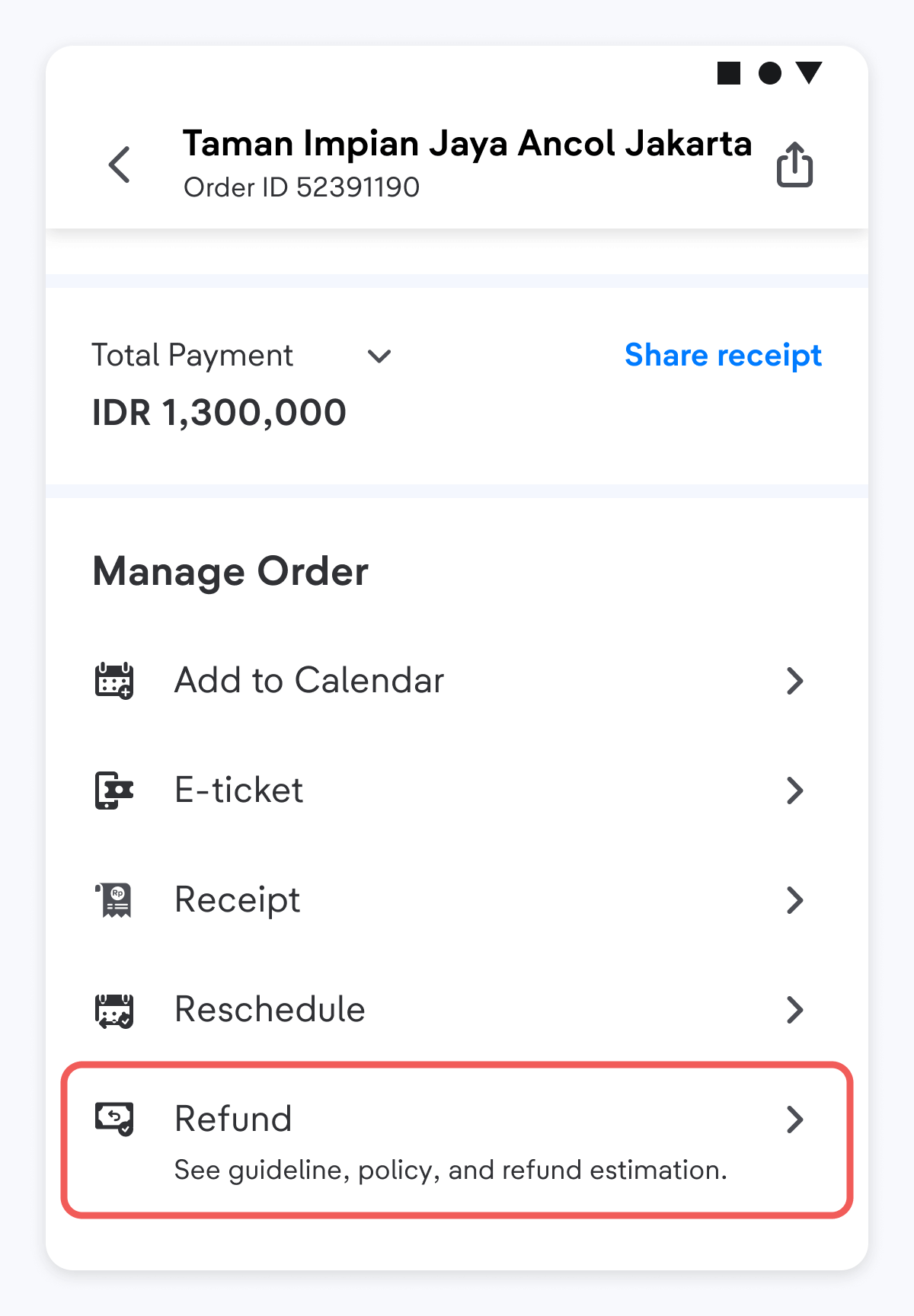
- If your order is eligible for a refund, then you will see the refund button at the bottom of the order details, then click "Refund" at the bottom of the page.
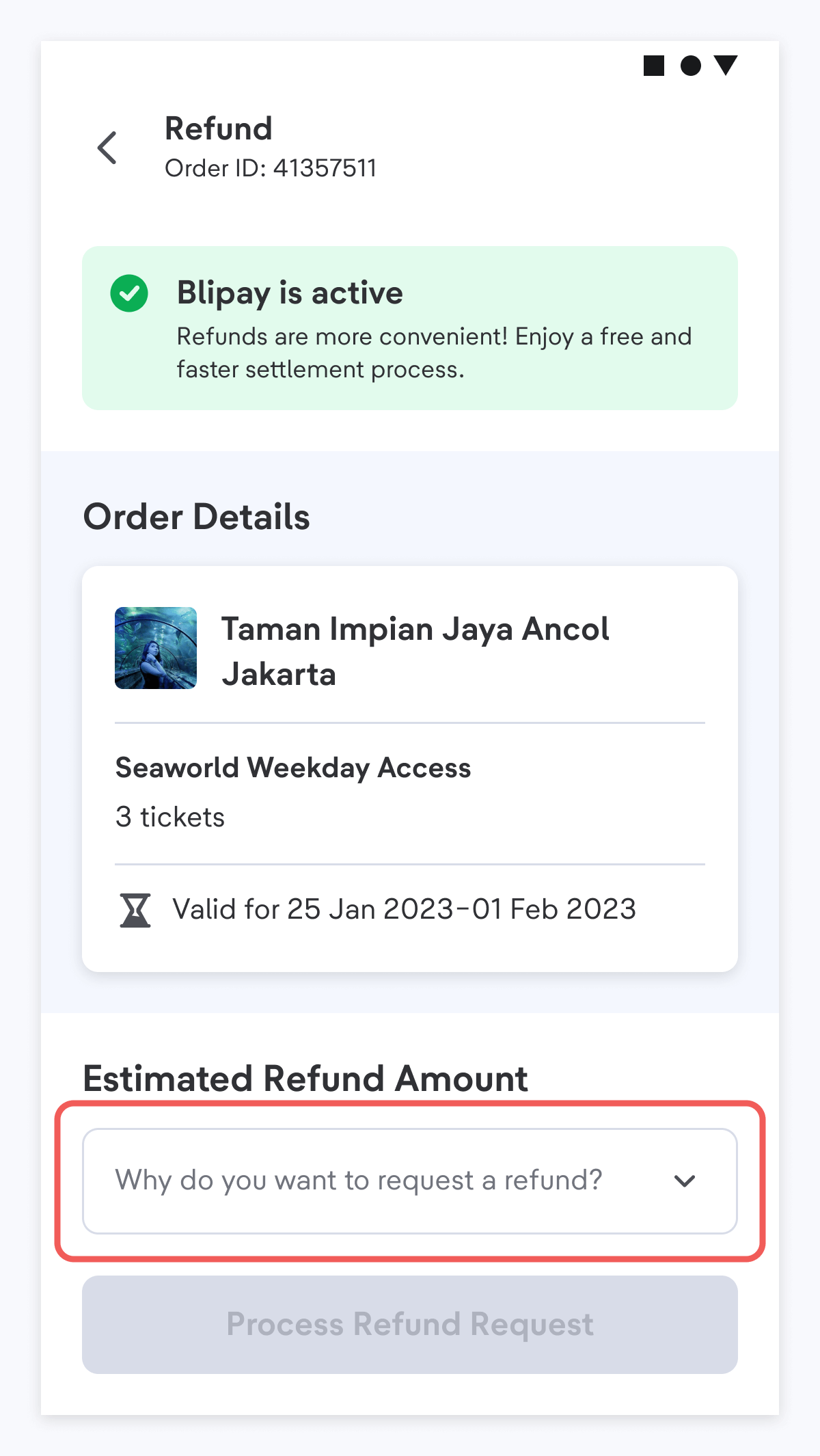
- Click the drop-down to fill in why you want to request a refund, then click “Process Refund Request”
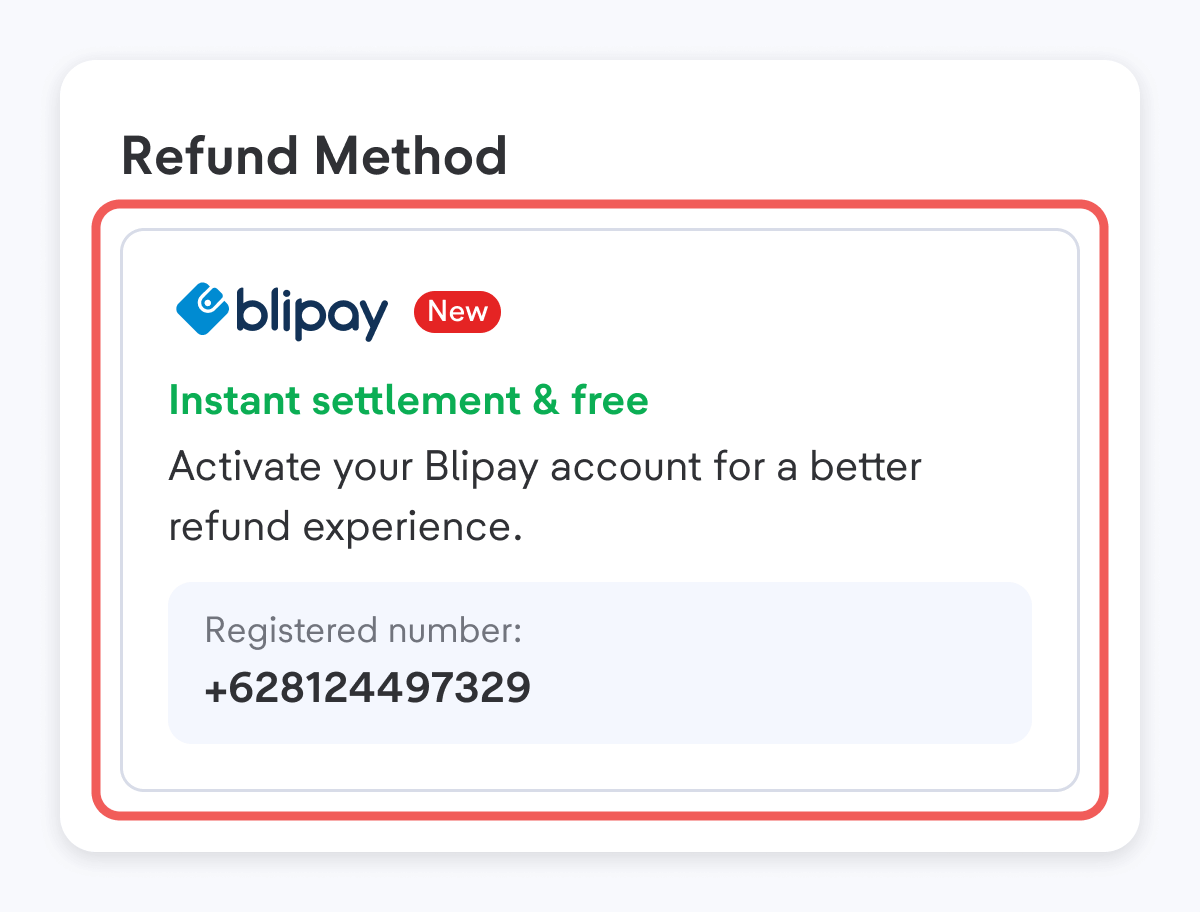
- You need to activate Blipay to receive a refund. If you haven't activated Blipay yet, follow the instruction here.
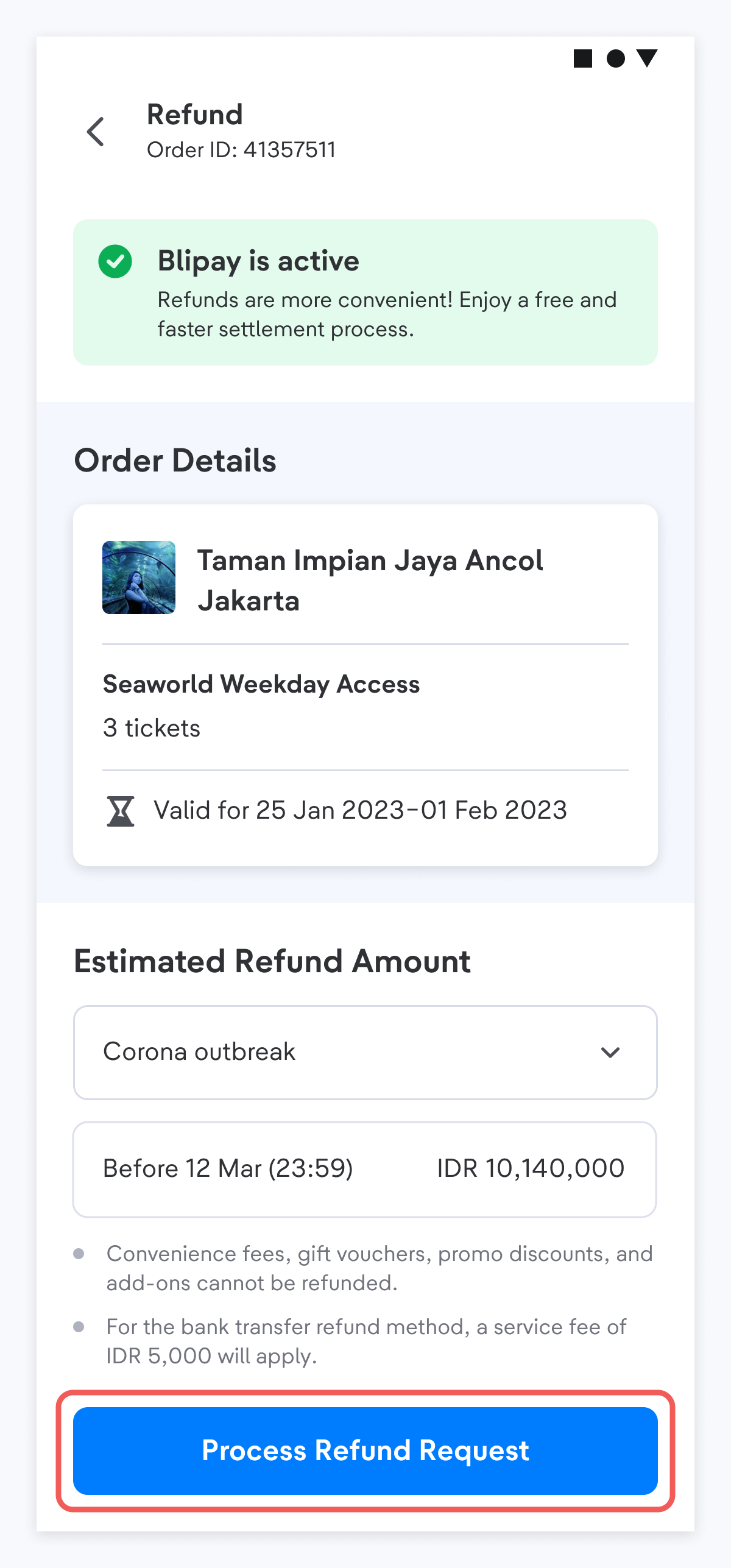
- You need to activate Blipay to receive a refund. If you haven't activated Blipay yet, follow the instruction here.
- You must select all tickets since you can't refund some tickets, make sure the number of the tickets is the same as the number you initially purchased, and then click “Continue”.
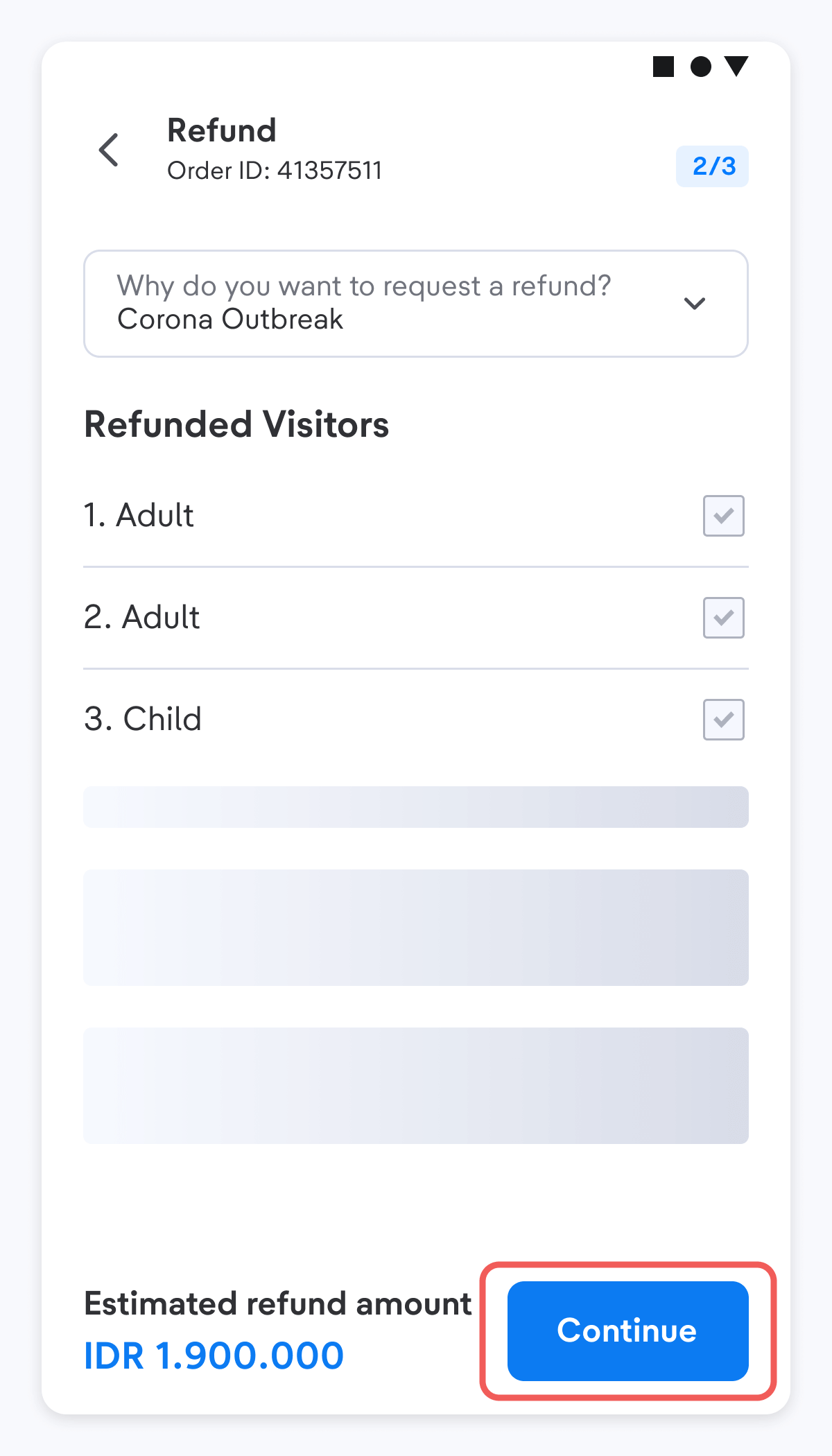
- Choose a refund method according to the payment method used when paying.
- Please double-check the ticket details before moving on to the following process. You will see the details of the estimated refund for all tickets, including details on the price and refund method. If you are sure to refund your ticket, tick to agree, then click “Submit a Refund Request”
- The estimated total amount will be deducted by the platform fee.
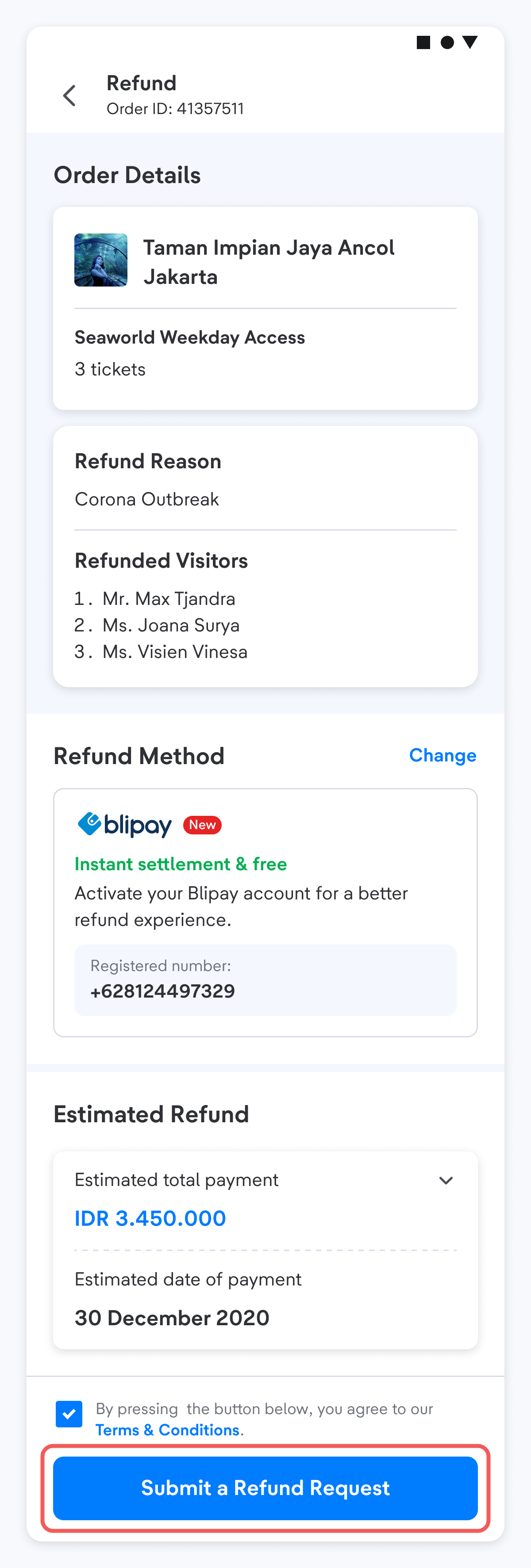
- The estimated total amount will be deducted by the platform fee.
- Congratulations! Your refund request has been submitted. Refund requests will need to take some time for review, and you can monitor the progress from time to time through your order details page.
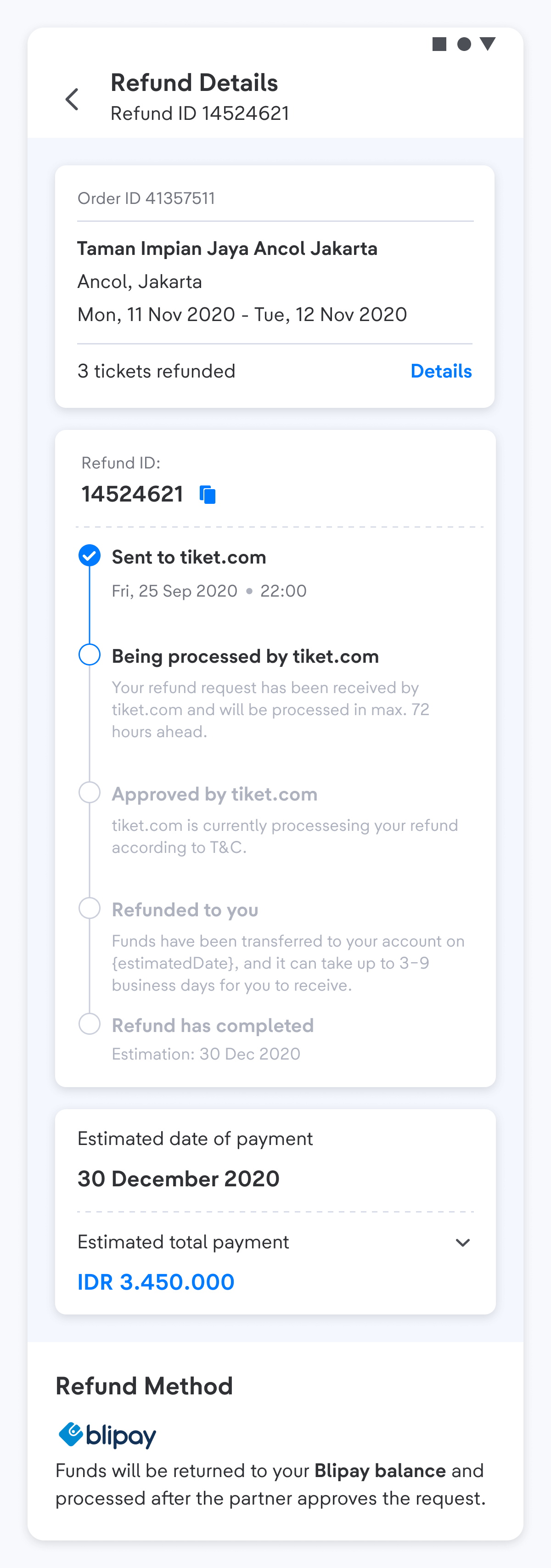
If the refund process is successful, you will get an email notification that the refund has been transferred back to the bank account or credit card limit as you entered in the refund data. Check your email regularly!
In case a system issue occured when submitting a refund through Smart Refund, such as an issue when entering your bank account details or another system-related issue, your refund may be sent via BlibliPay. Don’t worry, your BlibliPay balance can easily be transferred back to your bank account through the tiket.com app. Therefore, make sure you have activated your BlibliPay account to ensure that your refund process goes smoothly.
-
For more information about BlibliPay activation, please visit this page.
-
To learn how to withdraw your balance from BlibliPay, please refer to the following article.
If you have not received your refund more than the specified time, you can contact halo tiket. We will be happy to help.