How to write a ticket To Do review?
You can share your experience of the holiday in your booked to do through the review feature on tiket.com. You can leave a review after using the to do ticket.
Here are the steps to write a review on the tiket.com app:
- You will find a notification to write a review on the Your Orders menu and email.
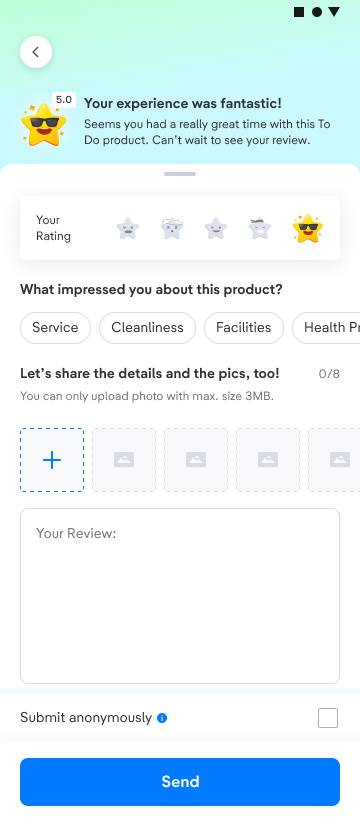
- Write about your experience in the field available. You can also add photos to your review.
- Choose the traveler type suitable to you. .
- Since we only display genuine reviews, tiket.com will show the full name of the customer who leaves reviews.
However, you can also leave an anonymous review by ticking the box. We will hide your full name and only show your initials.
You won’t be able to edit your review once you submit it. Therefore, make sure your review doesn’t contain inappropriate or offensive words. By sharing your review, you are helping other users to search for a suitable partner to do. Additionally, you will get 500 Blibli Tiket Points as a reward which you can use for your next purchase.