What is tiket To Do Passes?
Now you can choose TTD package for multi-visits in just 1 purchase using Passes. This feature allows you to get access to an activity with cheaper price and flexibility to choose the time of visit within the ticket validity period.
Check out the type of Passes below:
Multi-visits for Single Product
Passes allows you to choose 1 product that comes in handy with various additional packages so you don’t need to order it separately. There are 2 types of ticket that you can choose, which are Single-visit and Multi-visits.
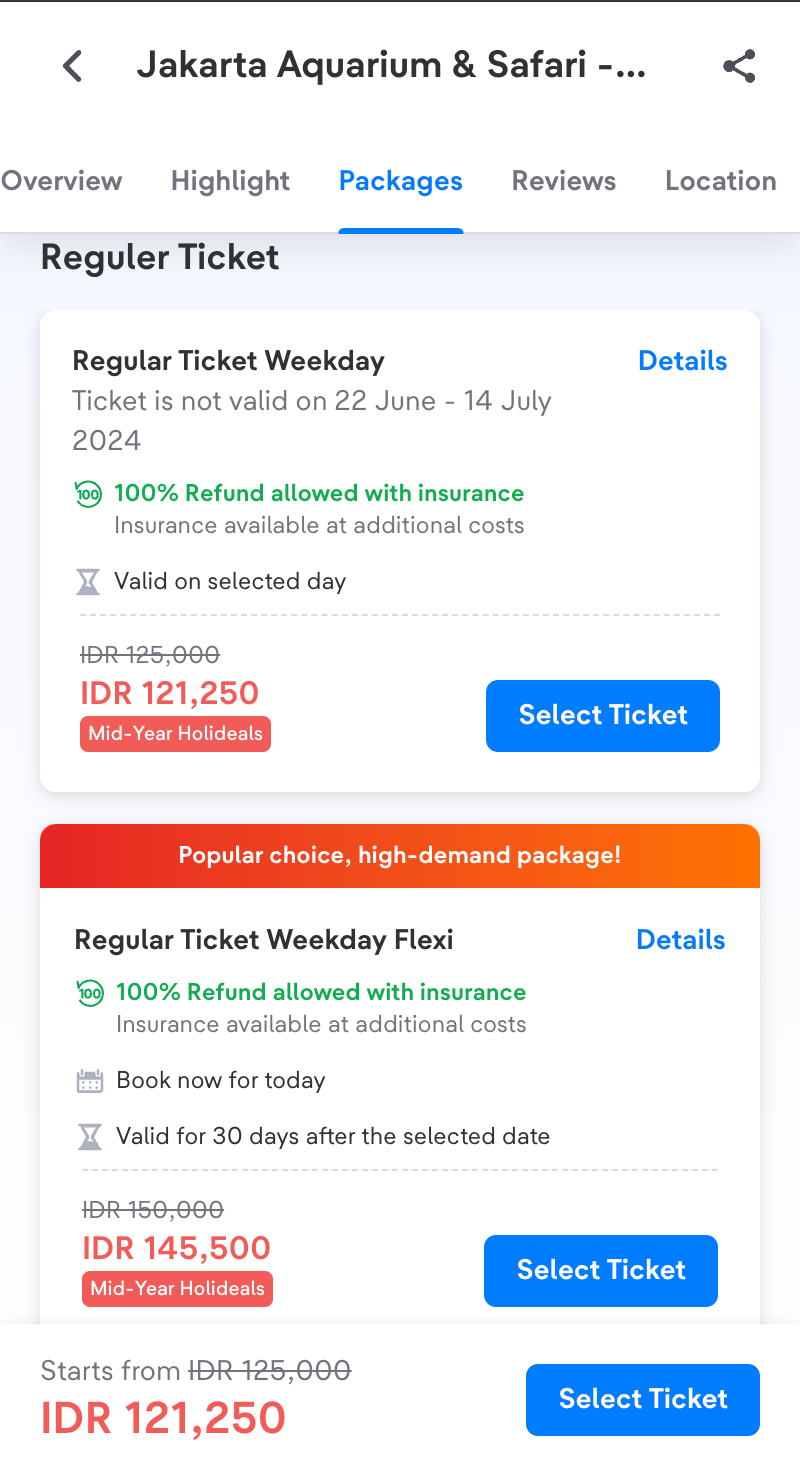
Single-visit tickets can be used for 1 time only, meanwhile Multi-visits tickets can be used several times depending on the package you choose.
How to Order Multi-visits Passes for Single Product:
1. Find Passes banner on tiket.com homepage or click the To Do icon and search for Passes section.
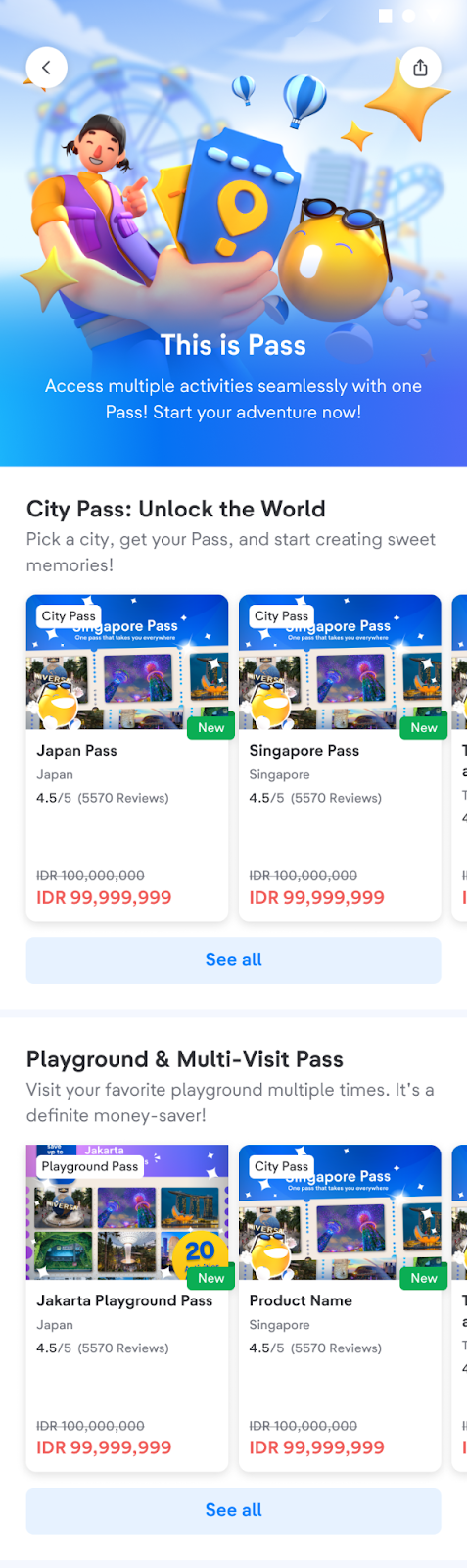
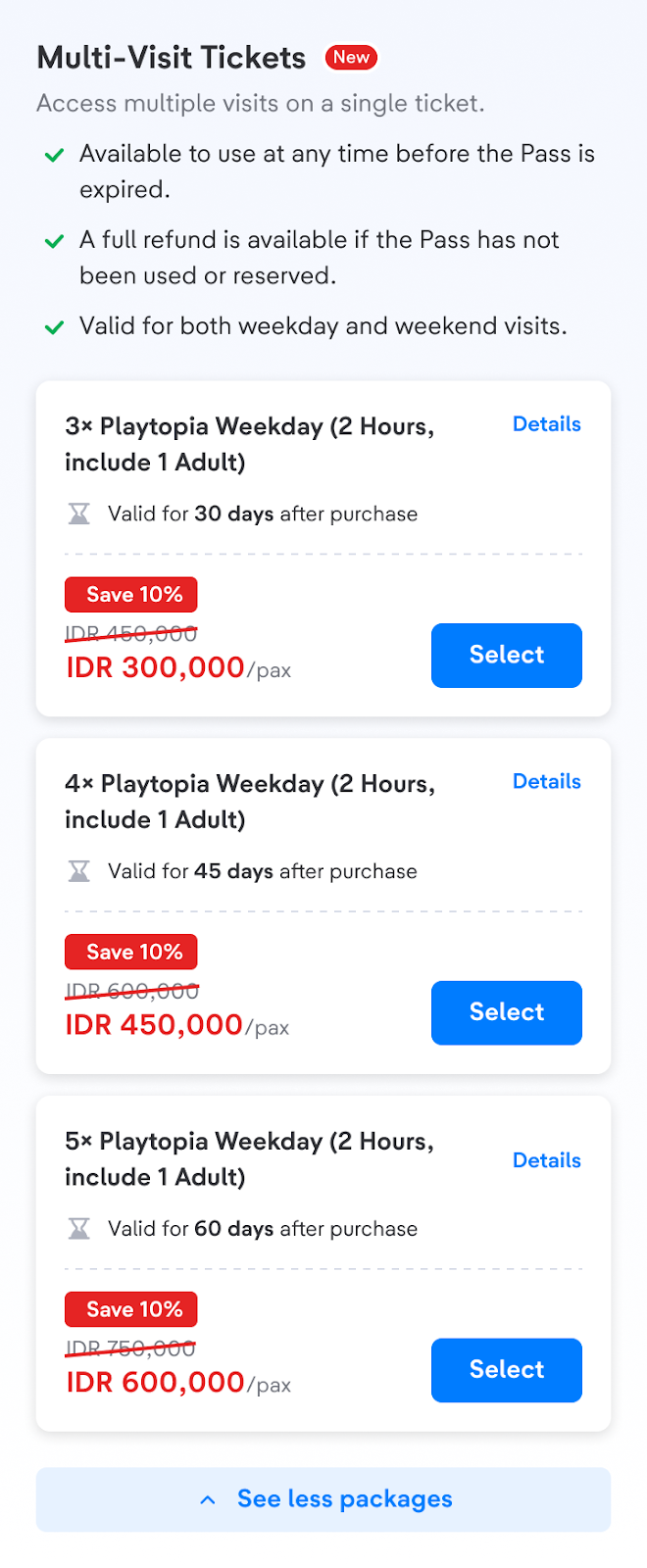
2. Choose the To Do Passes that you want. For multi-visits tickets, you can find packages titled with 3x or 4x which means the number of visits you can get within one purchase.
Single-visit
Multi-visits
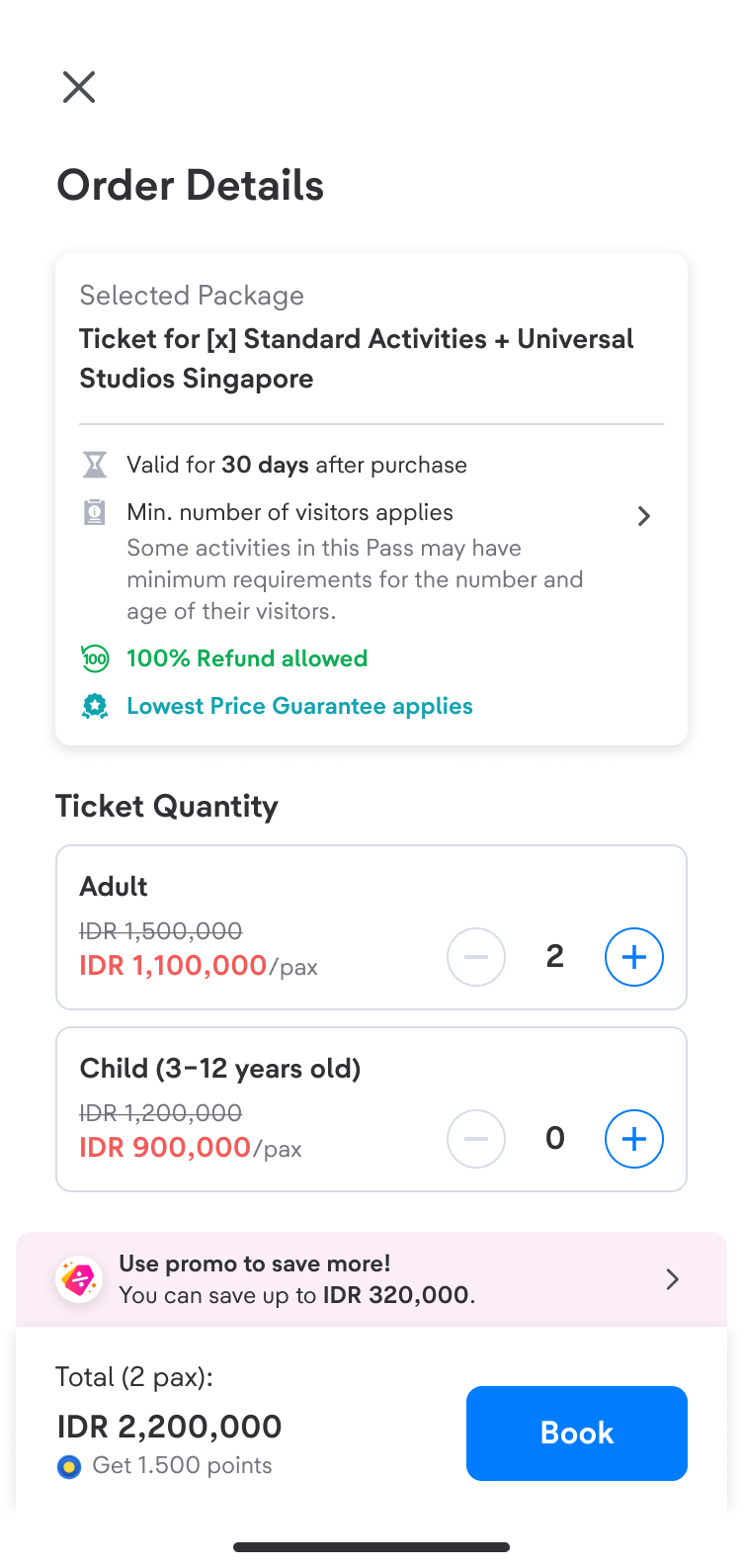
3. Fill in the visitor’s name and continue to Payment.
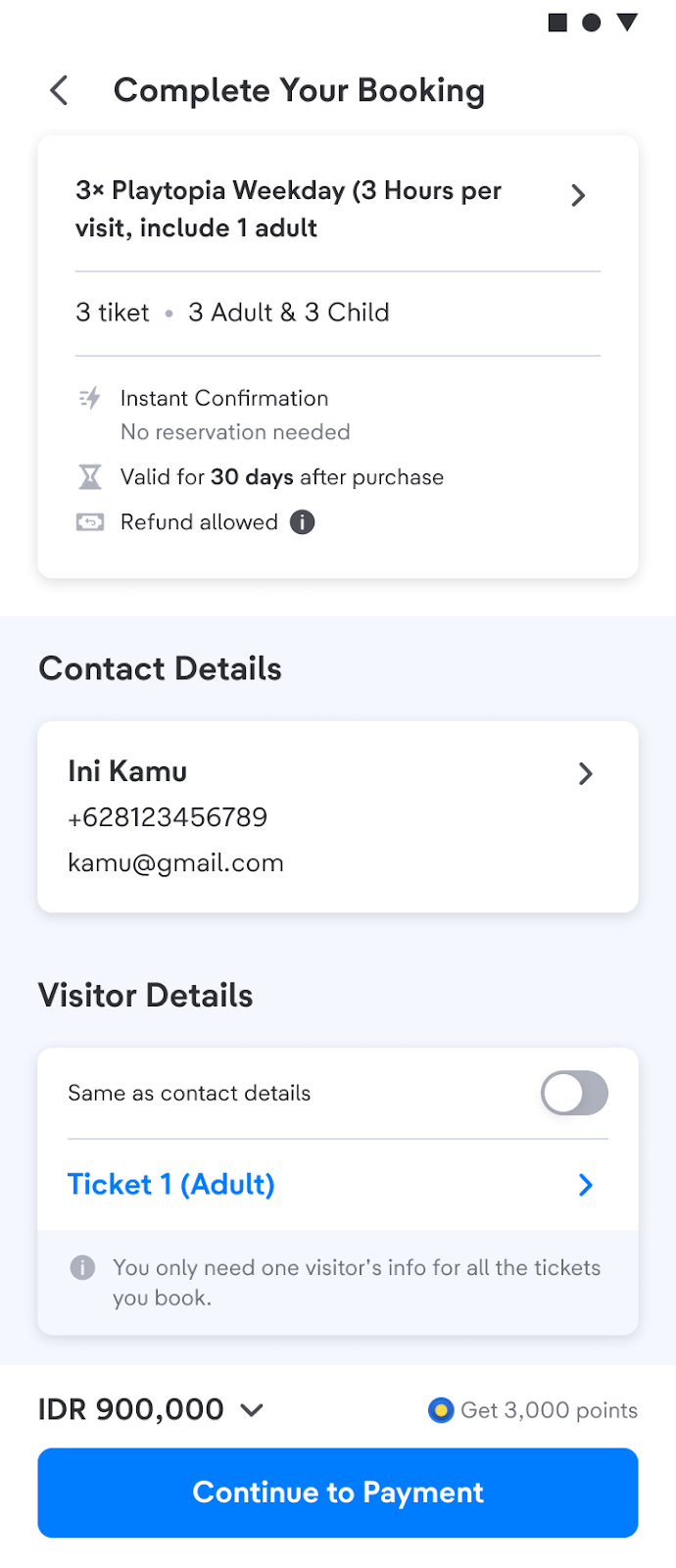
4. Choose the payment method you want and then Pay.
5. Yeay! You are ready to use your ticket. Check Your Order to see the e-ticket.
Multi-visits tickets for Multiple Products
This type of ticket is for you who wants to order various activities or attractions and want to use it on multiple visits at a cheaper price.
How to Order Multi-visits Tickets for Multiple Products:
1. Find Passes banner on tiket.com homepage or click the To Do icon and search for Passes section.
2. Choose the To Do Passes that you want.
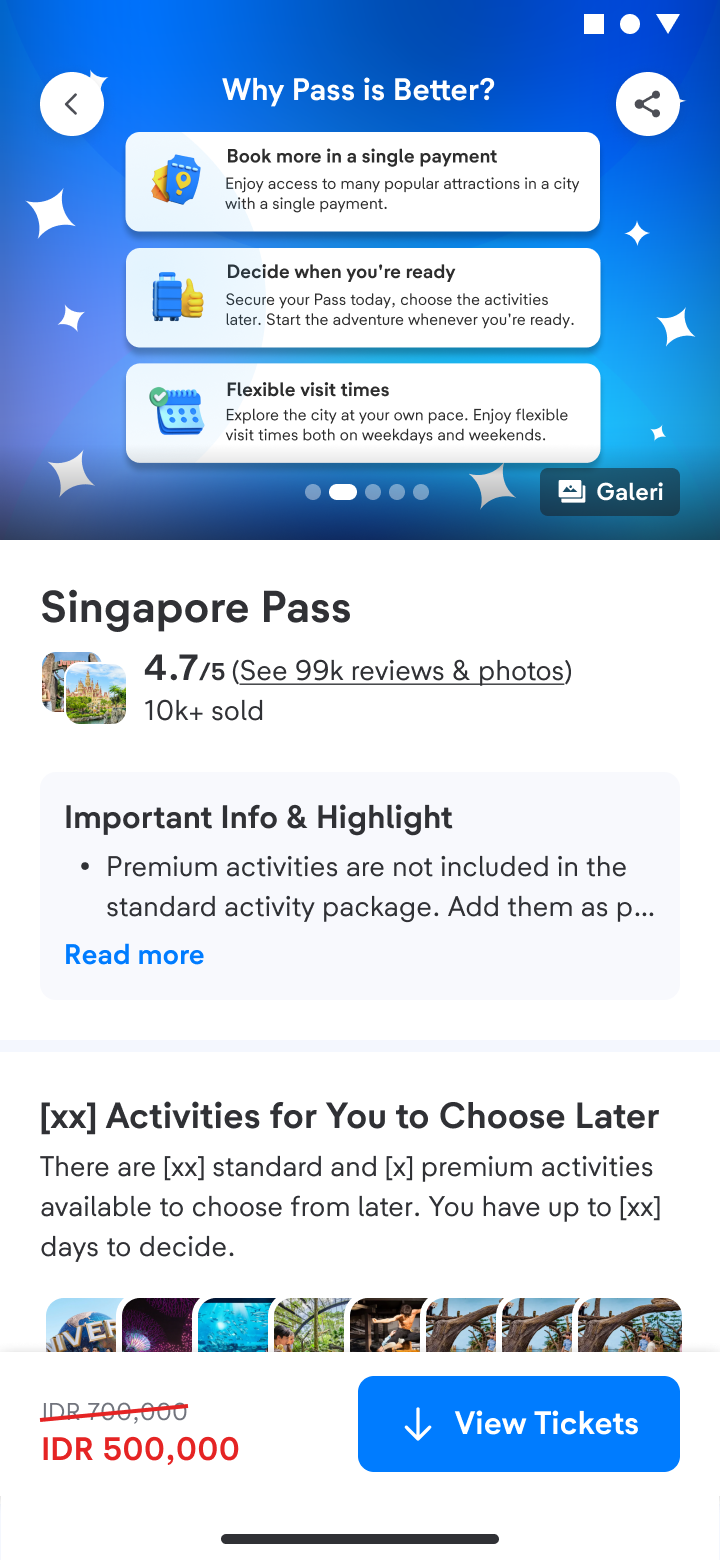
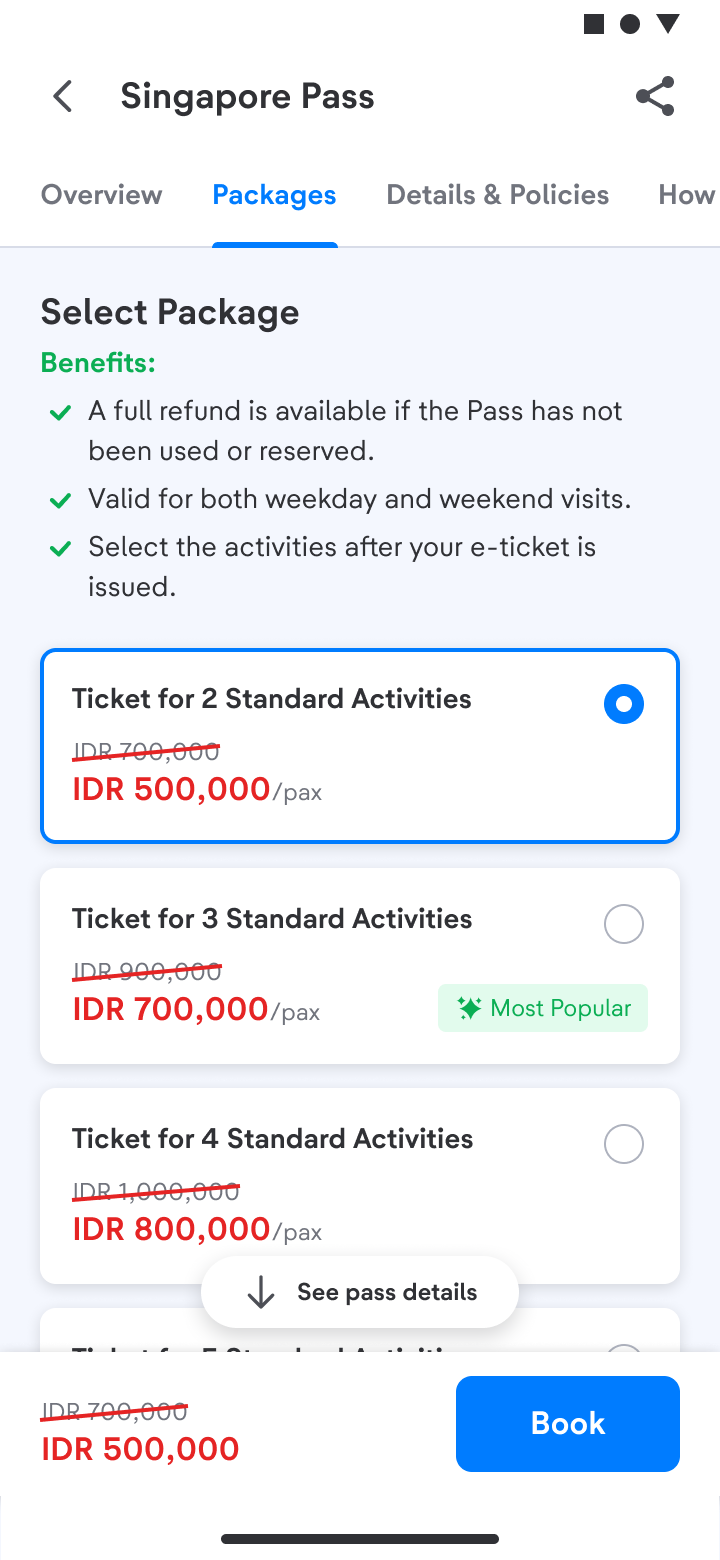
3. There are various multi-visits packages you can order. A product titled with 3x or 4x means the number of visits you can get within one purchase.
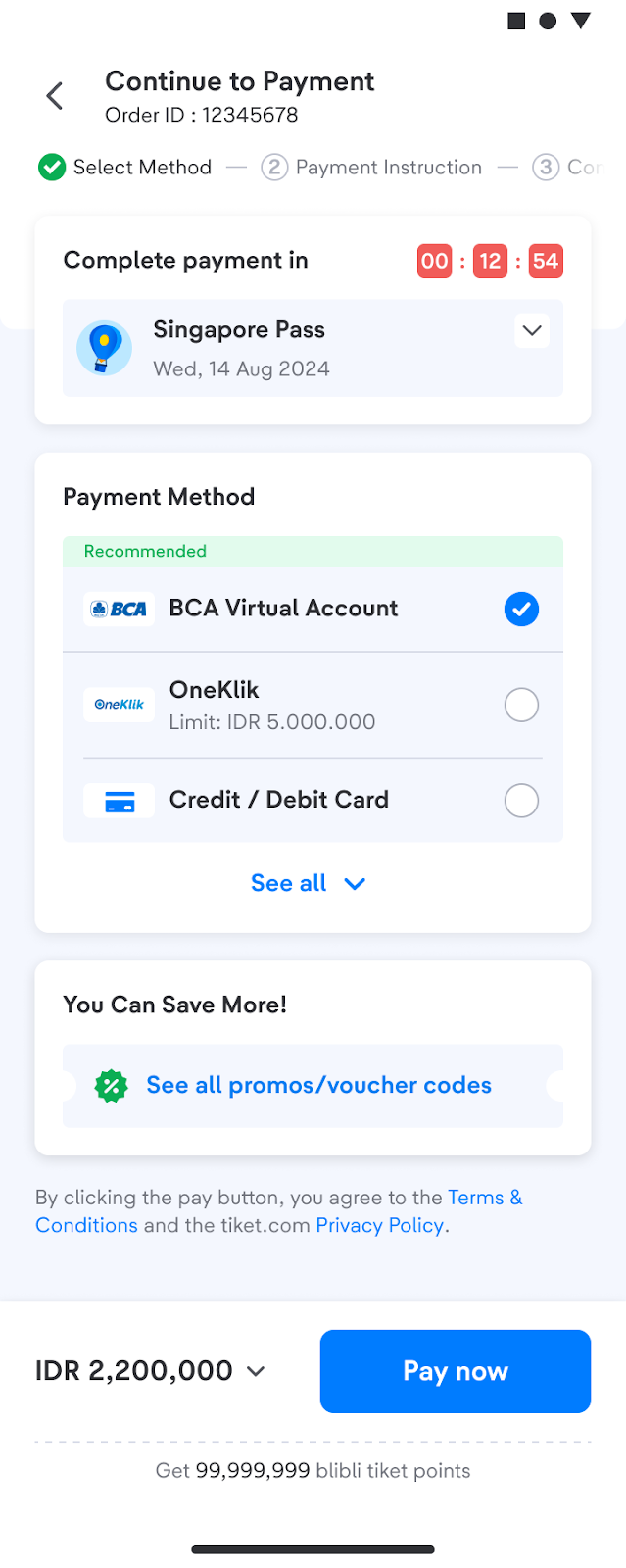
4. Fill in the visitor’s name and continue to Payment.
5. Choose the payment method you want, then Pay.
6. Yeay! You are ready to use your ticket. Check Your Order to see the e-ticket.
After the e-ticket is issued, before visiting the attractions you need to make a reservation first.
Here’s how to reserve and use the ticket:
1. Go to Your Order and choose the attraction you want to visit.
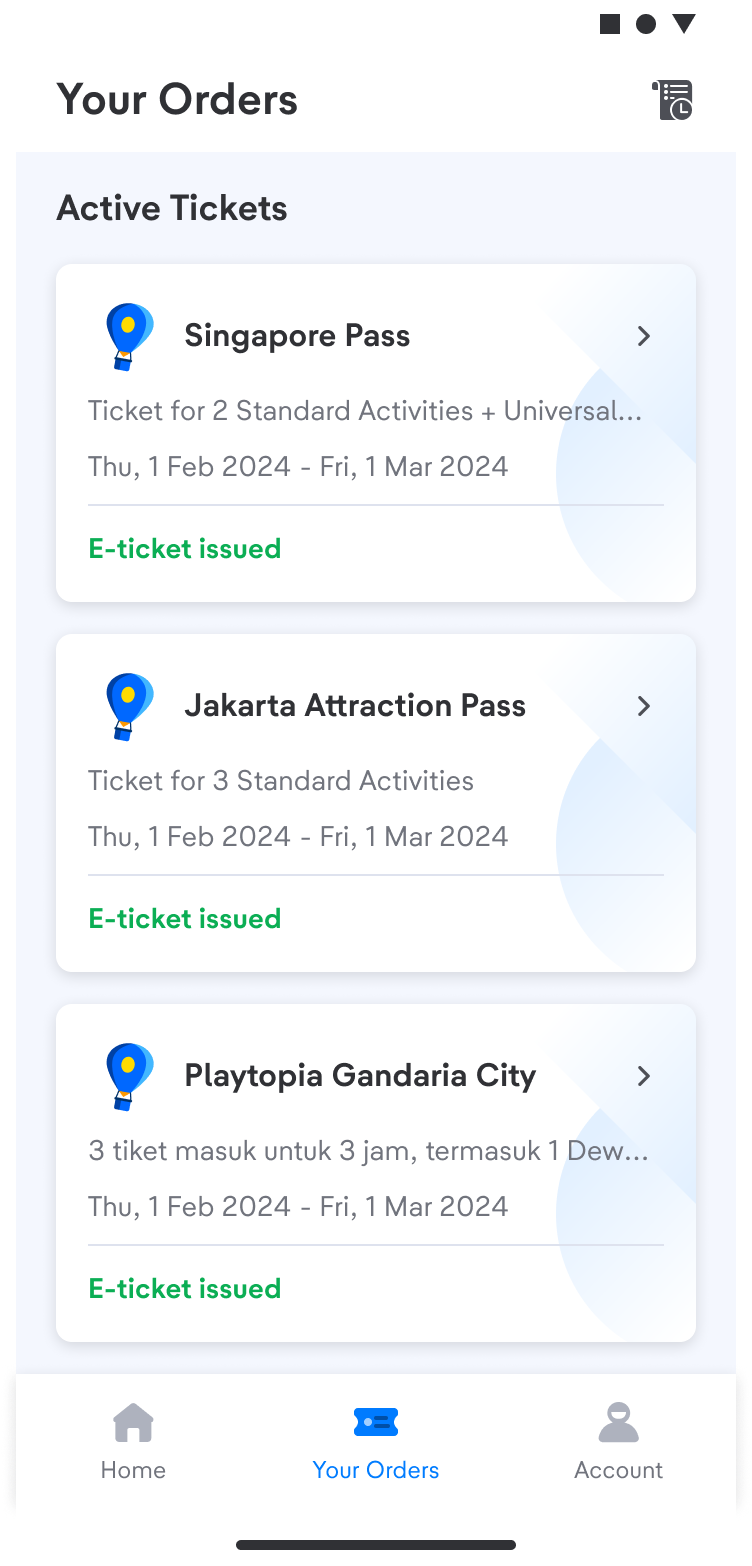
2. See the Manage Pass and click redeem or reserve ticket.
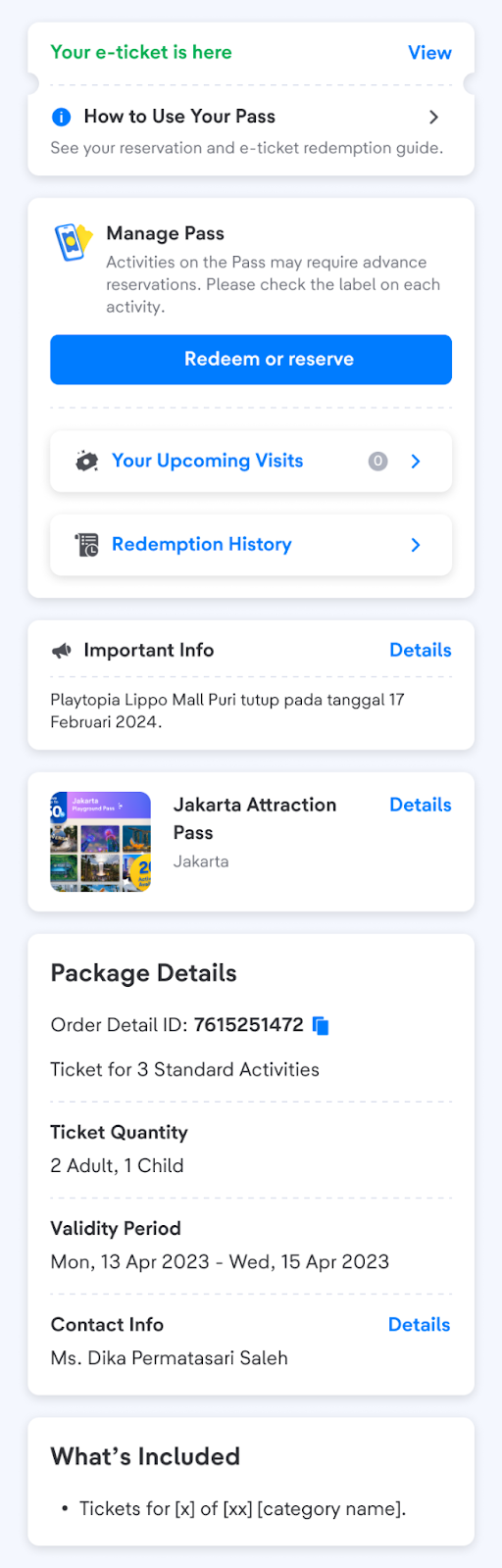
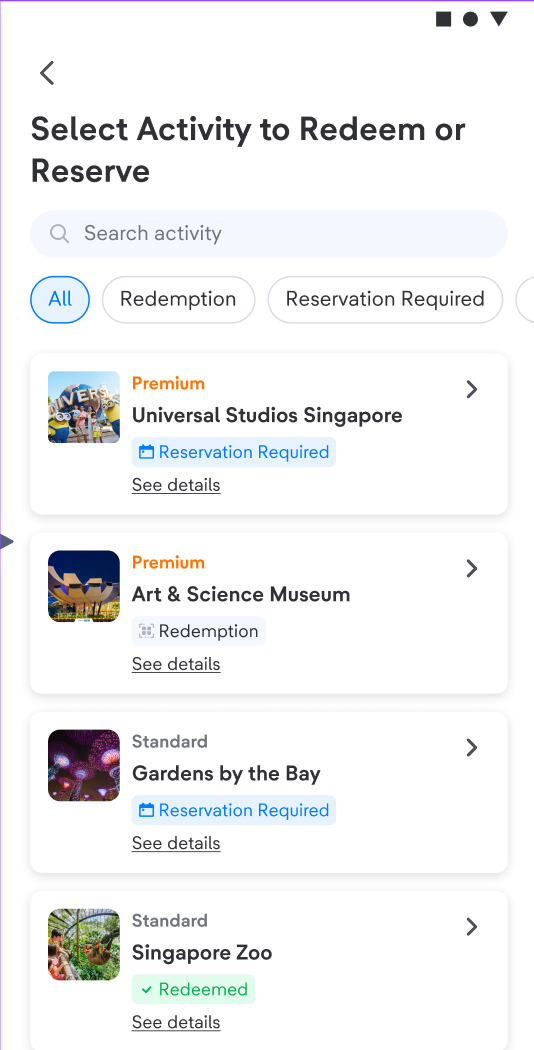
For those who ordered several attractions, you can choose which activity you want to reserve.
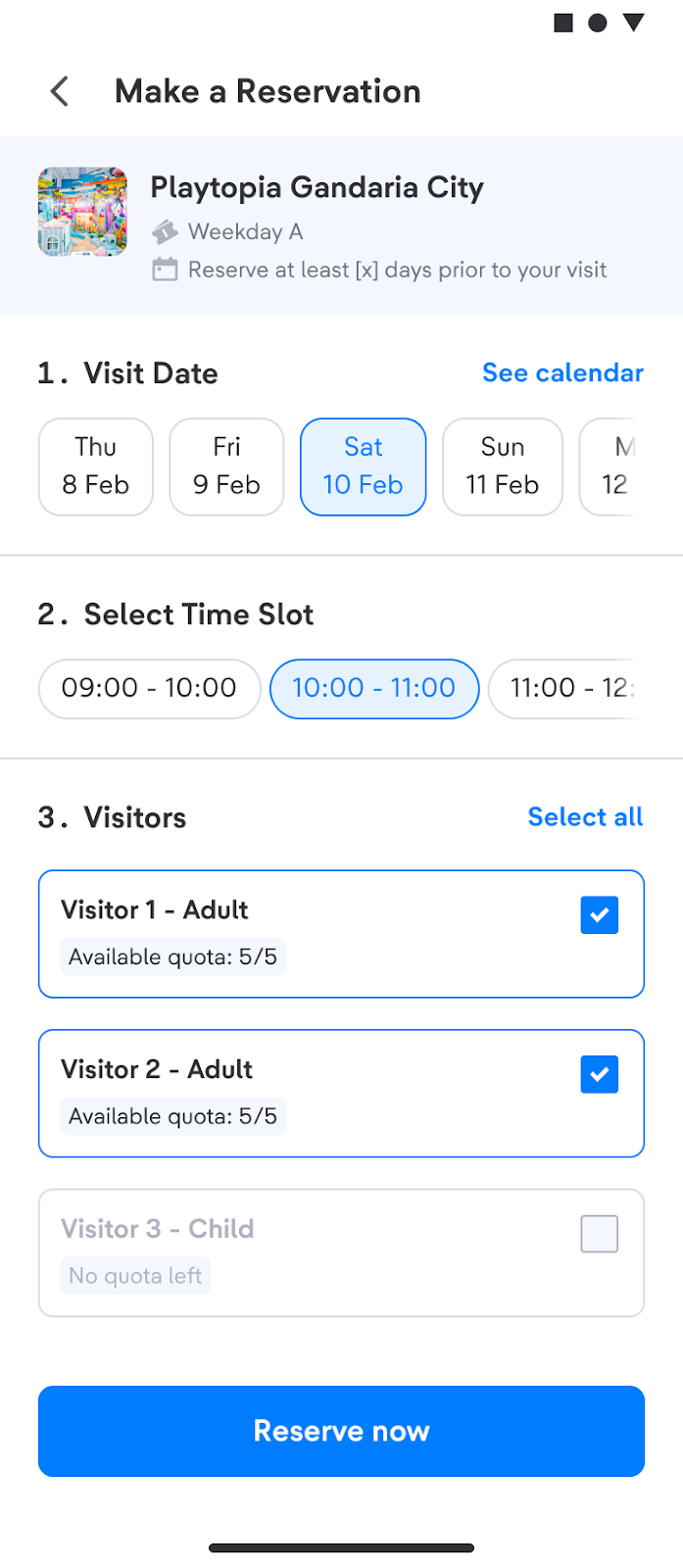
3. Choose the date of visit, timeslot and visitors, then click Reserve Now.
4. When your reservation is confirmed, you’ll receive a QR code that will be used to enter the attraction.
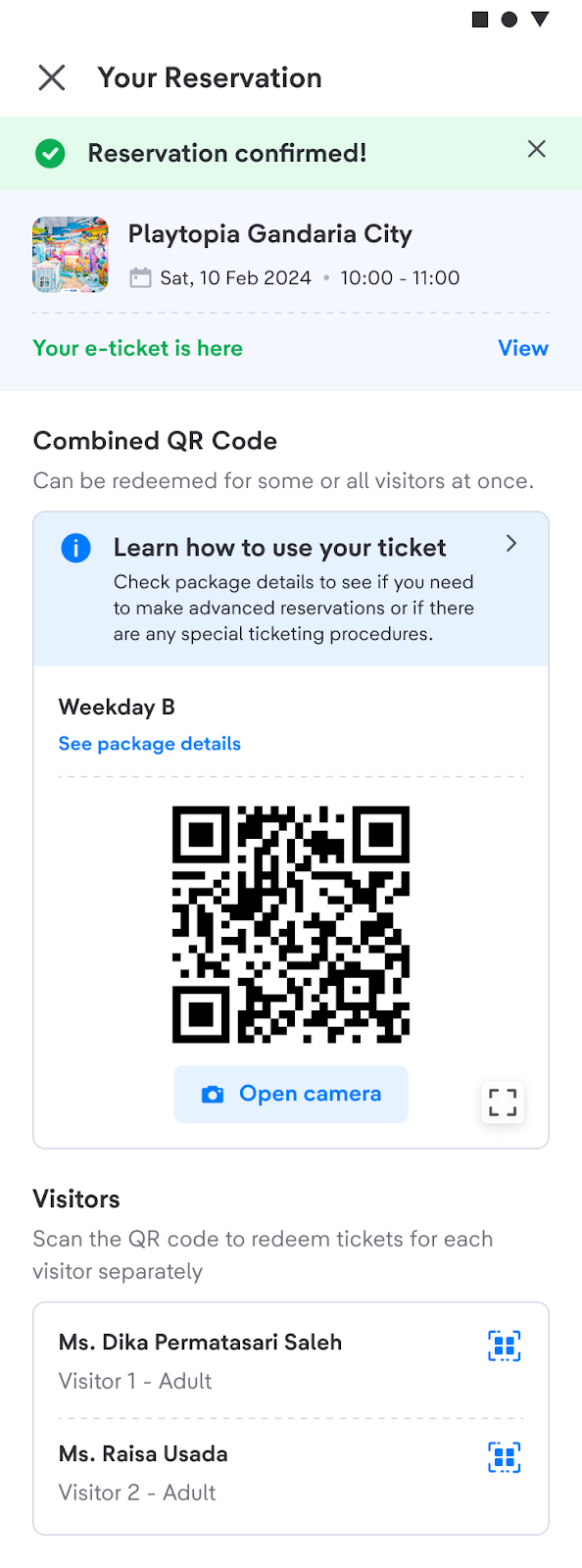
5. You can check your reservation in Your Order page on Active Reservation sections and more details in Redemption History.
t-mates, please note the important things you need to know related to Multi-visits feature:
- The reservation that has been made cannot be cancelled. Please ensure you choose the right date of visit.
- This ticket can be paid with various currencies, not only IDR.
- You can request to cancel and refund your ticket any time before the first reservation is made. Unfortunately, we are unable to offer you a refund if you have used your ticket.
- If the date of visit you want is unavailable, the attraction might be temporarily closed or under maintenance. You can check the availability regularly or choose another date.